
 KaffeineLinux
vs
KaffeineLinux
vs
 ShaPLAYWindows
Kaffeine como alternativa Linux ao ShaPLAY
Atualizado em
Nossa avaliação
Kaffeine is a partial replacement for ShaPLAY, suitable for general audio playback but lacking specialized DVD-Audio support. While it handles standard audio files well via GStreamer, it does not explicitly support the proprietary DVD-Audio format or guarantee native 24-bit/192 kHz playback from discs. If your primary need is playing high-resolution audio files (FLAC, WAV), Kaffeine works. If you specifically need to rip or play physical DVD-Audio discs with full fidelity and metadata, you are better off with a dedicated tool like K3b or a command-line utility. It is not a direct drop-in replacement for the specific niche ShaPLAY serves.
- Licença
- GPL-2.0+
- Preço
- Grátis
- Versão mais recente
- 2.0.18 (14 de maio de 2019)
- Avaliação
- —
O que funciona igual
- Plays audio files with high fidelity
- Supports multiple audio codecs
- Provides basic playback controls (play, pause, seek)
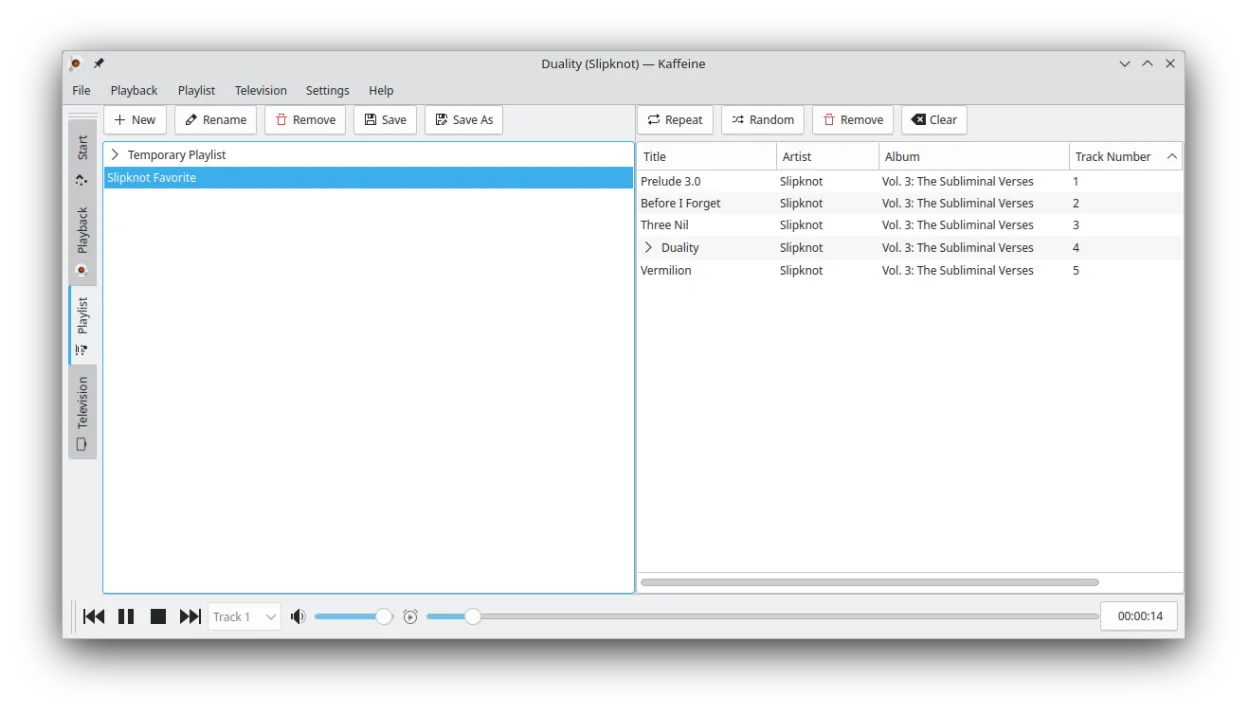
- Displays basic track information
O que muda
- Does not natively support DVD-Audio disc format
- Lacks specific 24-bit/192 kHz hardware output configuration typical of high-res players
- No specialized metadata display for high-resolution audio discs
- Focused on general multimedia and DVB TV rather than pure audio fidelity
Abrindo seus arquivos do ShaPLAY
Kaffeine does not use ShaPLAY's file formats. If you have ripped DVD-Audio tracks to standard formats like FLAC or WAV, Kaffeine can play them. If you are using proprietary ShaPLAY project files or unripped disc images, Kaffeine cannot open them directly. You must convert or rip the audio to a universal lossless format first.
Trocando o ShaPLAY pelo Kaffeine, passo a passo
- Install Kaffeine via your package manager or Flatpak
- Rip your DVD-Audio discs to FLAC or WAV using a dedicated tool like K3b
- Configure your audio output device in Kaffeine settings for high-resolution support
- Import your ripped audio files into the Kaffeine playlist
- Verify playback quality by checking the output sample rate in your system mixer
Principais recursos do Kaffeine
- Forte suporte a placas sintonizadoras DVB para TV digital
- Reproduz DVDs com menus completos e navegação por capítulos
- Suporta formatos VCD e SVCD
- Lida com uma ampla gama de codecs de áudio e vídeo por meio do GStreamer
- Varredura e gravação integradas de canais de TV
- Atalhos de teclado para navegação e controle de reprodução rápidos
- Suporta legendas em múltiplos formatos
- Disponível como Flatpak para instalação fácil
Como instalar o Kaffeine no Linux
flatpak install flathub org.kde.kaffeinesudo apt install kaffeinesudo apt install kaffeinesudo dnf install kaffeinesudo pacman -S kaffeinesudo zypper install kaffeinePerguntas frequentes
Can Kaffeine play DVD-Audio discs directly?
No, Kaffeine is designed for standard DVDs and video files. It does not support the DVD-Audio format. You must rip the audio to a standard file format first.
Does it support 24-bit/192 kHz audio?
Kaffeine uses GStreamer, which supports high-resolution audio if your hardware and drivers allow it. However, it is not a dedicated high-res player, so you must ensure your sound card is set to the correct output mode.
Is Kaffeine better than VLC for this purpose?
Neither is ideal for DVD-Audio. VLC has better codec support, but for true high-res audio, dedicated players like foobar2000 (via Wine) or Linux-native tools like Qmmp are often preferred.
