
 MyPaintLinux
vs
KritaWindows
MyPaintLinux
vs
KritaWindows
MyPaint como alternativa Linux ao Krita
Atualizado em
Nossa avaliação
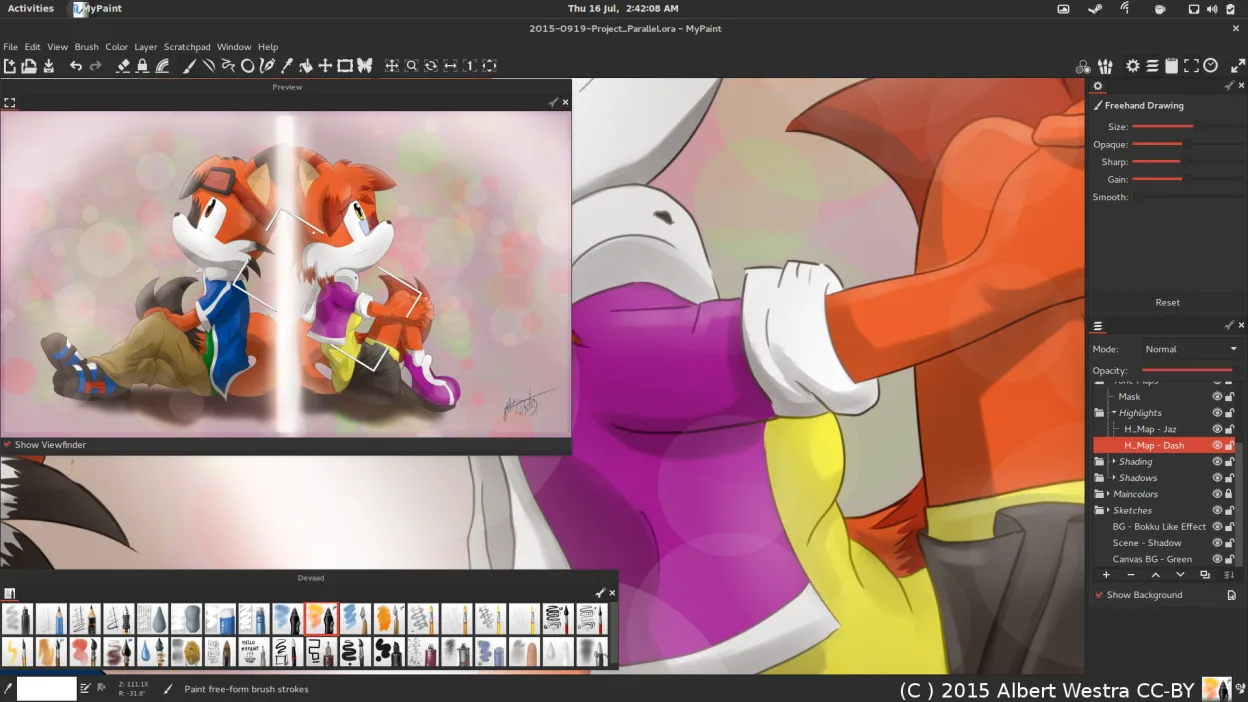
MyPaint can replace Krita for users who mainly need a lightweight, tablet‑centric painting environment and are willing to forego advanced features like animation, extensive layer controls, and file format support. It works well for sketching, concept art, or quick brush‑based work, especially on Linux where native installation is straightforward.
- Licença
- GPL-2.0+
- Preço
- Grátis
- Versão mais recente
- 2.0.1 (29 de maio de 2020)
- Avaliação
- —
O que funciona igual
- Both are free, open‑source raster painting programs
- Both support pressure‑sensitive tablets and tilt
- Both have a large, configurable brush engine
- Both can export to PNG/JPEG and other common formats
O que muda
- MyPaint lacks an animation timeline and advanced layer/mask management
- It does not natively import or export Krita’s .kra files or Photoshop PSDs with layers
- Krita offers a full feature set for illustration, comics, and animation, while MyPaint is a minimal canvas
- Krita includes a built‑in brush library and pattern tools, MyPaint relies on external packs
- MyPaint’s interface is distraction‑free, but lacks the organized panels Krita provides
Abrindo seus arquivos do Krita
MyPaint cannot open Krita’s .kra files directly. To transfer work, export from Krita as a flat PNG or OpenRaster, then open that file in MyPaint. For importing, you can use Krita’s export to OpenRaster and then import into MyPaint, but layer information will be lost.
Trocando o Krita pelo MyPaint, passo a passo
- Export your Krita project as a PNG or OpenRaster file.
- Open the exported file in MyPaint via File → Open.
- Re‑apply any brush settings manually, as MyPaint does not import Krita brush presets.
- Save your work in MyPaint’s preferred format (OpenRaster or PNG).
- If you need to return to Krita, re‑import the PNG and rebuild layers manually.
Principais recursos do MyPaint
- Mecanismo de pincel com centenas de parâmetros configuráveis
- Suporta sensibilidade à pressão e inclinação em tablets gráficos
- Interface simples e livre de distrações, focada apenas na tela
- Suporte a camadas com modos básicos de mesclagem
- Exportação para PNG, JPEG, OpenRaster e outros formatos comuns
- Extensível por meio de plugins em Python
- Pacotes de pincéis pré-instalados de artistas profissionais
- Histórico de desfazer/refazer com número ilimitado de passos
Como instalar o MyPaint no Linux
flatpak install flathub org.mypaint.MyPaintsudo apt install mypaintsudo apt install mypaintsudo dnf install mypaintsudo pacman -S mypaintsudo zypper install mypaintPerguntas frequentes
Can I use Krita brushes in MyPaint?
MyPaint can import brush files in its own format, but it does not read Krita’s brush presets directly. You would need to export brushes from Krita and convert them manually, which is non‑trivial.
Does MyPaint support animation?
No. MyPaint has no timeline or frame‑by‑frame animation tools; it is purely a painting program.
Is MyPaint suitable for detailed illustration work?
It can handle basic illustration, but lacks advanced layer masks, vector tools, and precise selection tools that Krita offers.

