
 Penpot DesktopLinux
vs
Adobe FigmaWindows
Penpot DesktopLinux
vs
Adobe FigmaWindows
Penpot Desktop como alternativa Linux ao Adobe Figma
Atualizado em
Nossa avaliação
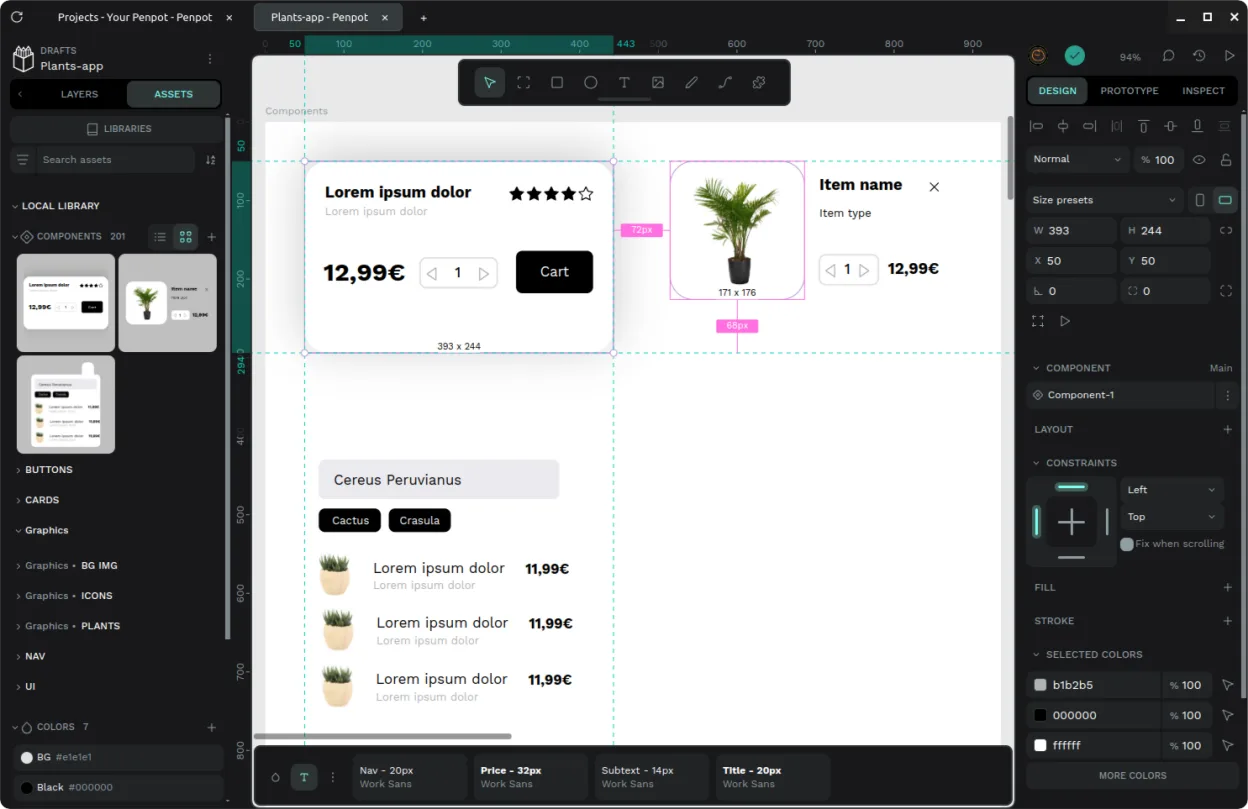
Penpot Desktop is a solid open-source alternative for teams prioritizing privacy and self-hosting over vendor lock-in. It handles vector UI design, prototyping, and component libraries well, matching Figma's core workflow. However, it lacks Figma's massive plugin ecosystem and deep enterprise integrations. If you need strict data sovereignty or want to avoid subscription costs, it is a strong choice. For agencies relying heavily on third-party plugins or complex handoff pipelines, the transition may feel restrictive. It is best for developers and designers who value open standards and local control.
- Licença
- AGPL-3.0-or-later
- Preço
- Grátis
- Versão mais recente
- v1.0.0 (30 de setembro de 2026)
- Avaliação
- —
O que funciona igual
- Vector-based UI design canvas with layers and shapes
- Real-time collaborative editing across multiple users
- Interactive prototyping with transitions and links
- Component libraries and design system management
- Developer handoff with code inspection and measurements
O que muda
- Open-source and self-hostable, unlike Figma's proprietary cloud
- Smaller plugin ecosystem with fewer automation options
- Desktop wrapper adds native window management to web core
- No direct integration with Adobe Creative Cloud ecosystem
- File format is not natively compatible with Figma files
Abrindo seus arquivos do Adobe Figma
Penpot does not natively open Adobe Figma (.fig) files. You must export assets from Figma as SVG or PNG and import them into Penpot. Vector shapes and styles may require manual re-creation to maintain editability. There is no direct conversion tool, so complex designs with advanced effects or components will need significant rework to function correctly in Penpot.
Trocando o Adobe Figma pelo Penpot Desktop, passo a passo
- Install Penpot Desktop via Flathub or official repository
- Set up a self-hosted Penpot instance or use the official cloud
- Export vector assets and styles from Figma as SVG
- Import SVGs into Penpot and rebuild component libraries
- Recreate interactive prototypes and link states
- Test developer handoff features with your engineering team
Principais recursos do Penpot Desktop
- Janela desktop dedicada com integração em nível de sistema
- Associação de extensão de arquivo para abertura direta
- Interface de abas para alternar entre múltiplos projetos
- Suporte para conexão a instâncias oficiais, auto-hospedadas ou locais
- Configurações versáteis de modo escuro e claro
- Wrapper não oficial para o núcleo Penpot de código aberto
Como instalar o Penpot Desktop no Linux
flatpak install flathub com.authormore.penpotdesktopPerguntas frequentes
Can I use Penpot Desktop offline?
Yes, if you connect it to a local self-hosted instance. The desktop wrapper supports local instances, allowing full offline design and prototyping without internet connectivity.
Is Penpot Desktop the same as the web version?
It is a wrapper around the web core. It provides a native window, file associations, and tab management, but the underlying design engine is identical to the browser version.
Does Penpot support plugins like Figma?
Penpot has a plugin system, but it is much smaller than Figma's. You may need to build custom scripts or rely on core features for automation tasks that Figma plugins handle out of the box.
Outras 2 alternativas ao Adobe Figma
 InkscapeInkscape é um editor de gráficos vetoriais livre e de código aberto que rivaliza com o Adobe Illustrator e o…Código abertoGrátisFlatpakInkscape vs Adobe Figma
 LibreOffice DrawLibreOffice Draw é uma ferramenta gratuita de gráficos vetoriais e diagramas para criar fluxogramas, desenhos…Código abertoGrátisFlatpakLibreOffice Draw vs Adobe Figma