
 Penpot DesktopLinux
vs
FigmaWindows
Penpot DesktopLinux
vs
FigmaWindows
Penpot Desktop como alternativa Linux ao Figma
Atualizado em
Nossa avaliação
Penpot Desktop is a solid, open-source alternative for Linux users who need a native-feeling wrapper around the Penpot web app. It handles vector drawing, components, and design systems well, making it suitable for individual designers and small teams. However, it is not a drop-in replacement for heavy enterprise Figma users. Real-time collaboration exists but may feel less polished than Figma’s. If you value self-hosting, offline work, and avoiding proprietary cloud lock-in, this is a strong choice. If you rely on deep plugin ecosystems or specific Figma integrations, you will face friction.
- Licença
- AGPL-3.0-or-later
- Preço
- Grátis
- Versão mais recente
- v1.0.0 (30 de setembro de 2026)
- Avaliação
- —
O que funciona igual
- Vector-based UI/UX design with layout tools
- Component libraries and design system support
- Real-time collaborative editing
- Export to SVG, PNG, and PDF
- Prototyping and interactive flows
O que muda
- Unofficial wrapper for a web app, not a fully native desktop application
- Open-source AGPL license versus Figma's proprietary model
- Requires connecting to an instance (official, self-hosted, or local) rather than direct cloud access
- Smaller plugin ecosystem compared to Figma's extensive marketplace
Abrindo seus arquivos do Figma
Penpot supports importing Figma files, allowing you to bring existing projects into the platform. You can also export your work to standard formats like SVG, PNG, and PDF. However, complex Figma-specific features or plugins may not translate perfectly, so testing critical files before full migration is recommended.
Trocando o Figma pelo Penpot Desktop, passo a passo
- Install Penpot Desktop from Flathub or your package manager
- Set up a Penpot instance (use the official cloud or self-host for offline work)
- Import your existing Figma files into Penpot
- Rebuild or map component libraries to Penpot's system
- Test prototyping links and exports to ensure fidelity
- Share the new Penpot instance URL with your team
Principais recursos do Penpot Desktop
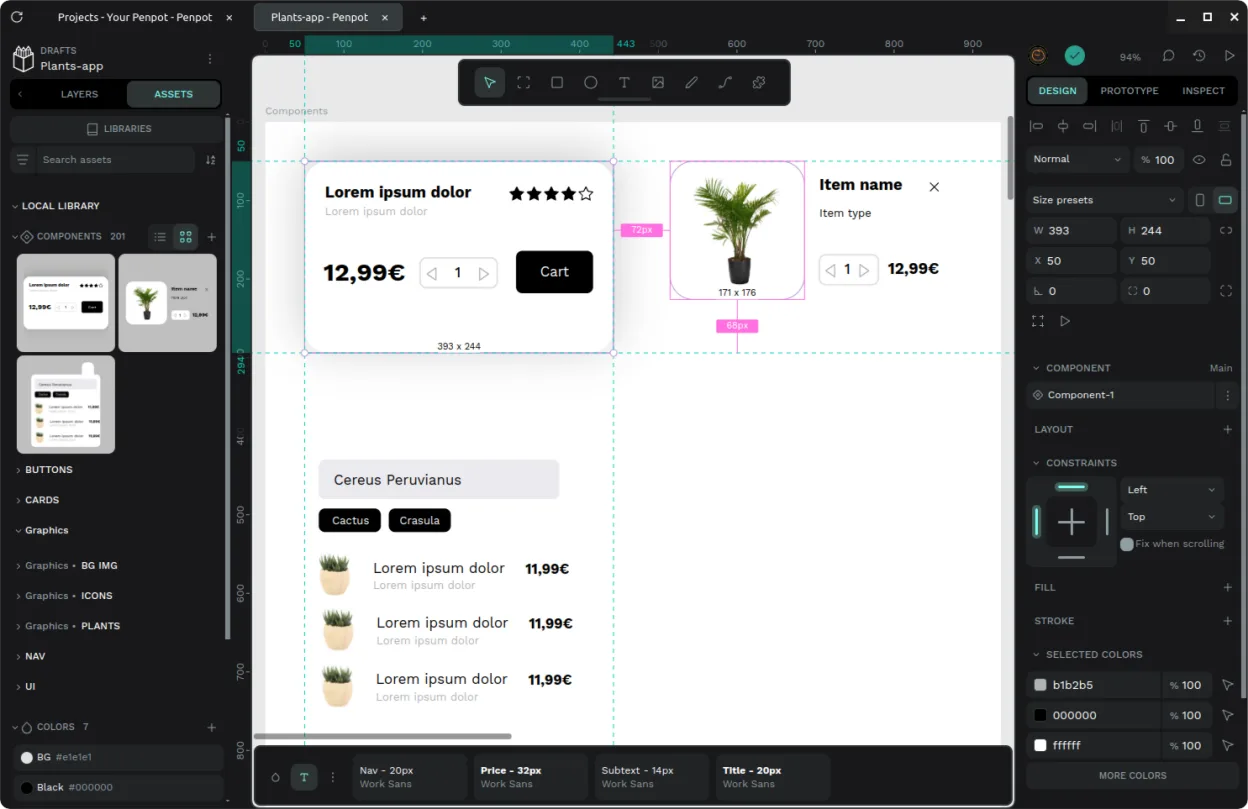
- Janela desktop dedicada com integração em nível de sistema
- Associação de extensão de arquivo para abertura direta
- Interface de abas para alternar entre múltiplos projetos
- Suporte para conexão a instâncias oficiais, auto-hospedadas ou locais
- Configurações versáteis de modo escuro e claro
- Wrapper não oficial para o núcleo Penpot de código aberto
Como instalar o Penpot Desktop no Linux
flatpak install flathub com.authormore.penpotdesktopPerguntas frequentes
Does Penpot Desktop work offline?
Yes, if you connect it to a local or self-hosted instance. The wrapper itself manages the window, but the core functionality depends on the backend instance you configure.
Is Penpot Desktop the same as the web version?
It is a wrapper that provides a native window, tab interface, and file association for the web-based Penpot core. The underlying design tools are the same.
Can I use Figma plugins in Penpot?
No, Figma plugins are not compatible. Penpot has its own plugin system, but the ecosystem is smaller, so you may need to find alternatives or manual workflows for specific tasks.
