
 pgAdmin 4Linux
vs
Microsoft SQL Server Management StudioWindows
pgAdmin 4 como alternativa Linux ao Microsoft SQL Server Management Studio
Atualizado em
Nossa avaliação
pgAdmin 4 can replace SSMS for users who work with PostgreSQL instead of SQL Server. It offers a web‑based GUI, query editor, ERD tool, backup/restore, monitoring, and fine‑grained permissions, all of which cover most day‑to‑day tasks in SSMS. However, it is not a drop‑in replacement for those who need to manage Microsoft SQL Server databases or use T‑SQL‑specific features. For PostgreSQL developers and DBAs, pgAdmin 4 is a solid choice.
- Licença
- PostgreSQL
- Preço
- Grátis
- Versão mais recente
- 9.19 (29 de outubro de 2026)
- Avaliação
- —
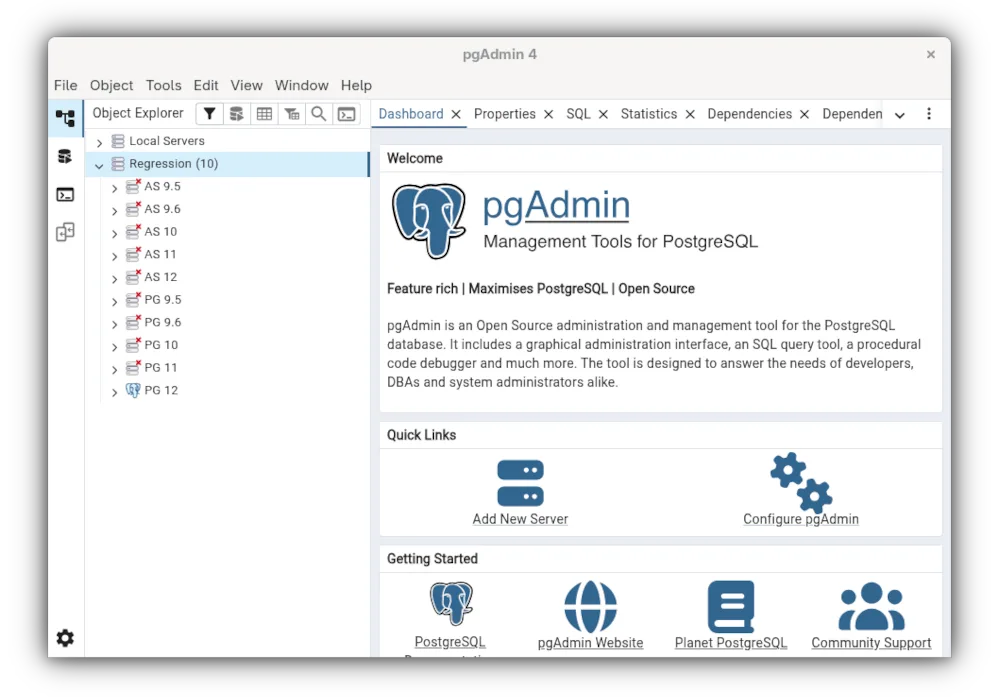
O que funciona igual
- GUI‑based database management
- SQL query editor with syntax highlighting
- Object browser for tables, views, procedures
- Data import/export tools
- Performance monitoring dashboards
O que muda
- Designed for PostgreSQL, not Microsoft SQL Server
- Lacks T‑SQL debugging and execution plans specific to SQL Server
- No native support for SQL Server Agent jobs
- Does not manage SQL Server security principals like logins and roles
- No integration with Windows authentication for SQL Server
Abrindo seus arquivos do Microsoft SQL Server Management Studio
SSMS uses .mdf/.ldf database files and .bak backup files that are specific to SQL Server. pgAdmin 4 cannot open these files directly; you would need to restore the database in a SQL Server instance first or use third‑party tools to convert the data to PostgreSQL format. Exporting data from SSMS to CSV or SQL scripts can be imported into pgAdmin 4, but direct file compatibility is not available.
Trocando o Microsoft SQL Server Management Studio pelo pgAdmin 4, passo a passo
- Export the SQL Server database to a SQL script or CSV files using SSMS export wizard.
- If needed, use a data migration tool (e.g., pg_dump, dbForge Data Compare) to convert schema and data to PostgreSQL syntax.
- Create a new PostgreSQL database via pgAdmin 4 and import the SQL script or CSV files.
- Verify table structures, indexes, and constraints match the original design.
- Adjust any T‑SQL specific code to PostgreSQL syntax (e.g., variable declaration, error handling).
- Test application connectivity against the new PostgreSQL database.
Principais recursos do pgAdmin 4
- Interface web acessível de qualquer navegador
- Editor de consultas avançado com realce de sintaxe e conclusão de código
- Ferramenta de ERD para design de esquemas
- Utilitários de auto-vacuum, backup e restauração
- Painel de monitoramento para métricas de desempenho
- Gerenciamento detalhado de usuários e permissões
Como instalar o pgAdmin 4 no Linux
flatpak install flathub org.pgadmin.pgadmin4sudo dnf install pgadmin4sudo zypper install pgadmin4Perguntas frequentes
Can I run pgAdmin 4 on Windows?
Yes, pgAdmin 4 is cross‑platform and can run on Windows, macOS, and Linux. It runs as a web application in a browser, but you can install a local server package for easier use.
Does pgAdmin 4 support remote PostgreSQL servers?
Yes, you can add any remote PostgreSQL instance by specifying its host, port, and credentials. The web interface works over HTTPS for secure remote access.
Is pgAdmin 4 free?
pgAdmin 4 is released under the PostgreSQL license, which is a permissive open‑source license. There is no cost to download, install, or use it.
Outras 1 alternativas ao Microsoft SQL Server Management Studio

Todas as alternativas ao Microsoft SQL Server Management Studio