
 PiTiViLinux
vs
PiTiViLinux
vs
 Avid LiquidWindows
PiTiVi como alternativa Linux ao Avid Liquid
Atualizado em
Nossa avaliação
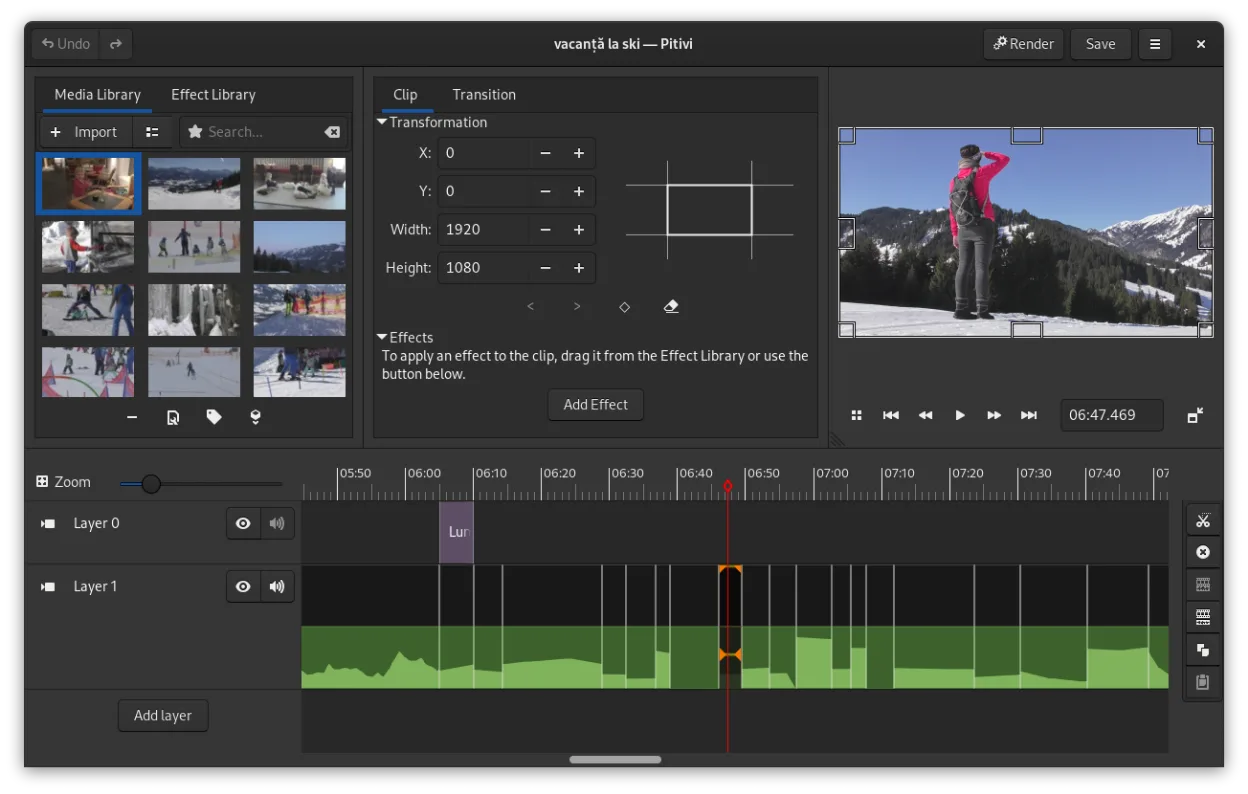
PiTiVi is a reasonable replacement for Avid Liquid if you're on Linux and need a straightforward, non-linear editor for standard and high-definition video. It handles common formats via GStreamer, supports keyframing, transitions, and multi-track editing, and integrates well with GNOME. While it lacks some professional polish and advanced features found in Liquid, it’s stable and usable for hobbyists and semi-pro work. Performance is solid for short-form content, but complex timelines may challenge its stability. Not ideal for heavy post-production, but sufficient for basic to intermediate editing.
- Licença
- LGPL-2.0+
- Preço
- Grátis
- Versão mais recente
- 2023.03 (26 de março de 2023)
- Avaliação
- —
O que funciona igual
- Both offer non-linear editing with timeline-based workflows
- Support for HD and SD video formats through underlying frameworks
- Include audio track management and basic mixing capabilities
- Provide crossfades and SMPTE-standard transitions
- Allow export to common codecs via backend multimedia support
O que muda
- PiTiVi lacks native project file import from Avid Liquid
- No support for Liquid's proprietary effects or advanced color grading
- Fewer preset templates and less hardware acceleration optimization
- Smaller plugin ecosystem compared to Liquid's legacy add-ons
- Interface is simpler but less customizable for pro workflows
Abrindo seus arquivos do Avid Liquid
PiTiVi cannot open Avid Liquid project files directly—there's no import filter for .liquid or related formats. However, you can import the original media files (AVI, MOV, MP4, etc.) used in the Liquid project, as long as GStreamer supports them. Once imported, you rebuild the timeline manually. Export formats are widely compatible, including MP4, WebM, and AVI, using standard codecs like H.264, VP8, and AAC, so final output isn't an issue.
Trocando o Avid Liquid pelo PiTiVi, passo a passo
- Install PiTiVi via your distribution's package manager or Flathub
- Extract and copy media files from your Avid Liquid project folder
- Launch PiTiVi and create a new project with matching aspect ratio and framerate
- Import clips and reconstruct the timeline manually
- Apply transitions and effects using built-in tools
- Export using one of the available render presets
Principais recursos do PiTiVi
- Edição não linear com linha do tempo independente da taxa de quadros
- Suporta qualquer formato processado pelo GStreamer
- Animação de keyframes para efeitos e filtros
- Edição ripple e roll para ajustes eficientes na linha do tempo
- Proporções de tela, taxas de quadros e presets de renderização personalizados
- Crossfades e transições padrão SMPTE
- Painéis de interface destacáveis para configurações com múltiplos monitores
- Fluxo de trabalho de edição não modal com design centrado no playhead
Como instalar o PiTiVi no Linux
flatpak install flathub org.pitivi.Pitivisudo apt install pitivisudo apt install pitivisudo dnf install pitivisudo pacman -S pitivisudo zypper install pitiviPerguntas frequentes
Can PiTiVi run on non-GNOME desktops?
Yes, PiTiVi runs on any Linux desktop environment, though it integrates best with GNOME. Performance and appearance are consistent across XFCE, KDE, and others.
Does PiTiVi support 1080p and 4K editing?
Yes, PiTiVi handles 1080p and 4K footage through GStreamer, but performance depends on your hardware. Proxy editing isn't built-in, so smooth playback isn't guaranteed on weaker systems.
Is there a way to automate project conversion from Avid Liquid?
No, there's no tool to convert Liquid project files to PiTiVi format. You must manually recreate the edit using the source media in PiTiVi.
Outras 3 alternativas ao Avid Liquid
 KdenliveO Kdenlive é um editor de vídeo não linear gratuito e repleto de recursos, construído sobre o framework MLT.Código abertoGrátisFlatpakKdenlive vs Avid Liquid
 OpenShotOpenShot é um editor de vídeo não linear gratuito, de código aberto, para Linux e outras plataformas…Código abertoGrátisFlatpakOpenShot vs Avid Liquid
 CinelerraCinelerra is a professional‑grade, open‑source non‑linear video editor and compositor for Linux.Código abertoGrátisCinelerra vs Avid Liquid