
 PlayOnLinux 4Linux
vs
BottlesWindows
PlayOnLinux 4 como alternativa Linux ao Bottles
Atualizado em
Nossa avaliação
PlayOnLinux 4 is a functional, older alternative to Bottles, but it is not a direct drop-in replacement for modern users. While it handles the core job of managing Wine prefixes and installing Windows apps via scripts, it lacks the contemporary UI, granular dependency management, and native gaming platform integrations that Bottles offers. It is best suited for users who already know the PlayOnLinux workflow or need a lightweight, script-based installer. For new users expecting a polished, modern experience with deep Steam or Lutris integration, Bottles remains the superior choice due to its active development and user-friendly interface.
- Licença
- GPL-3.0
- Preço
- Grátis
- Versão mais recente
- 4.4 (17 de maio de 2020)
- Avaliação
- —
O que funciona igual
- Both are GUI front-ends for Wine that simplify prefix creation and management.
- Both allow running Windows applications and games on Linux.
- Both are open-source and community-maintained.
- Both support installing Windows libraries (like winetricks) to fix dependencies.
O que muda
- PlayOnLinux relies on a script database for installation, whereas Bottles offers a more visual, step-by-step setup with better dependency detection.
- Bottles has native, tighter integration with gaming platforms like Steam and Lutris; PlayOnLinux integration is more manual or basic.
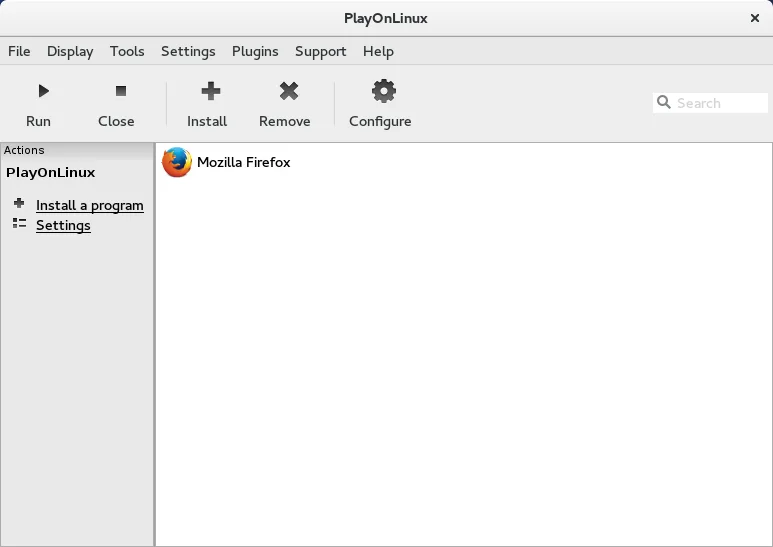
- Bottles features a modern, responsive UI; PlayOnLinux 4 uses a more dated interface that can feel less intuitive for new users.
- Bottles provides more granular control over prefix settings and environment variables through its GUI.
Abrindo seus arquivos do Bottles
There is no direct file compatibility between Bottles and PlayOnLinux. They use different internal directory structures and metadata formats to manage Wine prefixes. You cannot simply drag and drop a Bottles prefix into PlayOnLinux and have it recognized automatically. While the underlying Wine prefix data (the .wine folder) is standard, the configuration, shortcuts, and metadata stored by Bottles are not readable by PlayOnLinux. You would need to manually recreate the environment in PlayOnLinux.
Trocando o Bottles pelo PlayOnLinux 4, passo a passo
- Identify the specific Wine version and dependencies used in your Bottles prefix.
- Create a new prefix in PlayOnLinux using the same Wine version.
- Manually install required Windows libraries using the PlayOnLinux 'Install a Windows Library' feature or winetricks.
- Copy your Windows application files from the Bottles prefix to the new PlayOnLinux prefix directory.
- Create shortcuts in PlayOnLinux pointing to the copied executables.
- Test the application to ensure it runs correctly and adjust settings if needed.
Principais recursos do PlayOnLinux 4
- Instalador gráfico para aplicações Windows
- Criação automatizada de prefixes Wine
- Banco de dados de scripts de instalação pré‑configurados
- Suporte a múltiplas versões do Wine por aplicação
- Capacidade de instalar bibliotecas Windows via winetricks
- Integração com Flatpak via Flathub
- Código aberto e mantido pela comunidade
Como instalar o PlayOnLinux 4 no Linux
flatpak install flathub com.playonlinux.PlayOnLinux4sudo apt install playonlinuxsudo apt install playonlinuxsudo dnf install playonlinuxsudo zypper install PlayOnLinuxPerguntas frequentes
Is PlayOnLinux 4 actively developed?
The status is listed as active, but the latest release mentioned is from 2020. This suggests development may be slower or less frequent compared to Bottles, which is more actively maintained with regular updates.
Can I use PlayOnLinux for Steam games?
Yes, but the integration is less seamless than Bottles. You can install Steam via PlayOnLinux or run the native Steam client and point it to the PlayOnLinux prefix, but the user experience is not as integrated as with Bottles.
Which is better for non-gamers?
PlayOnLinux is often preferred for general Windows applications because its script database is well-established for common office and utility software. However, Bottles is becoming increasingly capable for non-gaming use cases with its improved UI.
