
 PlayOnLinux 4Linux
vs
BottlesWindows
PlayOnLinux 4 as a Linux alternative to Bottles
Updated
Our verdict
PlayOnLinux 4 is a functional, older alternative to Bottles, but it is not a direct drop-in replacement for modern users. While it handles the core job of managing Wine prefixes and installing Windows apps via scripts, it lacks the contemporary UI, granular dependency management, and native gaming platform integrations that Bottles offers. It is best suited for users who already know the PlayOnLinux workflow or need a lightweight, script-based installer. For new users expecting a polished, modern experience with deep Steam or Lutris integration, Bottles remains the superior choice due to its active development and user-friendly interface.
- License
- GPL-3.0
- Price
- Free
- Latest version
- 4.4 (May 17, 2020)
- Rating
- —
What works the same
- Both are GUI front-ends for Wine that simplify prefix creation and management.
- Both allow running Windows applications and games on Linux.
- Both are open-source and community-maintained.
- Both support installing Windows libraries (like winetricks) to fix dependencies.
What is different
- PlayOnLinux relies on a script database for installation, whereas Bottles offers a more visual, step-by-step setup with better dependency detection.
- Bottles has native, tighter integration with gaming platforms like Steam and Lutris; PlayOnLinux integration is more manual or basic.
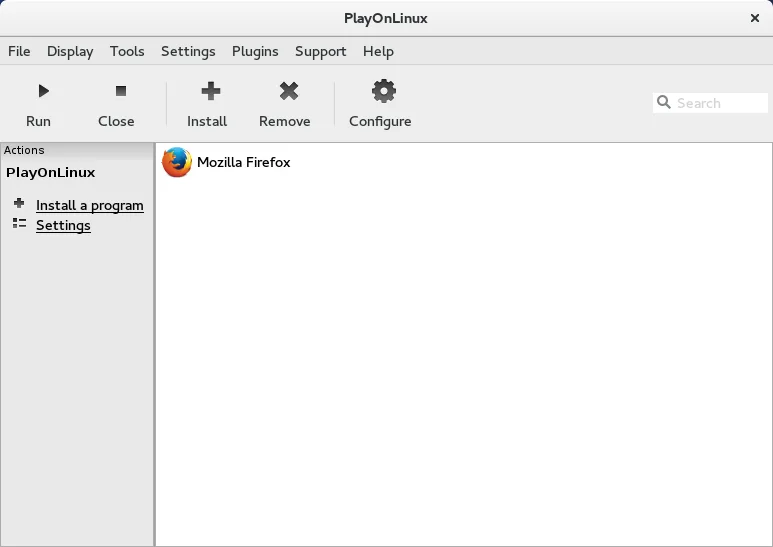
- Bottles features a modern, responsive UI; PlayOnLinux 4 uses a more dated interface that can feel less intuitive for new users.
- Bottles provides more granular control over prefix settings and environment variables through its GUI.
Opening your Bottles files
There is no direct file compatibility between Bottles and PlayOnLinux. They use different internal directory structures and metadata formats to manage Wine prefixes. You cannot simply drag and drop a Bottles prefix into PlayOnLinux and have it recognized automatically. While the underlying Wine prefix data (the .wine folder) is standard, the configuration, shortcuts, and metadata stored by Bottles are not readable by PlayOnLinux. You would need to manually recreate the environment in PlayOnLinux.
Switching from Bottles to PlayOnLinux 4, step by step
- Identify the specific Wine version and dependencies used in your Bottles prefix.
- Create a new prefix in PlayOnLinux using the same Wine version.
- Manually install required Windows libraries using the PlayOnLinux 'Install a Windows Library' feature or winetricks.
- Copy your Windows application files from the Bottles prefix to the new PlayOnLinux prefix directory.
- Create shortcuts in PlayOnLinux pointing to the copied executables.
- Test the application to ensure it runs correctly and adjust settings if needed.
Key features of PlayOnLinux 4
- Graphical installer for Windows applications
- Automated Wine prefix creation
- Database of pre‑configured install scripts
- Support for multiple Wine versions per application
- Ability to install Windows libraries via winetricks
- Integration with Flatpak via Flathub
- Open source and community maintained
How to install PlayOnLinux 4 on Linux
flatpak install flathub com.playonlinux.PlayOnLinux4sudo apt install playonlinuxsudo apt install playonlinuxsudo dnf install playonlinuxsudo zypper install PlayOnLinuxFrequently asked questions
Is PlayOnLinux 4 actively developed?
The status is listed as active, but the latest release mentioned is from 2020. This suggests development may be slower or less frequent compared to Bottles, which is more actively maintained with regular updates.
Can I use PlayOnLinux for Steam games?
Yes, but the integration is less seamless than Bottles. You can install Steam via PlayOnLinux or run the native Steam client and point it to the PlayOnLinux prefix, but the user experience is not as integrated as with Bottles.
Which is better for non-gamers?
PlayOnLinux is often preferred for general Windows applications because its script database is well-established for common office and utility software. However, Bottles is becoming increasingly capable for non-gaming use cases with its improved UI.
