RClone ManagerLinux
vs
iCloud for WindowsWindows
RClone ManagerLinux
vs
iCloud for WindowsWindows
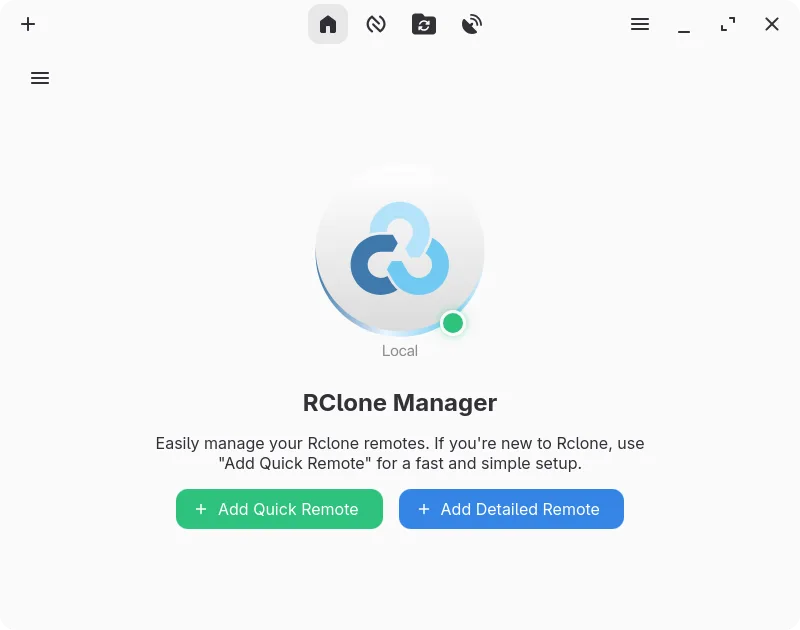
RClone Manager como alternativa Linux ao iCloud for Windows
Atualizado em
Nossa avaliação
RClone Manager is a solid tool for syncing generic cloud storage, but it is not a direct replacement for iCloud for Windows unless you strictly need file synchronization. It lacks native support for iCloud Photos and Mail, which are core features of the Windows client. If your primary need is keeping iCloud Drive files synced to a local directory, RClone Manager works well. However, if you rely on iCloud Photos or Mail integration, you will need separate solutions. It is best for users who treat iCloud Drive as a standard remote file system and do not require deep Apple ecosystem integration.
- Licença
- GPL-3.0-or-later
- Preço
- Grátis
- Versão mais recente
- 0.3.5 (29 de outubro de 2026)
- Avaliação
- —
O que funciona igual
- Two-way synchronization between local disk and cloud storage
- Background syncing with minimal manual intervention
- Support for standard file formats used by Apple
- Reliable file management and browsing capabilities
O que muda
- No native support for iCloud Photos syncing or management
- No integration with iCloud Mail or Contacts
- Requires manual configuration of iCloud credentials via rclone backend
- Lacks the seamless, system-level integration of the native Apple client
- Does not handle Apple-specific metadata or file locking mechanisms automatically
Abrindo seus arquivos do iCloud for Windows
RClone Manager treats iCloud Drive as a standard remote file system via rclone. Files synced from iCloud Drive are standard formats (PDF, DOCX, etc.) and open fine in Linux applications. There is no special 'iCloud for Windows' file format to convert. If you have local files that were previously synced via the Windows client, they are just regular files and can be copied or synced directly. No conversion is needed for standard documents, images, or videos.
Trocando o iCloud for Windows pelo RClone Manager, passo a passo
- Install RClone Manager from Flathub or your distribution's repository.
- Configure the iCloud backend in rclone settings using your Apple ID and app-specific password.
- Create a new remote in RClone Manager pointing to your iCloud Drive.
- Set up a sync operation to copy or move files between your local directory and the iCloud remote.
- Schedule the sync operation to run automatically in the background using cron or file watchers.
- Verify that files are syncing correctly and that permissions are set appropriately.
Principais recursos do RClone Manager
- Construtor visual de fluxos de trabalho para automações de múltiplas etapas
- Gerenciador de arquivos integrado para navegação e edição de arquivos remotos
- Monte armazenamento em nuvem como unidade local com cache VFS
- Pré‑visualização rica de mídia para imagens, vídeos, PDFs e código
- Agende operações via cron ou observadores de sistema de arquivos
- Integração na bandeja do sistema e controles de gerenciamento de energia
- Armazenamento de configuração criptografado com suporte a backup
- Serve armazenamento remoto via HTTP ou WebDAV
Como instalar o RClone Manager no Linux
flatpak install flathub io.github.zarestia_dev.rclone-managersudo apt install rclonesudo apt install rclonesudo dnf install rclonesudo pacman -S rclonesudo zypper install rclonePerguntas frequentes
Can RClone Manager sync iCloud Photos?
No, RClone Manager does not support iCloud Photos. It only handles file-based storage like iCloud Drive. You will need a separate tool or manual download for photos.
Do I need an app-specific password?
Yes, Apple requires an app-specific password for third-party services like rclone to access iCloud Drive. You must generate this in your Apple ID settings on the web.
Will it sync in real-time?
RClone Manager can use file system watchers to trigger syncs when files change, which approximates real-time syncing. However, it is not as tightly integrated as the native Apple client, so there may be slight delays.