
 Rocket.ChatLinux
vs
Microsoft TeamsWindows
Rocket.ChatLinux
vs
Microsoft TeamsWindows
Rocket.Chat como alternativa Linux ao Microsoft Teams
Atualizado em
Nossa avaliação
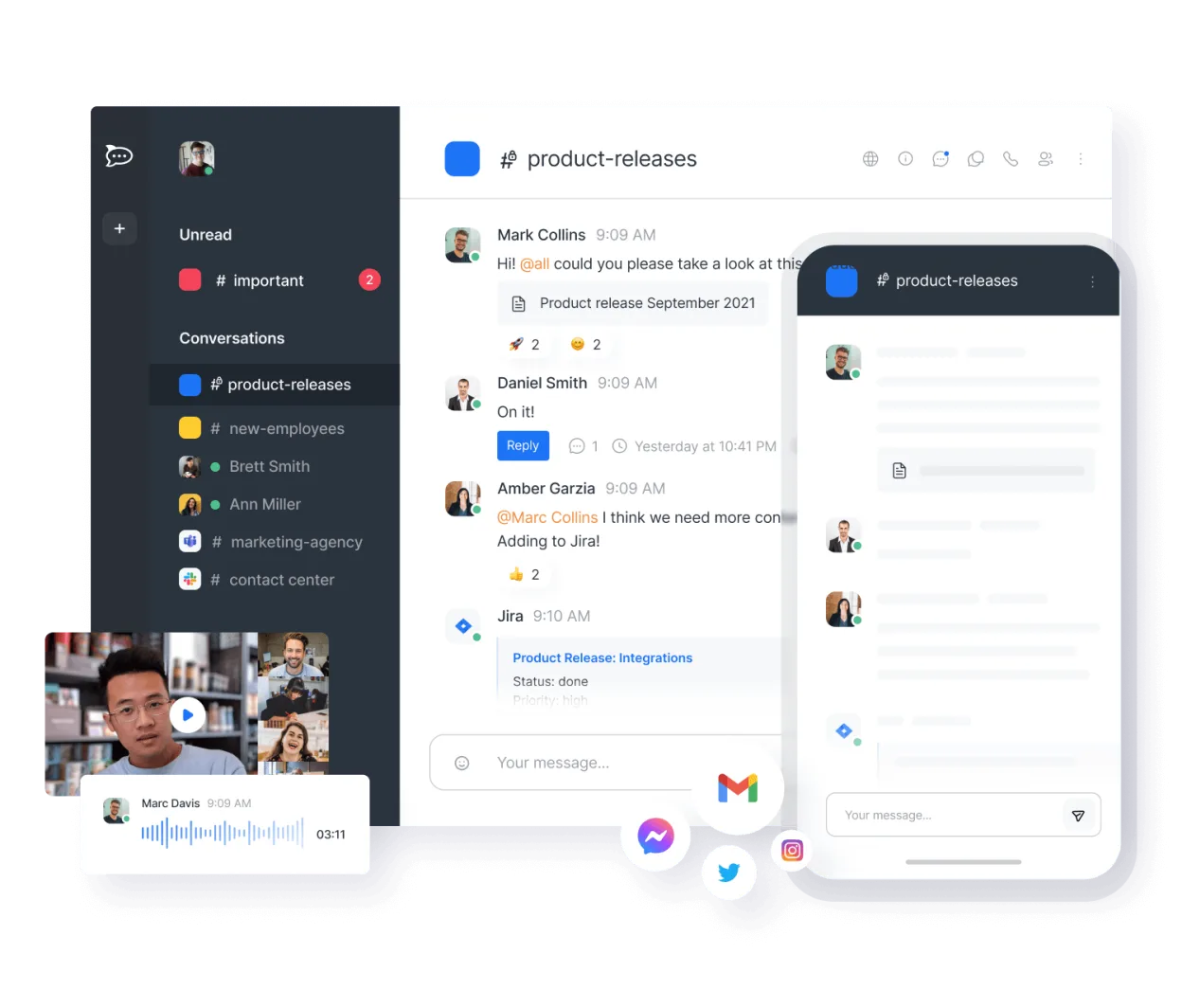
Rocket.Chat can serve as a practical replacement for Microsoft Teams for teams that need an open‑source, self‑hosted solution and are comfortable with a bit more configuration. It covers real‑time chat, threaded conversations, video/audio calls, file sharing, and basic office tool integration through APIs. It is best suited for organizations that value control over data, customizability, and cost‑free licensing, rather than those who rely heavily on deep Office 365 integration or enterprise‑grade security features that Teams offers.
- Licença
- MIT
- Preço
- Grátis
- Versão mais recente
- 4.18.3 (14 de outubro de 2026)
- Avaliação
- —
O que funciona igual
- Real‑time chat with threads
- Video and audio conferencing
- File sharing and storage
- User and group management
- Cross‑platform availability (desktop, web, mobile)
O que muda
- No native Office 365 integration – relies on APIs and third‑party bots
- No built‑in live document editing (requires external services like OnlyOffice or Collabora)
- End‑to‑end encryption only for private channels, not all traffic
- No native meeting scheduling tied to Microsoft Outlook
- Requires self‑hosting or paid cloud for advanced features
Abrindo seus arquivos do Microsoft Teams
Rocket.Chat does not natively open or export Microsoft Teams files. Teams files are stored in SharePoint/OneDrive; to access them from Rocket.Chat you would need to download the files from SharePoint and upload them to Rocket.Chat, or use a bot/connector that syncs the two services. Unknown whether Rocket.Chat can directly import Teams‑specific formats like .msg or .docx from Teams chat history.
Trocando o Microsoft Teams pelo Rocket.Chat, passo a passo
- Export Teams data via Microsoft Graph API or Teams export tool to get chat logs and files.
- Set up a Rocket.Chat instance (self‑hosted or cloud) and create the same user accounts and groups.
- Upload exported files to Rocket.Chat channels or use a bot to automate the transfer.
- Re‑configure integrations (e.g., Slack‑style bots, webhook endpoints) to match Teams functionality.
- Inform users about differences in UI and feature set, and provide training on Rocket.Chat’s interface.
- Monitor usage and adjust permissions to match Teams’ security model.
- faq
Principais recursos do Rocket.Chat
- Usuários e canais ilimitados por padrão
- Conferência de vídeo e áudio
- Compartilhamento de arquivos e edição ao vivo de documentos
- API extensa e integrações de bots
- Criptografia de ponta a ponta para canais privados
- Opções auto‑hospedadas ou na nuvem
- Aplicativos móveis para iOS e Android
- Temas e layouts personalizáveis
Como instalar o Rocket.Chat no Linux
flatpak install flathub chat.rocket.RocketChatOutras 5 alternativas ao Microsoft Teams
 SlackO Slack é um aplicativo proprietário de comunicação para equipes no Linux que centraliza conversas…FlatpakSlack vs Microsoft Teams
 MattermostO Mattermost é uma plataforma de colaboração de código aberto e autohospedada, criada para equipes de…Código abertoGrátisFlatpakMattermost vs Microsoft Teams
 DiscordUm cliente de mensagens, voz e vídeo multiplataforma para comunidades, jogos e encontros casuais.FlatpakDiscord vs Microsoft Teams
 ZulipZulip é um aplicativo de chat em grupo de código aberto que utiliza conversas em tópicos para gerenciar…Código abertoGrátisFlatpakZulip vs Microsoft Teams
 ElementO Element é um cliente de chat e videoconferência baseado em matriz, de código aberto, para Linux.Código abertoGrátisFlatpakElement vs Microsoft Teams