
 SMPlayerLinux
vs
KMPlayerWindows
SMPlayer como alternativa Linux ao KMPlayer
Atualizado em
Nossa avaliação
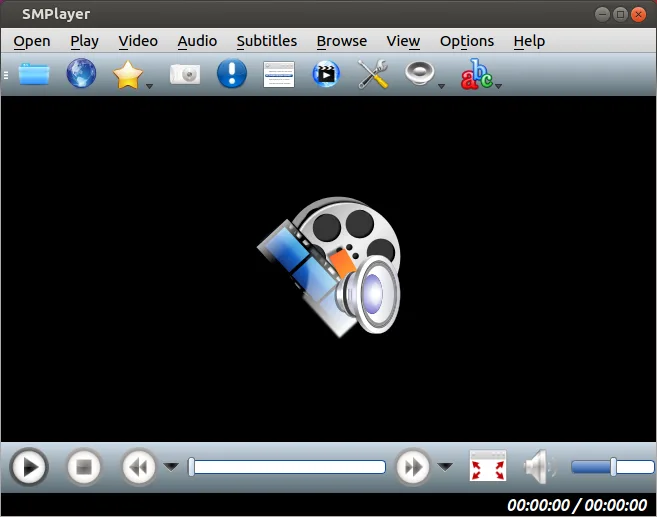
SMPlayer is a strong replacement for KMPlayer users who want a lightweight, ad-free experience without installing codec packs. It handles the same core job: playing diverse video and audio formats with built-in support. While KMPlayer is known for its specific interface and Windows integration, SMPlayer offers a clean, open-source alternative that remembers playback positions and supports subtitles. It is ideal for users migrating from Windows who prioritize stability and format compatibility over proprietary features. You lose some Windows-specific integrations, but gain a player that works consistently across Linux distributions without bloat or ads.
- Licença
- GPL-2.0-or-later
- Preço
- Grátis
- Versão mais recente
- 25.6.0 (8 de junho de 2025)
- Avaliação
- —
O que funciona igual
- Plays a wide range of codecs including AVI, MKV, MP4, and FLV without external packs
- Lightweight design with fast startup times
- Supports subtitles and multiple audio tracks
- User-friendly interface with standard playback controls
O que muda
- SMPlayer is open-source (GPL) and ad-free, whereas KMPlayer often includes ads in its free version
- SMPlayer includes built-in YouTube playback and subtitle search features not central to KMPlayer
- SMPlayer is available via native Linux package managers and Flathub, not as a native Windows app
- SMPlayer remembers settings per file automatically, a feature KMPlayer handles differently
Abrindo seus arquivos do KMPlayer
SMPlayer opens the same media file formats (AVI, MKV, MP4, etc.) as KMPlayer. There is no specific 'KMPlayer file' format to migrate; you simply point SMPlayer at your existing video files. Playlist files created in KMPlayer may need manual conversion if they use a proprietary format, but standard M3U or PLS playlists are generally supported. Subtitle files (SRT, ASS) are fully compatible.
Trocando o KMPlayer pelo SMPlayer, passo a passo
- Install SMPlayer via your distribution's package manager or Flathub
- Copy your video and subtitle files to your Linux system
- Open SMPlayer and load your first video file to verify codec support
- Configure subtitle paths and audio track defaults in SMPlayer settings
- Test playing a DVD or VCD image to ensure hardware support is active
Principais recursos do SMPlayer
- Codecs embutidos para praticamente todos os formatos de vídeo e áudio
- Lembra a posição de reprodução e as configurações para cada arquivo
- Suporta a reprodução de vídeos diretamente do YouTube
- Busca e download automáticos de legendas
- Envia mídia para dispositivos externos, como smartphones e tablets
- Não requer pacotes de codecs externos
- Disponível via Flathub e gerenciadores de pacotes nativos
Como instalar o SMPlayer no Linux
flatpak install flathub info.smplayer.SMPlayersudo apt install smplayersudo apt install smplayersudo dnf install smplayersudo pacman -S smplayersudo zypper install smplayerPerguntas frequentes
Do I need to install extra codecs for SMPlayer?
No. SMPlayer comes with built-in codecs that handle virtually all common video and audio formats out of the box.
Can SMPlayer play DVDs?
Yes, SMPlayer supports DVD playback, provided your Linux system has the necessary hardware drivers and DVD decryption libraries installed.
Is SMPlayer free and ad-free?
Yes, SMPlayer is free, open-source software licensed under GPL-2.0-or-later, and it does not display advertisements.
Outras 5 alternativas ao KMPlayer
 VLC media playerVLC é um reprodutor multimídia gratuito e de código aberto que roda no Linux e suporta praticamente qualquer…Código abertoGrátisFlatpakVLC media player vs KMPlayer
 mpvmpv é um reprodutor de mídia gratuito, de código aberto e multiplataforma que reproduz quase qualquer formato…Código abertoGrátisFlatpakmpv vs KMPlayer
 CelluloidCelluloid é um reprodutor de mídia leve para Linux que usa o mecanismo mpv e GTK para uma interface limpa no…Código abertoGrátisFlatpakCelluloid vs KMPlayer
 TotemTotem (GNOME Vídeos) é o player de vídeo padrão do GNOME baseado no GStreamer.Código abertoGrátisTotem vs KMPlayer
 HarunaHaruna é um reprodutor de mídia de código aberto, licenciado sob GPL, que suporta reprodução local e online…Código abertoGrátisFlatpakHaruna vs KMPlayer