
 Space Cadet PinballLinux
vs
Space Cadet PinballLinux
vs
 3D Pinball for Windows: Space CadetWindows
Space Cadet Pinball como alternativa Linux ao 3D Pinball for Windows: Space Cadet
Atualizado em
Nossa avaliação
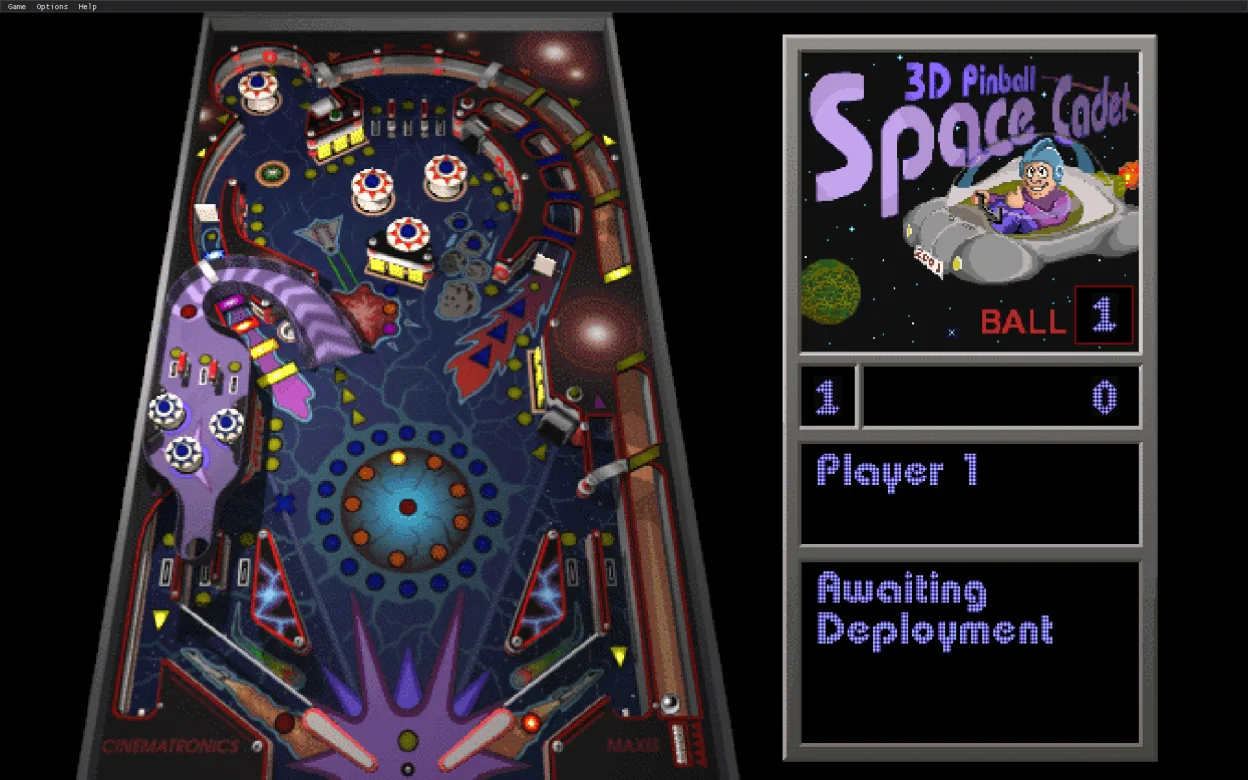
Space Cadet Pinball is a solid replacement for the old Windows 3D Pinball for Windows: Space Cadet. It runs natively on Linux, uses the same keyboard and mouse controls, and supports the original .pin table files. The game is free, MIT‑licensed, and available via Flatpak, so installation is straightforward on most distributions. It is ideal for users who want the classic retro pinball experience without needing Windows, especially those on lightweight or Wayland‑based setups.
- Licença
- MIT
- Preço
- Grátis
- Versão mais recente
- 2.1.0 (16 de outubro de 2023)
- Avaliação
- —
O que funciona igual
- Same core 3‑D pinball physics and table layout
- Keyboard and mouse controls identical to the Windows version
- Supports original .pin table files
- Retro look and feel
- Single‑player only
O que muda
- No built‑in online high‑score tracking (Windows version had no online accounts anyway)
- No Windows‑specific sound driver quirks; uses ALSA/pipewire audio on Linux
- Requires Flatpak runtime, which may be an extra step for some users
- No Windows‑only launcher or registry integration
- No support for legacy Windows DLLs or COM components
Abrindo seus arquivos do 3D Pinball for Windows: Space Cadet
Space Cadet Pinball can open the original .pin table files directly; no conversion is needed. It can also export tables back to .pin format, allowing users to share their creations with Windows users if desired.
Trocando o 3D Pinball for Windows: Space Cadet pelo Space Cadet Pinball, passo a passo
- 1. Install Flatpak on your Linux system if it isn’t already installed. 2. Add the Flathub repository with
flatpak remote-add --if-not-exists flathub https://flathub.org/repo/flathub.flatpakrepo. 3. Install the game usingflatpak install flathub com.andrey.muzychenko.SpaceCadetPinball. 4. Launch the game from your application menu or viaflatpak run com.andrey.muzychenko.SpaceCadetPinball. 5. Copy any existing .pin files into the game’s data directory (e.g.,~/.var/app/com.andrey.muzychenko.SpaceCadetPinball/config/SpaceCadetPinball/) to play them. - faq
- :
- Array — Array — Array
Principais recursos do Space Cadet Pinball
- Código aberto licenciado MIT
- Distribuição Flatpak para instalação fácil
- Suporta arquivos de mesa .pin originais
- Controles de teclado e mouse idênticos ao Windows
- Roda em X11 e Wayland
- Sem dependências externas além do runtime Flatpak
Como instalar o Space Cadet Pinball no Linux
flatpak install flathub com.github.k4zmu2a.spacecadetpinballOutras 1 alternativas ao 3D Pinball for Windows: Space Cadet

Todas as alternativas ao 3D Pinball for Windows: Space Cadet