
 Standard NotesLinux
vs
Google KeepWindows
Standard Notes como alternativa Linux ao Google Keep
Atualizado em
Nossa avaliação
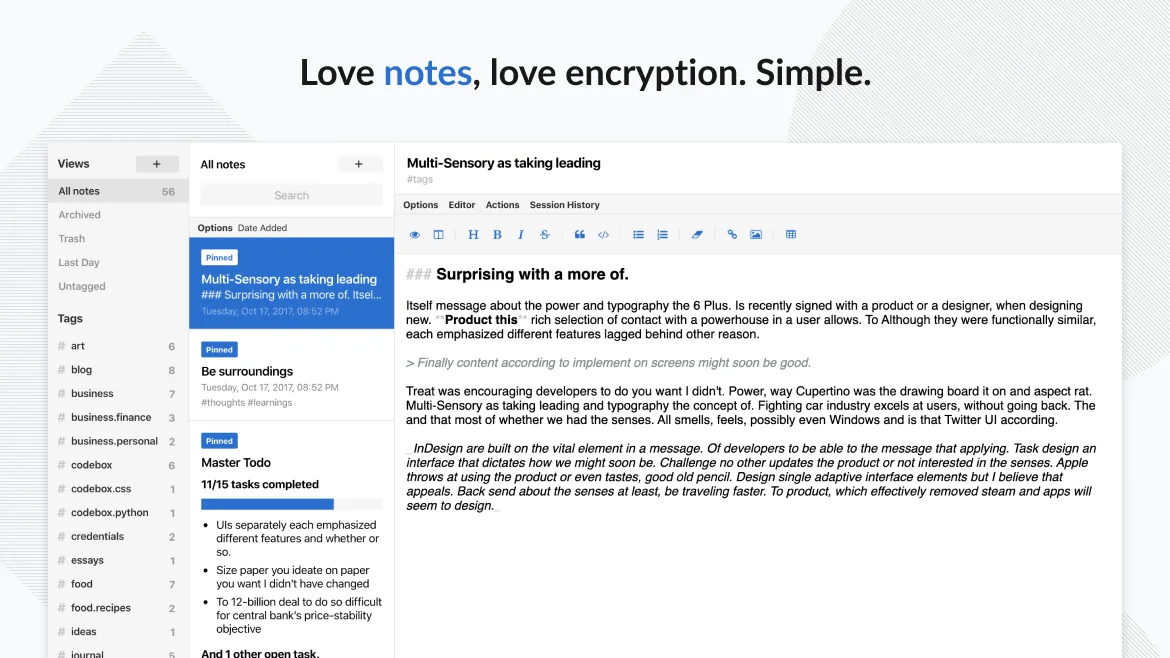
Standard Notes is a solid replacement for Google Keep if your priority is privacy and long-term note security. It handles core tasks like text notes, to-do lists, tagging, pinning, and cross-device sync well. However, it lacks built-in voice notes, real-time collaboration, and OCR for image text extraction. If you don’t rely on Google’s ecosystem or sharing with others, and value end-to-end encryption over convenience, Standard Notes is a trustworthy choice. Power users may want extensions, but the free tier covers basics reliably.
- Licença
- AGPL-3.0-only
- Preço
- Grátis
- Versão mais recente
- 3.203.0 (2 de novembro de 2026)
- Avaliação
- —
O que funciona igual
- Supports plain text notes and checklists
- Syncs across Linux, Windows, Android, iOS, and web
- Allows tagging and color-coding of notes
- Enables reminders and pinning of important notes
- Offers offline access and trash with recovery
O que muda
- No built-in OCR for extracting text from images
- No real-time collaboration or shared editing
- No voice notes or drawing support
- Reminders are time-based only, no location triggers
- No native desktop widget or glanceable interface
Abrindo seus arquivos do Google Keep
There's no direct import from Google Keep to Standard Notes. Google Keep allows export via Google Takeout, which includes notes as HTML or JSON files. Standard Notes supports importing from several formats, but not directly from Keep’s export. You may need to convert or manually migrate. The process is doable but not automatic, and formatting like checklists or images may require cleanup.
Trocando o Google Keep pelo Standard Notes, passo a passo
- Export your data from Google Keep using Google Takeout
- Review the exported HTML/JSON files for completeness
- Install Standard Notes on your Linux system via Flathub or official site
- Import and reformat notes manually or with a script
- Set up tags and organize notes in Standard Notes
- Enable passcode lock and sync on all devices
Principais recursos do Standard Notes
- Sincronização com criptografia de ponta a ponta em todos os dispositivos
- Anotações e dispositivos ilimitados
- Acesso offline
- Organização por tags e fixação
- Bloqueio por senha ou impressão digital
- Código aberto
- Funcionalidade básica gratuita com extensões opcionais pagas
Como instalar o Standard Notes no Linux
flatpak install flathub org.standardnotes.standardnotesPerguntas frequentes
Can I share notes with others using Standard Notes?
No, sharing is not supported in the free tier. Even with paid extensions, real-time collaboration isn’t available like in Google Keep.
Does Standard Notes support image OCR?
No, it stores images but doesn’t extract text from them. You’ll need to manually transcribe or use external tools.
Is the free version of Standard Notes enough for basic use?
Yes, the free tier includes sync, encryption, tagging, and unlimited notes—enough for most users who don’t need advanced editors or sharing.
Outras 5 alternativas ao Google Keep
 JoplinJoplin é um aplicativo de anotações e tarefas de código aberto e multiplataforma que armazena dados em…Código abertoGrátisFlatpakJoplin vs Google Keep
 CherryTreeCherryTree é um aplicativo de anotações hierárquico com suporte a texto formatado, destaque de código e…Código abertoGrátisFlatpakCherryTree vs Google Keep
 ZimZim is a desktop wiki for taking and organizing notes in plain text files.Código abertoGrátisFlatpakZim vs Google Keep
 ObsidianO Obsidian é um aplicativo de base de conhecimento baseado em markdown que armazena notas como arquivos de…FlatpakObsidian vs Google KeepNotejotNotejot is a lightweight KDE sticky note application that pins notes to your desktop for quick reminders.Código abertoGrátisNotejot vs Google Keep