
 ThonnyLinux
vs
PythonWindows
Thonny como alternativa Linux ao Python
Atualizado em
Nossa avaliação
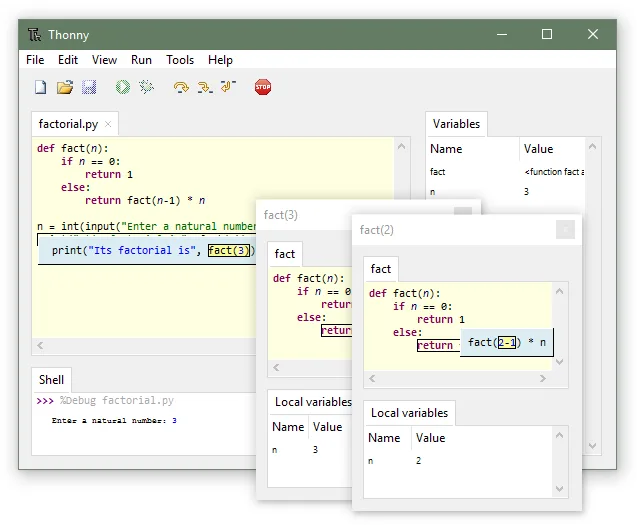
Thonny is a solid replacement for Python development if your focus is learning or writing small, standalone scripts. It bundles the interpreter, a visual debugger, and a package manager into one simple window, which removes the setup friction typical of raw Python installations. However, it is not a general-purpose IDE for professional software engineering. You will miss advanced version control integration, complex project management, and deep testing frameworks. If you are a student, teacher, or hobbyist working on single-file projects, Thonny is an excellent, low-maintenance choice. For larger codebases, stick with heavier editors like VS Code or PyCharm.
- Licença
- MIT
- Preço
- Grátis
- Versão mais recente
- 5.0.1 (26 de outubro de 2026)
- Avaliação
- —
O que funciona igual
- Supports Python 3.x syntax and execution
- Includes an integrated REPL console for immediate feedback
- Provides syntax highlighting and auto-completion
- Allows installation of third-party packages via a GUI
- Supports virtual environments for isolated dependencies
O que muda
- Lacks integrated Git or advanced version control tools
- No built-in unit testing framework or test runner
- Debugger is visual and step-by-step, lacking advanced breakpoints or conditional debugging
- Single-window interface limits multitasking compared to tabbed editors
- Package manager is basic, lacking dependency resolution for complex projects
Abrindo seus arquivos do Python
Thonny works directly with standard .py files. You can open any Python script created in Windows, macOS, or other Linux editors without conversion. It also supports .pyw files for GUI scripts. Since it uses the standard Python interpreter, any code compatible with your installed Python version will run. There are no proprietary file formats; your projects remain plain text and fully portable.
Trocando o Python pelo Thonny, passo a passo
- Install Thonny via your distribution's package manager or Flatpak
- Verify the Python version in Thonny matches your system interpreter
- Open your existing .py files directly in Thonny
- Set up virtual environments using Thonny's interpreter manager if needed
- Install required third-party packages via the built-in GUI manager
- Test your scripts using the integrated console and debugger
Principais recursos do Thonny
- Depurador integrado com visualização passo a passo
- Instalador de pacotes GUI
- Modo de referência especial para aprendizado de gerenciamento de memória
- Layout simples de janela única
- Suporte a Python 3.10+
- Multiplataforma (Linux, Windows, macOS)
- Código aberto (MIT)
Como instalar o Thonny no Linux
flatpak install flathub org.thonny.Thonnysudo apt install thonnysudo apt install thonnysudo dnf install thonnysudo zypper install thonnyPerguntas frequentes
Can I use Thonny for professional work?
It is best for learning and small projects. For professional development, you will likely need the advanced features of VS Code or PyCharm, such as robust version control and testing integration.
Does Thonny include a Python interpreter?
Thonny is an IDE, not an interpreter. It uses the Python interpreter installed on your system. You must have Python 3.x installed separately for Thonny to function.
Is the package manager in Thonny sufficient?
For simple scripts, yes. It handles basic pip installations. For complex projects with many dependencies, using the command-line pip in a terminal is often more reliable and flexible.