
 ThonnyLinux
vs
JetBrains PyCharmWindows
Thonny como alternativa Linux ao JetBrains PyCharm
Atualizado em
Nossa avaliação
Thonny is not a full replacement for JetBrains PyCharm. It works well for beginners and small scripts, offering syntax highlighting, autocompletion, a visual debugger, and a simple package manager. Advanced users who need sophisticated refactoring, multi‑project management, or deep VCS integration will find it lacking. PyCharm remains the better choice for medium‑to‑large projects or professional development.
- Licença
- MIT
- Preço
- Grátis
- Versão mais recente
- 5.0.1 (26 de outubro de 2026)
- Avaliação
- —
O que funciona igual
- Python syntax highlighting and autocompletion
- Integrated graphical debugger
- Support for virtual environments
- Cross‑platform packaging (deb, rpm, Flatpak)
- Basic REPL console
O que muda
- Thonny lacks advanced refactoring tools (e.g., rename, extract method)
- No built‑in unit test runner or test explorer
- Limited VCS integration (no Git GUI, only basic commands)
- No support for multi‑project workspaces
- No advanced profiling or performance tools
Abrindo seus arquivos do JetBrains PyCharm
Thonny does not open PyCharm project files (.idea) or settings. To migrate, you would need to recreate the project structure manually in Thonny, importing any external modules via its package manager.
Trocando o JetBrains PyCharm pelo Thonny, passo a passo
- Create a new Thonny project folder
- Copy your Python scripts into the folder
- Use Thonny's package manager to install any required third‑party modules
- Reconfigure virtual environments via Thonny's settings
- Set up any needed test scripts manually
Principais recursos do Thonny
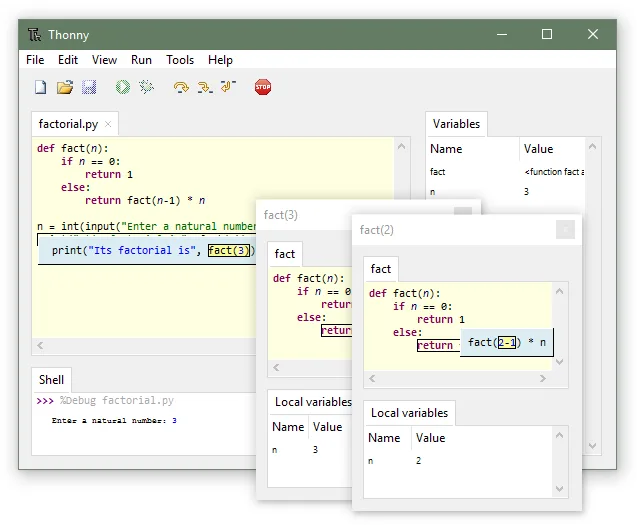
- Depurador integrado com visualização passo a passo
- Instalador de pacotes GUI
- Modo de referência especial para aprendizado de gerenciamento de memória
- Layout simples de janela única
- Suporte a Python 3.10+
- Multiplataforma (Linux, Windows, macOS)
- Código aberto (MIT)
Como instalar o Thonny no Linux
flatpak install flathub org.thonny.Thonnysudo apt install thonnysudo apt install thonnysudo dnf install thonnysudo zypper install thonnyPerguntas frequentes
Can I use Thonny with a virtual environment created by PyCharm?
Yes, point Thonny to the same virtual environment by selecting it in the interpreter settings.
Does Thonny support Git?
It has basic Git command integration via the terminal, but no graphical Git interface.
Is Thonny suitable for large codebases?
It can open large files, but features like code navigation, refactoring, and performance profiling are limited, making it less suitable for large projects.
Outras 5 alternativas ao JetBrains PyCharm
 Visual Studio CodeUm editor de código leve e extensível que oferece depuração, Git e suporte a muitas linguagens.GrátisFlatpakVisual Studio Code vs JetBrains PyCharm
 SpyderSpyder é um IDE Python gratuito e de código aberto, criado especificamente para computação científica…Código abertoGrátisFlatpakSpyder vs JetBrains PyCharm
 GeanyGeany é uma IDE leve e rápida que suporta muitas linguagens e plugins prontos para uso.Código abertoGrátisFlatpakGeany vs JetBrains PyCharm
 KateKate é um editor de texto rico em recursos, focado em programadores, da KDE, com suporte a mais de 300…Código abertoGrátisFlatpakKate vs JetBrains PyCharm
 VimVim é um editor de texto modal e altamente configurável, ideal para edição eficiente no Linux.Código abertoGrátisFlatpakVim vs JetBrains PyCharm