
 Tryton 8.0Linux
vs
Microsoft Dynamics 365 FinanceWindows
Tryton 8.0 como alternativa Linux ao Microsoft Dynamics 365 Finance
Atualizado em
Nossa avaliação
Tryton 8.0 can replace Microsoft Dynamics 365 Finance for small to medium‑sized businesses that need a free, open‑source ERP with core finance functions. It covers general ledger, accounts payable/receivable, multi‑currency, multi‑company, budgeting, and reporting. However, it lacks the deep integration with Microsoft cloud services, advanced analytics, and the extensive ecosystem of add‑ons that Dynamics 365 offers. It is best suited for companies that can accept a steeper learning curve and are comfortable with Python‑based customization.
- Licença
- GPL-3.0-or-later
- Preço
- Grátis
- Versão mais recente
- 8.0.10 (5 de novembro de 2026)
- Avaliação
- —
O que funciona igual
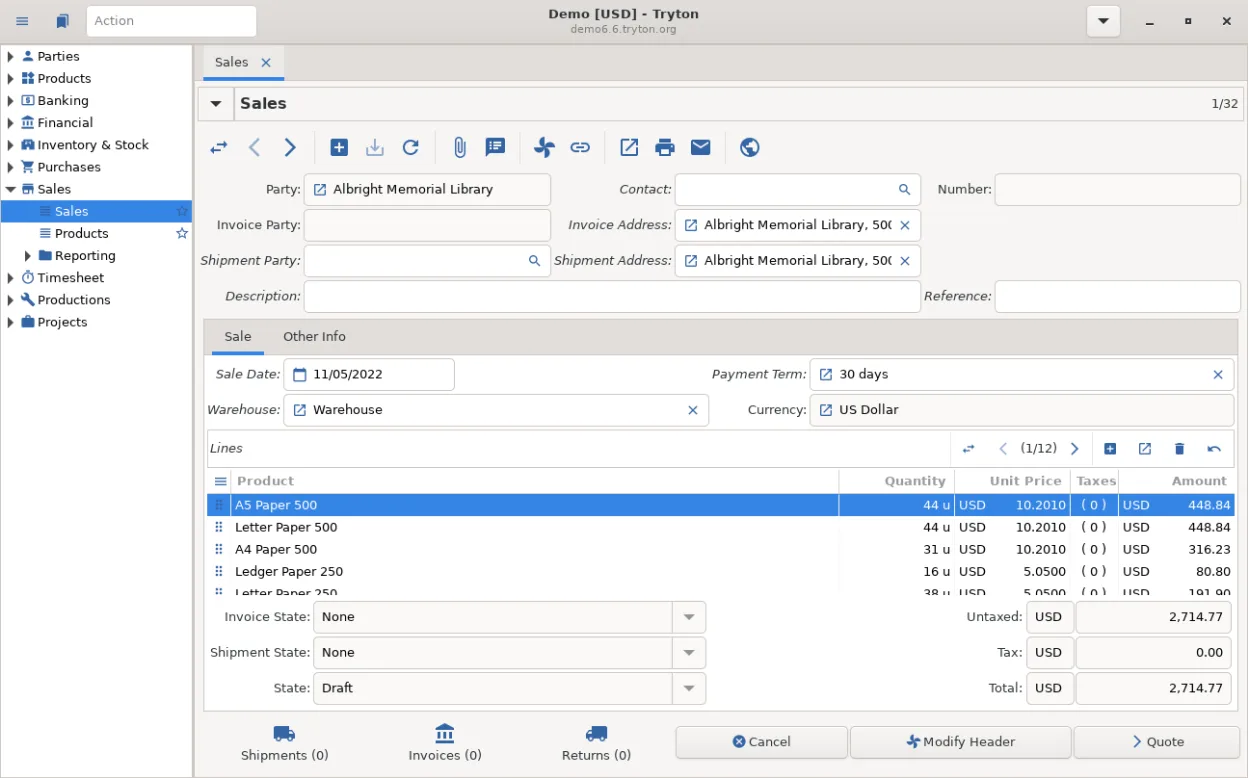
- Full double‑entry accounting with multi‑currency and multi‑company support
- General ledger, accounts payable/receivable, budgeting and forecasting
- Customizable approval workflows for sales and purchase orders
- Comprehensive reporting and export options
- Modular architecture allowing selective feature installation
O que muda
- No native integration with Microsoft Office 365 or Azure services
- Limited built‑in advanced analytics and AI features
- No out‑of‑the‑box inventory barcode scanning in the core release
- No pre‑built connectors to other Microsoft Dynamics modules
- Requires manual setup for multi‑user remote access
- No cloud‑native deployment; needs own server
Abrindo seus arquivos do Microsoft Dynamics 365 Finance
Tryton does not natively open or import Microsoft Dynamics 365 Finance data files. Exporting from Dynamics 365 to CSV or Excel and then importing into Tryton is possible, but no automated migration tool exists. You would need to map fields manually or write a custom script.
Trocando o Microsoft Dynamics 365 Finance pelo Tryton 8.0, passo a passo
- Export financial data from Dynamics 365 to CSV or Excel.
- Clean and format the data to match Tryton’s import templates.
- Install Tryton 8.0 on a Linux server and configure the accounting module.
- Import the cleaned CSV files into Tryton using the data import wizard.
- Validate balances and reconcile accounts.
- Set up users, permissions, and any custom modules needed.
Principais recursos do Tryton 8.0
- Modular architecture allowing selective installation of accounting, HR, or inventory modules
- Full double-entry accounting system with multi-currency and multi-company support
- Inventory and warehouse management with barcode scanning support
- Sales and purchase order processing with customizable approval workflows
- Human resources module for employee records, contracts, and payroll basics
- Extensible via Python, allowing custom modules and integrations
- Client-server architecture supporting multiple users and remote access
- Comprehensive reporting tools with customizable queries and exports
Como instalar o Tryton 8.0 no Linux
flatpak install flathub org.tryton.Tryton-80sudo zypper install trytonPerguntas frequentes
Is Tryton suitable for large enterprises?
Tryton works well for small to medium enterprises. Large enterprises may find the lack of extensive third‑party integrations and advanced analytics limiting.
Can I run Tryton on Windows?
Tryton is a native Linux application; it can be installed on Windows via WSL or a virtual machine, but it is not a native Windows program.
Does Tryton support multi‑currency?
Yes, Tryton’s accounting module supports multiple currencies and automatic exchange rate updates.