
 Tryton 8.0Linux
vs
Microsoft Dynamics 365Windows
Tryton 8.0 como alternativa Linux ao Microsoft Dynamics 365
Atualizado em
Nossa avaliação
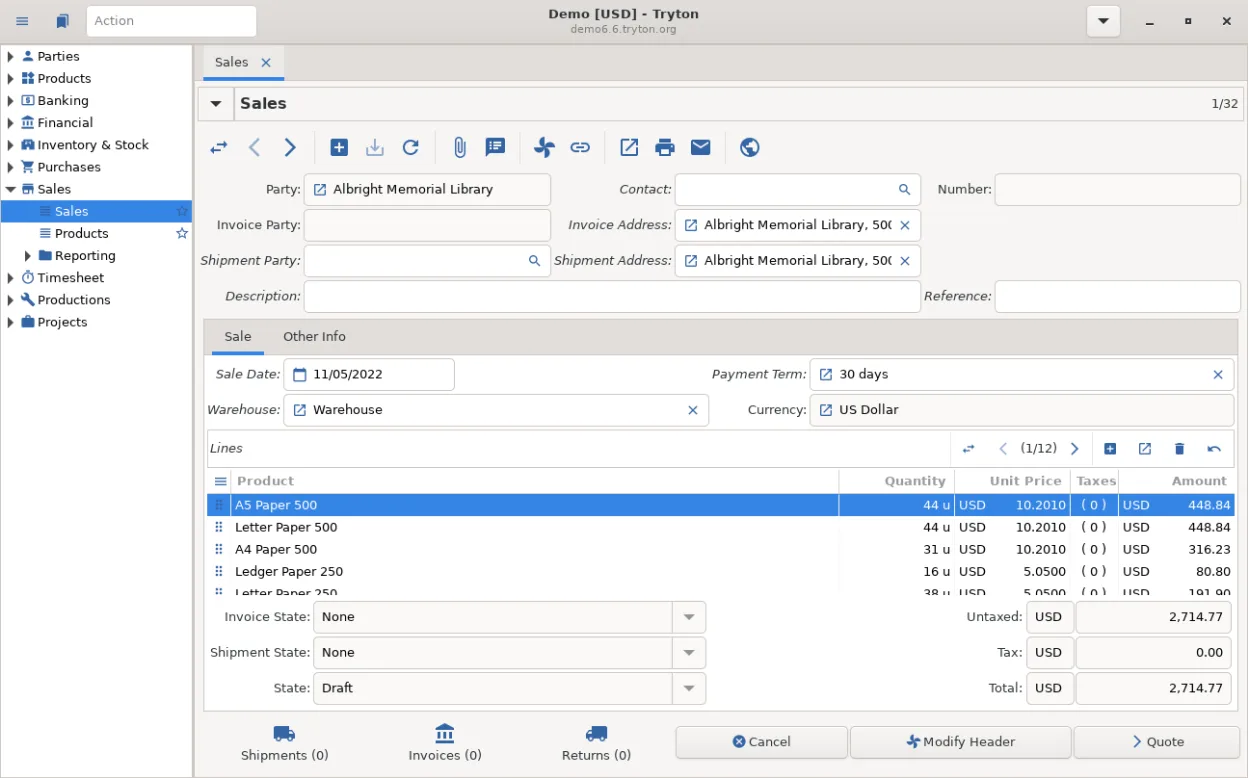
Tryton 8.0 can serve as a practical alternative to Microsoft Dynamics 365 for small‑to‑medium businesses that need basic ERP and CRM functions without a cloud subscription. It covers core accounting, inventory, sales, and workflow features, and its modular design lets you add only what you need. Users who rely heavily on advanced manufacturing, advanced analytics, or deep integration with other Microsoft services may find it lacking, but for companies looking for an open‑source, on‑premise solution, Tryton is a solid fit.
- Licença
- GPL-3.0-or-later
- Preço
- Grátis
- Versão mais recente
- 8.0.10 (5 de novembro de 2026)
- Avaliação
- —
O que funciona igual
- Both provide double‑entry accounting with multi‑currency support
- Both allow inventory and warehouse management with order processing
- Both support custom workflows and role‑based security
- Both offer reporting tools and data export options
- Both can be deployed in multi‑user environments
O que muda
- Tryton is open‑source and self‑hosted; Dynamics 365 is a cloud SaaS
- Tryton lacks built‑in advanced manufacturing and production planning modules present in Dynamics 365
- Dynamics 365 offers tighter integration with Microsoft Office and Azure services
- Tryton’s HR and payroll features are basic compared to Dynamics 365’s full HR suite
- Dynamics 365 provides out‑of‑the‑box mobile apps and AI‑driven analytics that Tryton does not
- Tryton requires manual installation and configuration, whereas Dynamics 365 is managed by Microsoft
Abrindo seus arquivos do Microsoft Dynamics 365
There is no direct support for opening Dynamics 365 native files in Tryton. Data migration would need to export from Dynamics 365 (e.g., CSV, Excel, or OData feeds) and import into Tryton using its import tools. Exact compatibility depends on the format exported; no automated conversion exists.
Trocando o Microsoft Dynamics 365 pelo Tryton 8.0, passo a passo
- Export accounting, inventory, and customer data from Dynamics 365 to CSV or Excel
- Clean and map the data to match Tryton’s field names and formats
- Install Tryton 8.0 on a Linux server and set up required modules
- Use Tryton’s import wizard to load the cleaned data into the corresponding modules
- Configure users, roles, and security settings in Tryton
- Test critical processes (sales, purchase, reporting) before decommissioning Dynamics 365
Principais recursos do Tryton 8.0
- Modular architecture allowing selective installation of accounting, HR, or inventory modules
- Full double-entry accounting system with multi-currency and multi-company support
- Inventory and warehouse management with barcode scanning support
- Sales and purchase order processing with customizable approval workflows
- Human resources module for employee records, contracts, and payroll basics
- Extensible via Python, allowing custom modules and integrations
- Client-server architecture supporting multiple users and remote access
- Comprehensive reporting tools with customizable queries and exports
Como instalar o Tryton 8.0 no Linux
flatpak install flathub org.tryton.Tryton-80sudo zypper install trytonPerguntas frequentes
Is Tryton suitable for large enterprises?
Tryton scales well for small to medium deployments, but very large enterprises may need additional modules or custom development to match the breadth of Dynamics 365.
Can I run Tryton on Windows?
Yes, Tryton is cross‑platform; it can be installed on Windows, macOS, or Linux, but the recommendation for a replacement is to run it natively on Linux.
What about support and updates?
Tryton is community‑driven; updates are released regularly, and commercial support can be obtained from third‑party vendors if needed.