
 VuzeLinux
vs
VuzeLinux
vs
 BitCometWindows
Vuze como alternativa Linux ao BitComet
Atualizado em
Nossa avaliação
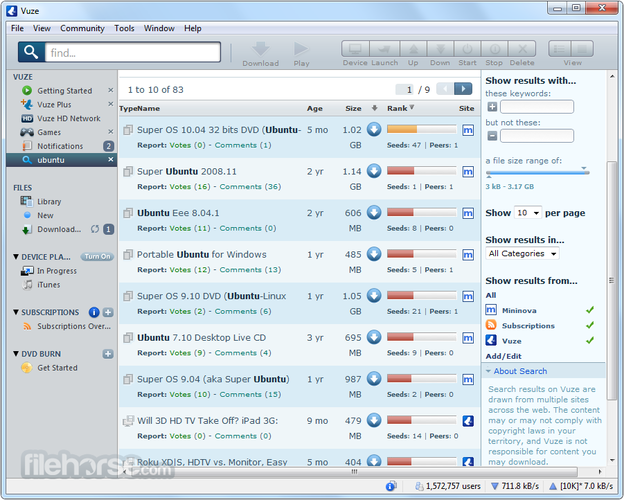
Vuze can replace BitComet for Linux users who want a feature-rich, all-in-one BitTorrent client with media streaming and search tools. However, it's overkill for users who only need basic torrent downloading. Vuze is Java-based, heavier on resources, and no longer actively developed—its last stable release was years ago. While it supports BitTorrent, HTTP, and FTP downloads, its FTP/HTTP functionality is weaker than BitComet’s. Use Vuze only if you specifically want integrated media playback and advanced search; otherwise, qBittorrent or Deluge are better, actively maintained choices.
- Licença
- —
- Preço
- Grátis
- Versão mais recente
- —
- Avaliação
- —
O que funciona igual
- Both support BitTorrent protocol with full swarm downloading and seeding
- Offer bandwidth throttling and scheduled download limits
- Include queue management for handling multiple downloads
- Provide GUI-based interfaces with tabbed views and detailed stats
- Support RSS feeds for automated torrent downloads
O que muda
- Vuze lacks strong standalone HTTP/FTP downloading; BitComet excels here
- Vuze has a built-in media player—BitComet does not
- Vuze is written in Java, making it slower and more memory-heavy
- Vuze’s development is discontinued; BitComet still receives updates
- Vuze has more complex search and plugin features not found in BitComet
Abrindo seus arquivos do BitComet
Vuze can import .torrent files and magnet links created by BitComet without issues. It also reads the standard torrent metadata format used across clients. However, there is no direct way to import BitComet-specific configuration files or queue lists. Resume data and partially downloaded files may not transfer cleanly due to different storage layouts. Users must manually re-add torrents. Vuze does not support BitComet's proprietary 'PHE' or 'eXtended' protocols, so some specialized downloads may fail.
Trocando o BitComet pelo Vuze, passo a passo
- Install Vuze via your package manager or download the official .jar from the archived site
- Copy any completed or partially downloaded files from BitComet's download folder
- Manually re-add torrents using .torrent files or magnet links
- Adjust bandwidth and scheduling settings in Vuze to match previous limits
- Enable plugins if you need RSS or search features
- Verify download locations to ensure files go where expected
Principais recursos do Vuze
- GUI multiplataforma baseada em Java
- Reprodutor de mídia embutido para streaming de torrents
- Busca avançada e feeds RSS
- Arquitetura de plugins para funcionalidade estendida
- Agendamento de largura de banda e downloads
- Suporte a criptografia de torrents
Perguntas frequentes
Is Vuze still safe to use since it's discontinued?
It's generally safe if downloaded from archived official sources, but lacks security updates. Use only if you understand the risks and don't need new features.
Can Vuze handle large queues like BitComet?
Yes, but its Java backend can become sluggish with hundreds of torrents. Performance degrades faster than native clients like qBittorrent.
Does Vuze support BitComet's 'Long-Term Seeding' mode?
No. Vuze has standard seeding but lacks BitComet-specific modes like Long-Term Seeding or PHE acceleration.
Outras 4 alternativas ao BitComet
 qBittorrentqBittorrent é um cliente BitTorrent gratuito, de código aberto, com interface polida e conjunto de recursos…Código abertoGrátisFlatpakqBittorrent vs BitComet
 TransmissionTransmission é um cliente BitTorrent leve e de código aberto para Linux, macOS e Windows, com controles…Código abertoGrátisFlatpakTransmission vs BitComet
 KTorrentKTorrent é um cliente BitTorrent completo para KDE que suporta DHT, criptografia e webseeds com forte…Código abertoGrátisFlatpakKTorrent vs BitComet
 DelugeDeluge é um cliente BitTorrent gratuito e de código aberto com modelo cliente/servidor para gerenciamento…Código abertoGrátisFlatpakDeluge vs BitComet