
 VuzeLinux
vs
VuzeLinux
vs
 Vuze (Azureus)Windows
Vuze como alternativa Linux ao Vuze (Azureus)
Atualizado em
Nossa avaliação
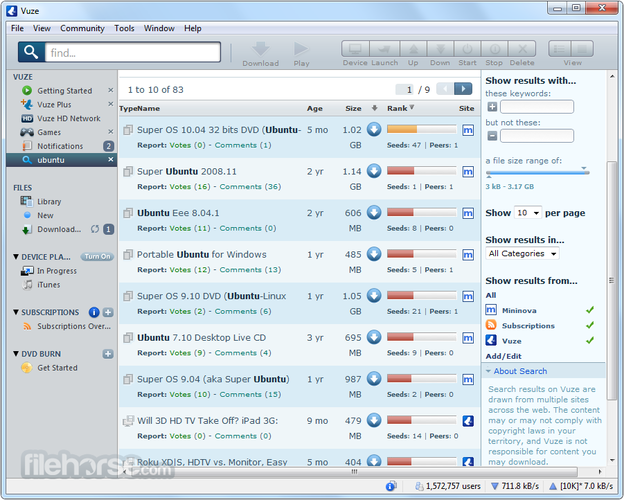
Vuze on Linux is essentially the same Java‑based client that was known as Azureus on Windows, so it fulfills the core BitTorrent functions you expect. It will feel familiar to existing Vuze users and offers the same built‑in player, scheduler and channel browsing. However, the project is no longer actively maintained, so you may run into occasional bugs or compatibility issues with newer Java runtimes. For users who need a stable, actively updated client, a newer alternative might be preferable, but for those who like Vuze's UI and plugin system it remains a workable replacement.
- Licença
- —
- Preço
- Grátis
- Versão mais recente
- —
- Avaliação
- —
O que funciona igual
- Supports .torrent files and magnet links
- Provides bandwidth throttling and scheduling
- Includes a built‑in media player for streaming torrents
- Offers channel/content discovery and RSS integration
- Runs on Java, so the UI is identical across platforms
O que muda
- No longer receives feature updates or security patches
- Plugin ecosystem is largely stagnant, some plugins may fail on newer systems
- Installation on some modern distros may require manual Java setup
- Integration with newer desktop environments (e.g., GNOME 45) is less polished
- Official support and documentation have been discontinued
Abrindo seus arquivos do Vuze (Azureus)
Vuze stores its configuration and torrent state in standard .torrent files and plain‑text settings files. Those files can be copied to a Linux installation and opened directly in the Linux Vuze client. There is no proprietary format that would block migration, so you can reuse your existing torrents and resume data without conversion.
Trocando o Vuze (Azureus) pelo Vuze, passo a passo
- Install a recent Java Runtime (OpenJDK) from your distro's repository.
- Download the Linux Vuze package (usually a .tar.gz) from the official site or a trusted mirror.
- Extract the archive and run the provided launch script (e.g., ./vuze).
- Copy your old Vuze configuration folder (often ~/.azureus) into your home directory.
- Start Vuze, verify that torrents resume correctly, and adjust any scheduler settings.
- Optionally disable or remove unused plugins that no longer work.
Principais recursos do Vuze
- GUI multiplataforma baseada em Java
- Reprodutor de mídia embutido para streaming de torrents
- Busca avançada e feeds RSS
- Arquitetura de plugins para funcionalidade estendida
- Agendamento de largura de banda e downloads
- Suporte a criptografia de torrents
Perguntas frequentes
Can I use Vuze on a headless server?
Vuze requires a graphical environment for its UI; for headless use you should choose a console‑based client like Transmission or qBittorrent‑nox.
Is the built‑in player still functional on Linux?
Yes, the player works as long as the Java runtime includes the necessary codecs, but it may not support newer formats that newer media players handle out of the box.
Will Vuze continue to receive updates?
No, the project is discontinued. Security updates and new features are not expected, so consider alternatives if long‑term support is important.
Outras 5 alternativas ao Vuze (Azureus)
 qBittorrentqBittorrent é um cliente BitTorrent gratuito, de código aberto, com interface polida e conjunto de recursos…Código abertoGrátisFlatpakqBittorrent vs Vuze (Azureus)
 TransmissionTransmission é um cliente BitTorrent leve e de código aberto para Linux, macOS e Windows, com controles…Código abertoGrátisFlatpakTransmission vs Vuze (Azureus)
 KTorrentKTorrent é um cliente BitTorrent completo para KDE que suporta DHT, criptografia e webseeds com forte…Código abertoGrátisFlatpakKTorrent vs Vuze (Azureus)
 DelugeDeluge é um cliente BitTorrent gratuito e de código aberto com modelo cliente/servidor para gerenciamento…Código abertoGrátisFlatpakDeluge vs Vuze (Azureus)
 BitTornadoBitTornado é um cliente BitTorrent leve e de código‑aberto para Linux.Código abertoGrátisDescontinuadoBitTornado vs Vuze (Azureus)