
 Xournal++Linux
vs
Autodesk SketchBookWindows
Xournal++Linux
vs
Autodesk SketchBookWindows
Xournal++ como alternativa Linux ao Autodesk SketchBook
Atualizado em
Nossa avaliação
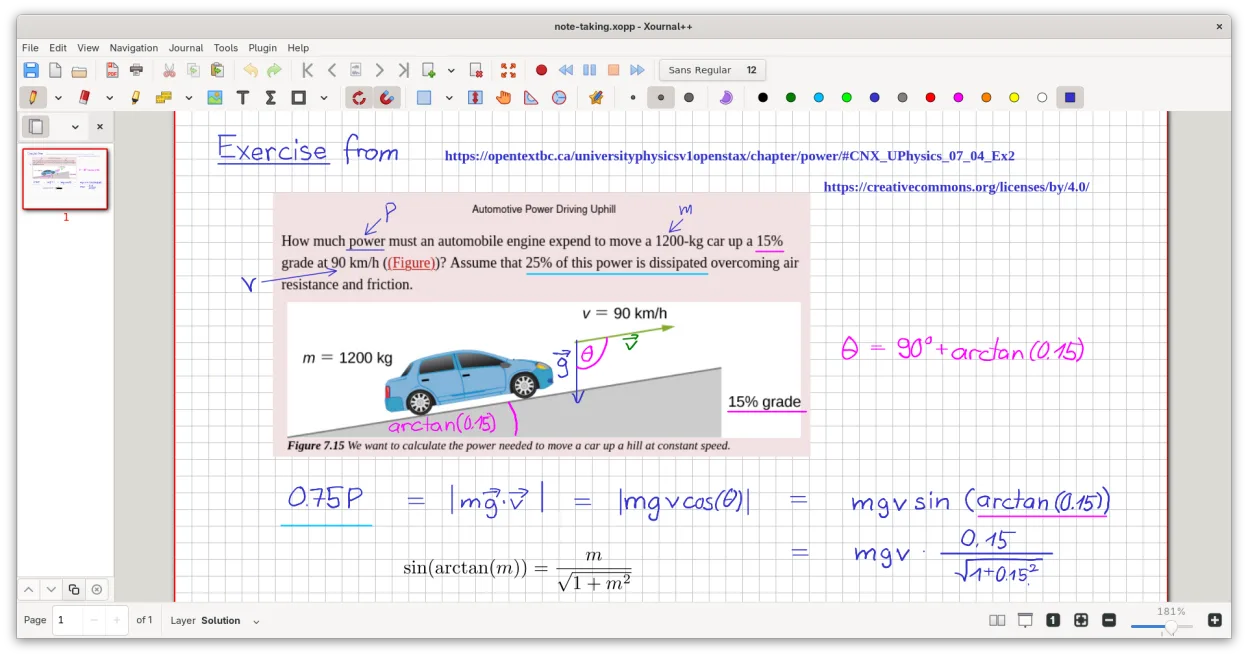
Xournal++ is not a direct replacement for Autodesk SketchBook if you need professional concept art or raster painting. It is a vector-based note-taking tool, not a raster editor. However, for quick sketching, annotating PDFs, or whiteboarding with a stylus, it is an excellent, lightweight alternative. It lacks layers for compositing and animation features. Choose Xournal++ if your workflow is primarily handwriting, diagramming, or light sketching on paper-like backgrounds. Avoid it if you rely on brush dynamics, color mixing, or frame-by-frame animation.
- Licença
- GPL-2.0
- Preço
- Grátis
- Versão mais recente
- 1.3.8 (25 de setembro de 2026)
- Avaliação
- —
O que funciona igual
- Pressure-sensitive stylus support for Wacom, Huion, and XP-Pen tablets
- Lightweight interface suitable for quick idea capture
- Export capabilities to PNG and PDF
- Customizable toolbar and tool mapping
O que muda
- Xournal++ is vector-based for strokes, whereas SketchBook is raster-based
- No dedicated animation or timeline features in Xournal++
- Lacks advanced raster brush engines and color mixing tools
- Layer support in Xournal++ is for note organization, not complex compositing
Abrindo seus arquivos do Autodesk SketchBook
Xournal++ does not natively open Autodesk SketchBook (.skb) files. You must export your SketchBook work as PNG, JPG, or PDF from Windows. You can then insert these images into Xournal++ as background layers or annotations. Direct conversion of sketch layers or vector paths from SketchBook to Xournal++ is not supported.
Trocando o Autodesk SketchBook pelo Xournal++, passo a passo
- Export your SketchBook projects as high-resolution PNG or PDF files
- Install Xournal++ via your package manager or Flathub
- Configure your tablet drivers to ensure pressure sensitivity works
- Import exported images as backgrounds in Xournal++
- Set up custom tool mappings for your stylus buttons
- Test vector drawing tools to adjust to the different stroke behavior
Principais recursos do Xournal++
- Suporte a caneta sensível à pressão para tablets Wacom, Huion e XP-Pen
- Anotar, destacar e riscar texto em cima de arquivos PDF
- Exportar anotações para PDF, PNG e SVG pela interface ou linha de comando
- Ferramentas de desenho incluindo caneta, marcador, formas e suporte a LaTeX
- Estabilização de entrada para escrita mais suave
- Barra de ferramentas personalizável e mapeamento de ferramentas para botões da caneta
- Barra lateral com pré-visualizações de páginas, marcadores de PDF e gerenciamento de camadas
Como instalar o Xournal++ no Linux
flatpak install flathub com.github.xournalpp.xournalppsudo apt install xournalppsudo apt install xournalppsudo dnf install xournalppsudo pacman -S xournalppsudo zypper install xournalppPerguntas frequentes
Can I do animation in Xournal++?
No, Xournal++ does not have a timeline or frame-by-frame animation editor. It is designed for static notes and sketches.
Does it support layers like SketchBook?
It has a layer system, but it is designed for organizing notes and annotations, not for complex raster compositing or blending modes found in art software.
Is it free?
Yes, Xournal++ is open-source under the GPL-2.0 license and completely free to use, unlike the paid desktop version of SketchBook.
Outras 5 alternativas ao Autodesk SketchBook
 KritaKrita é um programa de pintura digital e ilustração de código aberto com recursos completos.Código abertoGrátisFlatpakKrita vs Autodesk SketchBook
 MyPaintMyPaint é um programa rápido, gratuito e de código aberto para pintura raster, focado na dinâmica dos pincéis…Código abertoGrátisFlatpakMyPaint vs Autodesk SketchBook
 GIMPGIMP é um editor de gráficos raster gratuito e de código aberto para edição de fotos, pintura digital e…Código abertoGrátisFlatpakGIMP vs Autodesk SketchBook
 PintaPinta é um editor de bitmap gratuito e de código aberto que imita o Paint.NET com uma interface simples e…Código abertoGrátisFlatpakPinta vs Autodesk SketchBook
 KolourPaintO KolourPaint é um editor de gráficos raster leve do KDE, ideal para desenhos rápidos e ajustes simples em…Código abertoGrátisFlatpakKolourPaint vs Autodesk SketchBook