
 ZulipLinux
vs
Microsoft TeamsWindows
ZulipLinux
vs
Microsoft TeamsWindows
Zulip como alternativa Linux ao Microsoft Teams
Atualizado em
Nossa avaliação
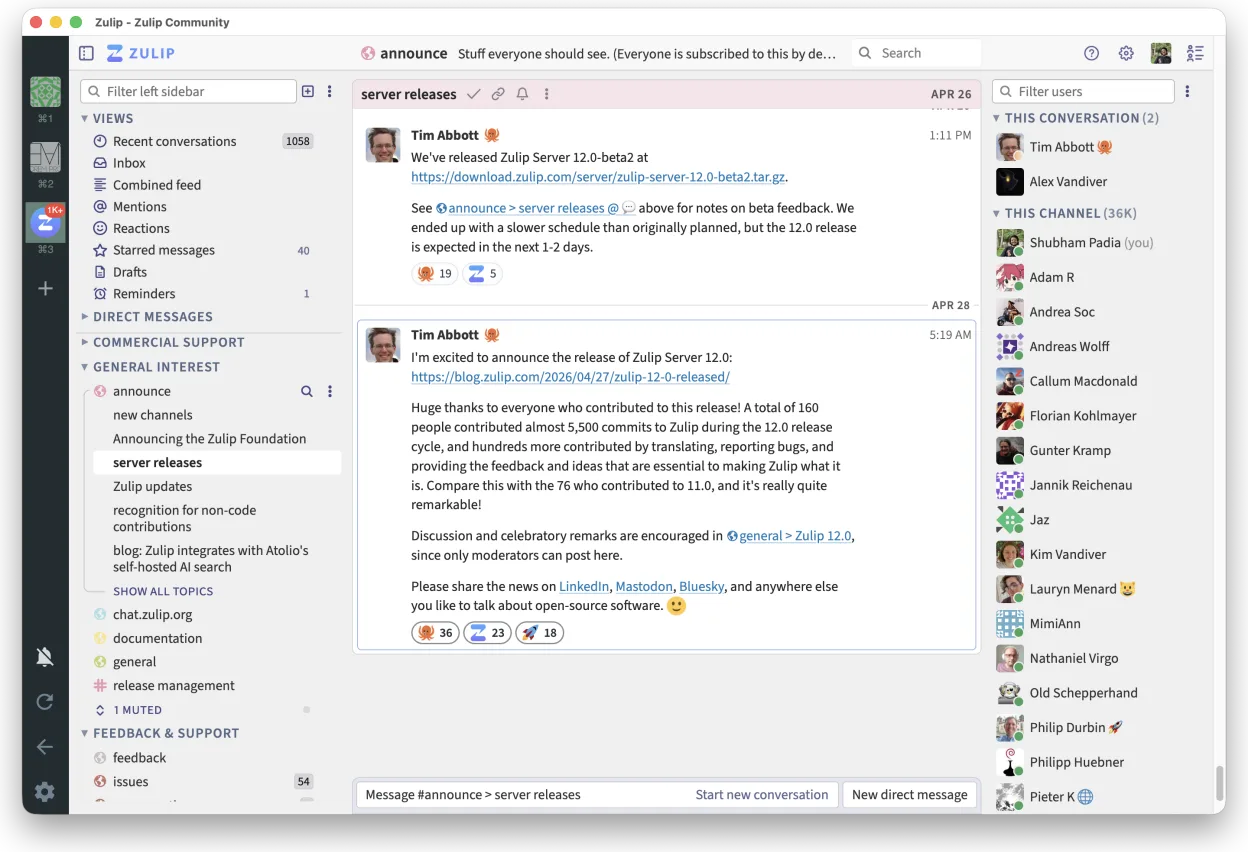
Zulip can replace Microsoft Teams for teams that need real‑time chat with threaded conversations and want an open‑source, self‑hostable solution. It works well for software developers, open‑source projects, or organizations that already use Linux desktops and prefer no vendor lock‑in. However, it lacks built‑in Office 365 integration, native video conferencing, and the extensive app ecosystem that Teams offers, so it is best suited for groups that prioritize chat and search over video calls and deep Microsoft integration.
- Licença
- Apache-2.0
- Preço
- Grátis
- Versão mais recente
- 5.13.2 (21 de setembro de 2026)
- Avaliação
- —
O que funciona igual
- Both provide real‑time group chat
- Both support threaded conversations
- Both allow file sharing within conversations
- Both are cross‑platform (Linux, Windows, macOS, mobile)
- Both have native desktop clients
O que muda
- Zulip does not have built‑in video or audio conferencing; Teams has Teams‑Meetings
- Teams integrates tightly with Office 365 (Word, Excel, PowerPoint) and SharePoint; Zulip does not
- Teams offers a wide range of third‑party app integrations; Zulip’s ecosystem is smaller
- Teams includes advanced meeting scheduling and calendar features; Zulip lacks a calendar
- Teams provides enterprise‑grade security and compliance tooling; Zulip relies on self‑hosted security
Abrindo seus arquivos do Microsoft Teams
Zulip can receive files shared in Teams conversations, but it cannot directly open Office 365 documents or Teams‑specific file formats. To view or edit such files you will need a separate office suite (e.g., LibreOffice) or a cloud service like Microsoft 365. Exporting from Zulip is limited to plain text or attachments; there is no native conversion to Teams‑specific formats.
Trocando o Microsoft Teams pelo Zulip, passo a passo
- Export Teams chat history via the Teams export tool or PowerShell if available
- Download all shared files from Teams to a local folder
- Install Zulip Desktop from Flathub or the official repository
- Create a Zulip organization and invite users
- Upload the exported chat history as a text file or use the Zulip API to import messages
- Re‑share important files in Zulip channels
Principais recursos do Zulip
- Conversas em tópicos para discussões organizadas
- Código aberto e auto-hospedável
- Disponível como cliente de desktop nativo para Linux
- Suporta grupos grandes e alto volume de mensagens
- Compatibilidade multiplataforma
- Funcionalidade de busca forte em todo o histórico
Como instalar o Zulip no Linux
flatpak install flathub org.zulip.ZulipPerguntas frequentes
Does Zulip support video calls?
No, Zulip does not provide native video or audio conferencing. You would need to integrate a separate tool like Jitsi or Zoom for calls.
Can I host Zulip myself?
Yes, Zulip is open source and can be self‑hosted on a Linux server using Docker or the official installation scripts.
Will my Teams files open in Zulip?
Zulip can receive files, but it does not open Office documents or Teams‑specific formats; use LibreOffice or Microsoft 365 for editing.
Outras 5 alternativas ao Microsoft Teams
 SlackO Slack é um aplicativo proprietário de comunicação para equipes no Linux que centraliza conversas…FlatpakSlack vs Microsoft Teams
 MattermostO Mattermost é uma plataforma de colaboração de código aberto e autohospedada, criada para equipes de…Código abertoGrátisFlatpakMattermost vs Microsoft Teams
 DiscordUm cliente de mensagens, voz e vídeo multiplataforma para comunidades, jogos e encontros casuais.FlatpakDiscord vs Microsoft Teams
 Rocket.ChatPlataforma de comunicação em equipe de código aberto para chat, vídeo e colaboração, frequentemente usada…Código abertoGrátisFlatpakRocket.Chat vs Microsoft Teams
 ElementO Element é um cliente de chat e videoconferência baseado em matriz, de código aberto, para Linux.Código abertoGrátisFlatpakElement vs Microsoft Teams