
 DBeaver CommunityLinux
vs
Microsoft Power BI ServiceWindows
DBeaver Community als Linux-Alternative zu Microsoft Power BI Service
Aktualisiert am
Unser Fazit
DBeaver Community is not a direct replacement for Microsoft Power BI Service. It excels at database management and SQL development but lacks native dashboarding, interactive visualizations, and report sharing features central to Power BI. Business analysts needing to build and distribute visual reports will find it insufficient. However, for developers or DBAs who need to inspect data, write queries, and model schemas before pushing to a BI tool, DBeaver is useful as part of a broader workflow. It supports data extraction and preparation but not the presentation layer Power BI provides.
- Lizenz
- Apache-2.0
- Preis
- Kostenlos
- Aktuelle Version
- 26.2.3 (18. Oktober 2026)
- Bewertung
- —
Was gleich funktioniert
- Both can connect to SQL databases and spreadsheets for data exploration
- Support for writing and running SQL queries to retrieve and transform data
- Ability to import and export data in formats like CSV, JSON, and XML
- Data modeling features, such as viewing table relationships and ER diagrams
- Support for REST APIs and custom data sources via plugins or extensions
Was anders ist
- DBeaver lacks interactive dashboards and visualization tools like charts and graphs
- No built-in report sharing, scheduling, or cloud collaboration features
- Does not support Power BI's data refresh automation or gateway integration
- No native support for DAX or Power Query for advanced data modeling
- Missing role-based access control and secure report publishing
Ihre Microsoft Power BI Service-Dateien öffnen
DBeaver cannot open Power BI .pbix files. There is no known method to directly import Power BI report definitions or dashboards into DBeaver. Exporting from Power BI to formats DBeaver can read, such as CSV or JSON, is possible, but this only transfers raw data, not visualizations or report structure. Users must rebuild queries or models manually. DBeaver does not export to Power BI formats.
Von Microsoft Power BI Service zu DBeaver Community wechseln – Schritt für Schritt
- Export data from Power BI datasets to CSV or JSON via export or API
- Import the data into your target database using DBeaver's import wizard
- Recreate necessary queries in DBeaver's SQL editor for data transformation
- Use DBeaver’s ER diagrams to visualize table relationships and schema
- Set up external tools or scripts for visualization if needed
Wichtige Funktionen von DBeaver Community
- Unterstützt MySQL, PostgreSQL, Oracle, SQL Server, SQLite und viele andere Datenbanken
- Universeller SQL-Editor mit Syntaxhervorhebung und Autovervollständigung
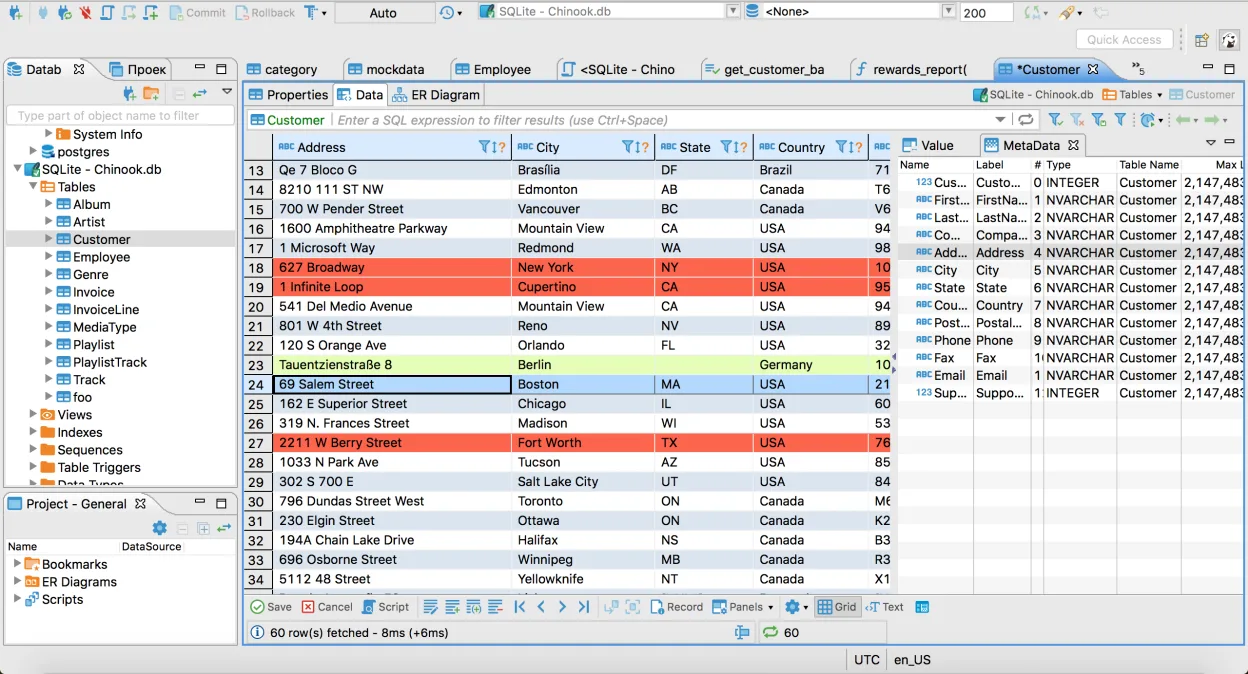
- Visuelles Datenraster zum Anzeigen und Bearbeiten von Tabelleninhalten
- ER-Diagrammerstellung zur Visualisierung von Datenbankschemata
- Werkzeuge zum Importieren und Exportieren von Daten im CSV-, XML- und JSON-Format
- Integrierter Metadatenbrowser für Tabellen, Ansichten und Prozeduren
- Unterstützung für mehrere Datenbankverbindungen in einem Arbeitsbereich
- Plugin-Architektur zur Erweiterung der Funktionalität durch zusätzliche Treiber
DBeaver Community unter Linux installieren
flatpak install flathub io.dbeaver.DBeaverCommunitysudo pacman -S dbeaverHäufige Fragen
Can DBeaver create dashboards like Power BI?
No, DBeaver does not support interactive dashboards or visual reports. It is designed for database interaction, not data presentation. Use tools like Metabase, Superset, or Redash alongside DBeaver for dashboards.
Is DBeaver suitable for business analysts?
Not as a full Power BI alternative. Analysts needing to build and share visual reports should look elsewhere. DBeaver is better suited for technical users comfortable with SQL and database structures.
Can I automate data refreshes in DBeaver like in Power BI?
No, DBeaver has no built-in scheduling. Use external tools like cron jobs, Python scripts, or task schedulers to automate queries and data exports.