
 EvolutionLinux
vs
ThunderbirdWindows
EvolutionLinux
vs
ThunderbirdWindows
Evolution als Linux-Alternative zu Thunderbird
Aktualisiert am
Unser Fazit
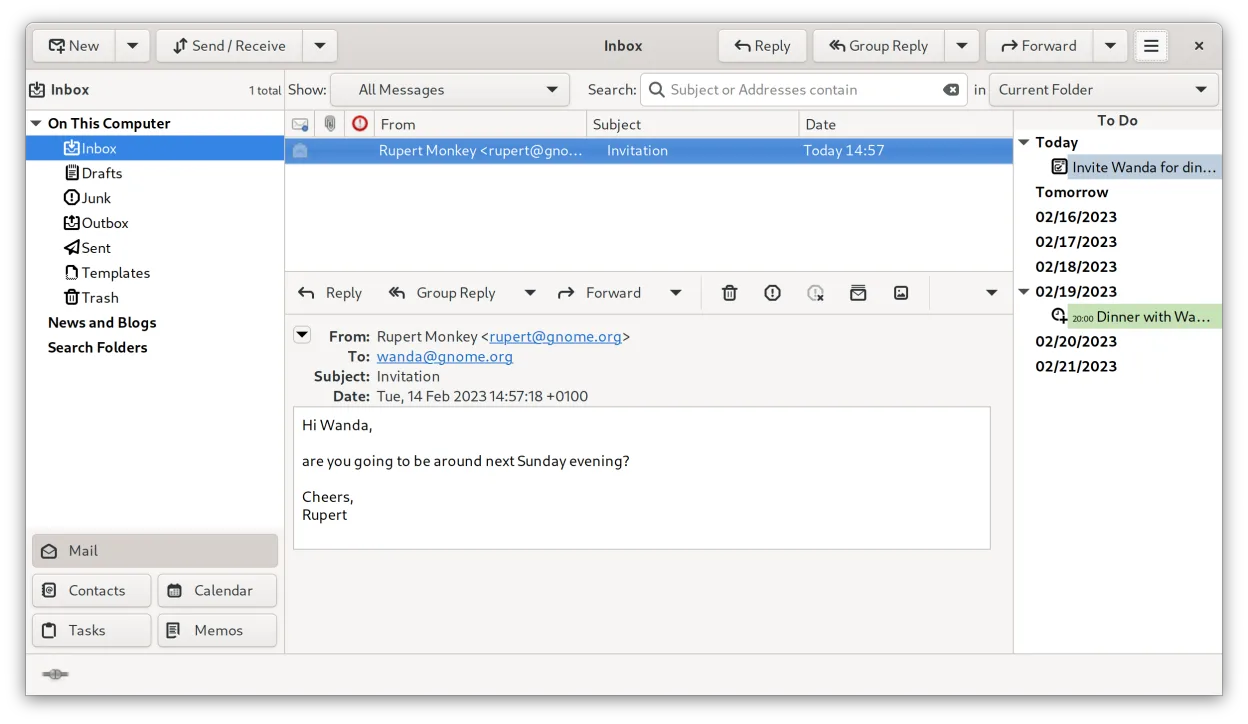
Evolution is a solid replacement for Thunderbird if you want tight integration between email, calendar, and contacts in a single native Linux application. It handles IMAP/POP3, has strong standards compliance, and supports CalDAV, LDAP, and Exchange via EWS. While it lacks built-in RSS and native chat (IRC/XMPP/Matrix), it covers core email, calendar, and contact needs well. Users who rely on RSS or real-time chat inside the client will need external tools. It's best suited for those prioritizing organization and integration over extensibility or lightweight design.
- Lizenz
- GPL-2.0+ and GFDL-1.3
- Preis
- Kostenlos
- Aktuelle Version
- 3.62.1 (9. Oktober 2026)
- Bewertung
- —
Was gleich funktioniert
- Both support IMAP, POP3, and SMTP for email handling
- Integrated calendar and contact management with vCard and iCalendar support
- Offer mail filtering, search, and address books
- Support S/MIME and GnuPG for encryption
- Open-source and free with active development
Was anders ist
- Evolution lacks a built-in RSS feed reader
- No native support for IRC, XMPP, or Matrix chat
- No Usenet or news reader functionality
- Evolution has deeper Exchange (EWS) and LDAP integration than Thunderbird
- Evolution combines mail, calendar, and tasks in one interface, while Thunderbird separates them more
Ihre Thunderbird-Dateien öffnen
Evolution does not directly import Thunderbird profiles, but you can export mail folders in standard .mbox format from Thunderbird and import them into Evolution. Contacts and calendars can be transferred via vCard and iCalendar (.ics) files. While there's no one-click migration, all core data types are exportable and compatible using standard formats. Third-party tools like Thunderbird's ImportExportTools add-on can assist in preparing data.
Von Thunderbird zu Evolution wechseln – Schritt für Schritt
- Export your Thunderbird mail folders as .mbox files using ImportExportTools or manual copy
- Export contacts as vCard (.vcf) and calendars as .ics files from Thunderbird
- Install Evolution via your distribution's package manager or Flathub
- Import .mbox files into Evolution via 'Import' in the mail folder context menu
- Import vCard and .ics files into Evolution's address book and calendar
- Reconfigure email accounts manually in Evolution using IMAP/POP3 settings
Wichtige Funktionen von Evolution
- Integrierte E-Mail, Kalender, Kontakte und Aufgaben in einem Fenster
- Vollständige Unterstützung für IMAP, POP3, SMTP, CalDAV und EWS
- Standarddatenformate (MIME, iCalendar, vCard)
- Integrierte Verschlüsselung mit GnuPG und S/MIME
- Adressbuch mit LDAP und lokaler Speicherung
- Kalenderfreigabe und Terminplanung über CalDAV
- E-Mail-Filterregeln und Suche
- Anpassbare Tastenkürzel
Evolution unter Linux installieren
flatpak install flathub org.gnome.Evolutionsudo apt install evolutionsudo apt install evolutionsudo dnf install evolutionsudo pacman -S evolution-bogofiltersudo zypper install evolutionHäufige Fragen
Can Evolution replace Thunderbird for calendar and email together?
Yes, Evolution handles both email and calendar tightly, using CalDAV and standard formats. It's a strong fit if you use these together and don't rely on RSS or chat.
Does Evolution support modern encryption like Thunderbird?
Yes, Evolution supports GnuPG and S/MIME for signing and encrypting emails, comparable to Thunderbird's capabilities.
Is Evolution as lightweight as Thunderbird?
No, Evolution is heavier and more integrated, resembling Outlook in scope. It's less suitable for minimal setups than Thunderbird.
5 weitere Alternativen zu Thunderbird
 MailspringEin schneller, funktionsreicher Desktop-E-Mail-Client für Linux mit einer C++-Synchronisierungseinheit und…Open SourceKostenlosFlatpakMailspring vs. Thunderbird
 Claws MailClaws Mail ist ein schlanker, schneller E-Mail-Client für Linux auf Basis von GTK.Open SourceKostenlosFlatpakClaws Mail vs. Thunderbird
 KMailKMail ist der funktionsreiche E-Mail-Client von KDE und Teil der Kontact-Suite. Er unterstützt IMAP, POP3 und…Open SourceKostenlosKMail vs. Thunderbird
 SylpheedSylpheed ist ein leichtgewichtiger, GTK‑basierter E‑Mail- und News-Client für Linux, Windows und macOS.Open SourceKostenlosSylpheed vs. Thunderbird
 GearyGeary ist ein auf GNOME basierender E-Mail-Client für Linux, mit dem Sie E-Mails senden, empfangen und in der…Open SourceKostenlosFlatpakGeary vs. Thunderbird