
 FirefoxLinux
vs
FirefoxLinux
vs
 Mozilla FirefoxWindows
Firefox als Linux-Alternative zu Mozilla Firefox
Aktualisiert am
Unser Fazit
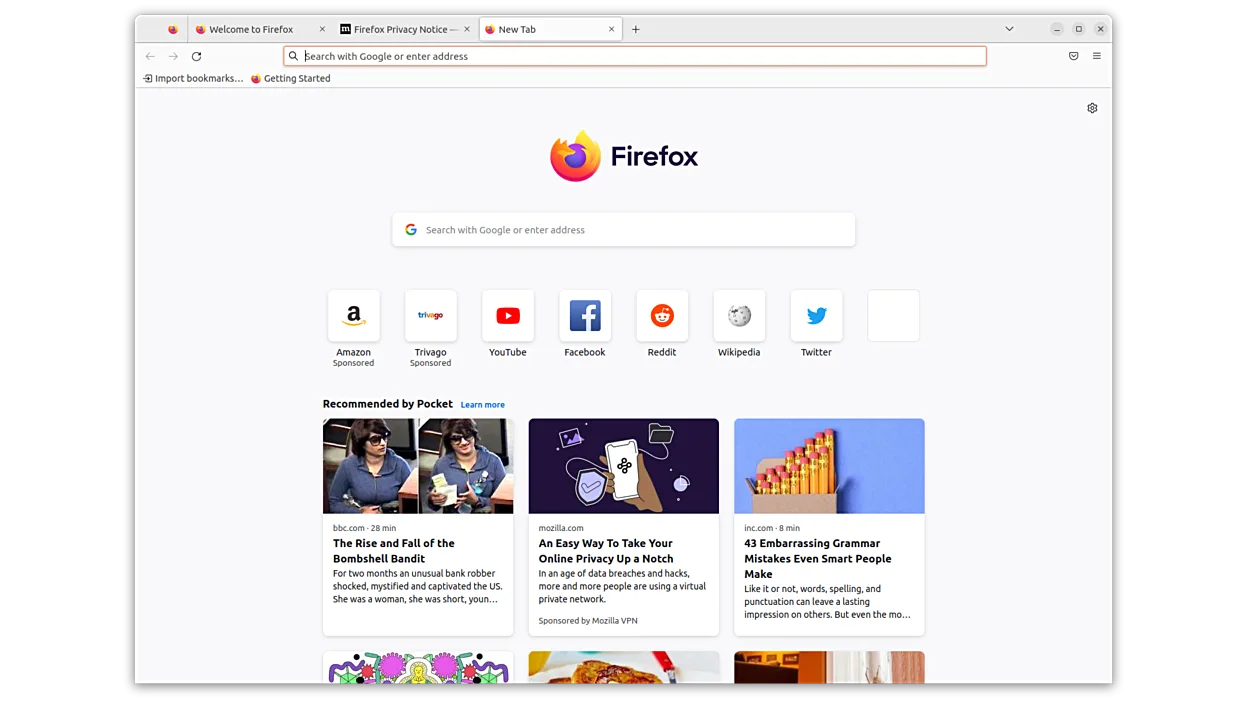
Firefox on Linux is the same product as the Windows version, so it is an excellent replacement for users who want the same features, performance, and privacy controls on a Linux desktop. It works well for developers, power users, and everyday browsers, providing fast page loading, strong tracking protection, and full add‑on support.
- Lizenz
- MPL-2.0
- Preis
- Kostenlos
- Aktuelle Version
- 158.0.1 (19. Oktober 2026)
- Bewertung
- —
Was gleich funktioniert
- Fast page loading
- Strong privacy controls and tracking protection
- Full add‑on ecosystem
- Cross‑platform sync of tabs, history, and settings
- Open‑source license (MPL‑2.0)
Was anders ist
- No native Windows‑only extensions that rely on COM or ActiveX
- Some Windows‑specific integration features (e.g., Windows Hello for Firefox) are not available
- Certain Windows‑only themes or UI tweaks may differ
- Firefox on Linux uses GTK on GNOME or Qt on KDE, affecting look and feel
- The Windows installer includes a bundled updater that is not present on Linux
Ihre Mozilla Firefox-Dateien öffnen
Firefox on Linux can open and export bookmarks, passwords, and history from the Windows profile by copying the profile folder (usually located in %APPDATA%\Mozilla\Firefox) to the Linux profile directory (~/.mozilla/firefox). The import/export tools are identical, so no special steps are needed beyond copying the data.
Von Mozilla Firefox zu Firefox wechseln – Schritt für Schritt
- 1. Install Firefox from your distribution’s package manager or Flathub.
- 2. Launch Firefox once to generate a default profile folder.
- 3. Copy the Windows profile folder (e.g., C:\Users\<user>\AppData\Roaming\Mozilla\Firefox) to the Linux profile directory (~/.mozilla/firefox).
- 4. Rename the copied profile folder to match the new profile name or set it as default in about:profiles.
- 5. Restart Firefox and verify bookmarks, passwords, and extensions are present.
Wichtige Funktionen von Firefox
- Schnelles Laden von Seiten
- Starke Privatsphärenkontrollen
- Anpassbare Benutzeroberfläche
- Erweiterbar mit Add-ons
- Plattformübergreifende Synchronisation
- Open Source
- Regelmäßige Sicherheitsupdates
Firefox unter Linux installieren
flatpak install flathub org.mozilla.firefoxsudo apt install firefoxsudo apt install firefox-esrsudo dnf install firefoxsudo pacman -S firefox-i18n-es-mxsudo zypper install MozillaFirefoxHäufige Fragen
Will my extensions work on Linux?
Most extensions that rely only on web APIs work on Linux. Those that use Windows‑specific APIs (e.g., COM) will not.
Can I sync my data across devices?
Yes, Firefox Sync works the same on Linux, syncing tabs, history, bookmarks, passwords, and settings.
Is Firefox on Linux as fast as on Windows?
Performance is comparable; on many Linux systems it can be faster due to native rendering engines and fewer background services.
8 weitere Alternativen zu Mozilla Firefox
 BraveBrave ist ein schneller, datenschutzorientierter Webbrowser, der standardmäßig Anzeigen und Tracker blockiert…Open SourceKostenlosFlatpakBrave vs. Mozilla Firefox
 Google ChromeGoogle Chrome ist der proprietäre, auf Chromium basierende Webbrowser von Google, der für Linux verfügbar ist.KostenlosFlatpakGoogle Chrome vs. Mozilla Firefox
 ChromiumChromium ist das Open-Source-Browserprojekt hinter Chrome und Edge und bietet ein schnelles, modernes…Open SourceKostenlosFlatpakChromium vs. Mozilla Firefox
 OperaOpera GX ist ein proprietärer Linux‑Browser für Gamer, der Leistungs‑Steuerungen, Anpassungsmöglichkeiten und…FlatpakOpera vs. Mozilla Firefox
 KonquerorKonqueror ist ein Webbrowser und Dateimanager von KDE mit Unterstützung für lokale und entfernte…Open SourceKostenlosKonqueror vs. Mozilla Firefox
 SeaMonkeySeaMonkey ist eine kostenlose Internet-Suite mit Browser, E‑Mail und HTML‑Editor, basierend auf dem alten…Open SourceKostenlosSeaMonkey vs. Mozilla Firefox
 EpiphanyEpiphany (GNOME Web) ist ein schlanker, auf GNOME basierender Webbrowser, der auf WebKit aufbaut.Open SourceKostenlosEpiphany vs. Mozilla Firefox
 Mozilla FirefoxMozilla Firefox ist ein quelloffener Webbrowser, der nativ auf Linux läuft und ein schnelles, sicheres…Open SourceKostenlosMozilla Firefox vs. Mozilla Firefox