
 GeanyLinux
vs
JetBrains GoLandWindows
Geany als Linux-Alternative zu JetBrains GoLand
Aktualisiert am
Unser Fazit
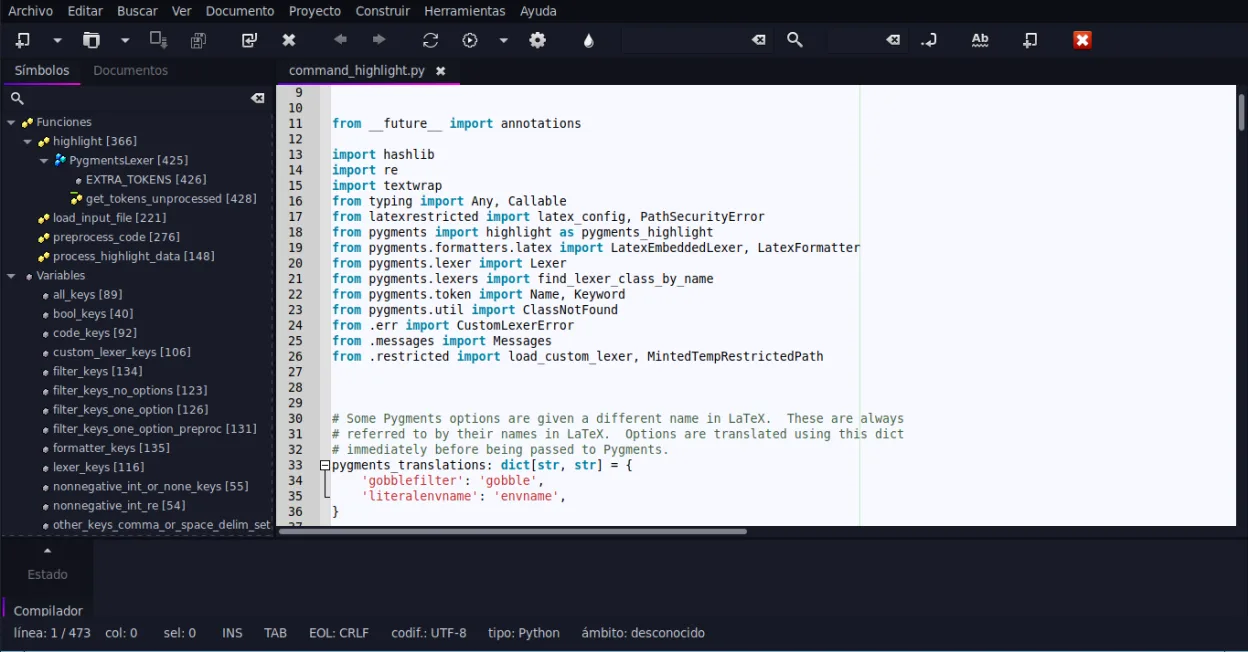
Geany is not a direct replacement for GoLand if you rely on deep Go-specific tooling. It offers basic syntax highlighting and a terminal, but lacks the intelligent static analysis, integrated debugger, and advanced refactoring tools that define the GoLand experience. Geany suits hobbyists or users needing a lightweight editor for simple Go scripts. For professional development requiring robust debugging and complex code navigation, Geany will feel limiting. It is a text editor with IDE features, not a full-featured IDE for a specific language ecosystem like Go.
- Lizenz
- GPL-2.0+
- Preis
- Kostenlos
- Aktuelle Version
- 2.1.0 (6. Juli 2025)
- Bewertung
- —
Was gleich funktioniert
- Both provide syntax highlighting for Go source code.
- Both include an integrated terminal for running commands.
- Both support code folding to manage large files.
- Both allow for basic code completion.
Was anders ist
- GoLand provides deep static analysis and type checking; Geany offers only basic syntax checking.
- GoLand has a powerful integrated debugger; Geany lacks a native Go debugger integration.
- GoLand includes advanced refactoring tools (rename, move, extract); Geany has minimal refactoring support.
- GoLand is Go-specific with optimized tooling; Geany is a general-purpose editor with plugins.
Ihre JetBrains GoLand-Dateien öffnen
Geany opens standard .go text files without issue. It does not read JetBrains IDE project files (.idea directories) or specific GoLand configuration formats. You will need to recreate your project structure and build configurations manually in Geany, as there is no direct import mechanism for JetBrains project metadata.
Von JetBrains GoLand zu Geany wechseln – Schritt für Schritt
- Install Geany via your distribution's package manager or Flathub.
- Enable the Go filetype support if not active by default.
- Configure your build commands in Geany's Build menu to match your Go workflow.
- Set up your Git integration via the VCS plugin if needed.
- Test basic compilation and execution using the integrated terminal.
- Manually recreate any specific code snippets or templates you used in GoLand.
Wichtige Funktionen von Geany
- Syntaxhervorhebung für über 30 Sprachen
- Codevervollständigung und automatische Vervollständigung gängiger Konstrukte
- Eingebetteter Terminal-Emulator
- Plugin-Manager mit vorinstallierten Plugins
- Code-Faltung und Symbolverzeichnisse
- Unterstützung für XML/HTML-Tag-Vervollständigung
Geany unter Linux installieren
flatpak install flathub org.geany.Geanysudo apt install geanysudo apt install geanysudo dnf install geanysudo pacman -S geanysudo zypper install geanyHäufige Fragen
Can Geany debug Go applications?
No, Geany does not have a built-in debugger for Go. You would need to use external tools like Delve via the terminal, which is less integrated than GoLand's debugging experience.
Does Geany support Go modules?
Geany does not natively manage Go modules. You must use the terminal to run 'go mod' commands. It will highlight the go.mod file, but it does not automate dependency management.
Is Geany faster than GoLand?
Yes, Geany is significantly lighter and starts faster. It uses fewer resources, making it suitable for older hardware or quick edits, but it lacks the deep indexing and analysis speed of a dedicated IDE.
3 weitere Alternativen zu JetBrains GoLand
 NeovimNeovim ist ein moderner Vim‑Fork, der Erweiterbarkeit, fortschrittliche UI‑Unterstützung und leistungsstarke…Open SourceKostenlosFlatpakNeovim vs. JetBrains GoLand
 KateKate ist ein funktionsreicher, auf Programmierer ausgerichteter Texteditor von KDE mit Unterstützung für über…Open SourceKostenlosFlatpakKate vs. JetBrains GoLand