
 GeanyLinux
vs
NeovimWindows
Geany als Linux-Alternative zu Neovim
Aktualisiert am
Unser Fazit
Geany is not a direct replacement for Neovim if you rely on Vim keybindings or deep terminal workflows. It is a GUI IDE, not a terminal editor. For developers who prefer a lightweight, window-based environment with immediate syntax support and don't need Vim's modal editing, Geany works well. However, if your workflow depends on Neovim's Lua scripting, LSP integration, or terminal-centric habits, Geany will feel like a step back in flexibility and extensibility.
- Lizenz
- GPL-2.0+
- Preis
- Kostenlos
- Aktuelle Version
- 2.1.0 (6. Juli 2025)
- Bewertung
- —
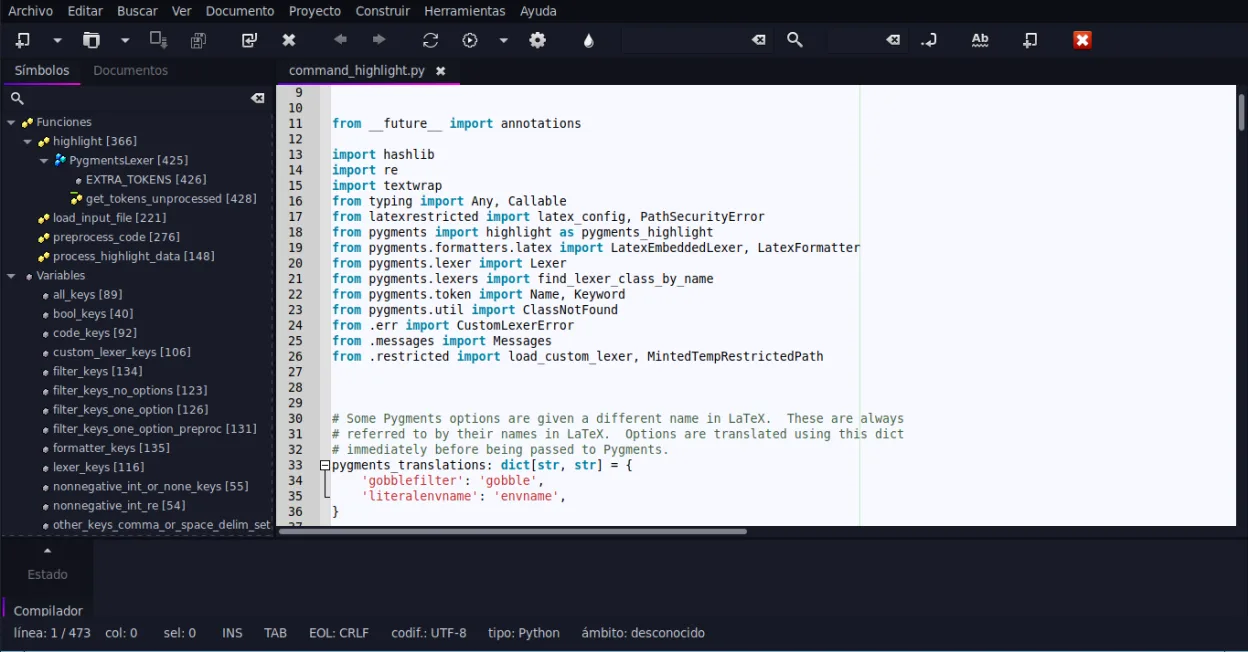
Was gleich funktioniert
- Supports syntax highlighting for many programming languages
- Offers code completion and auto-completion features
- Includes code folding and symbol lists for navigation
- Extensible via plugins
Was anders ist
- Geany is a GUI application, while Neovim is a terminal-based editor
- Neovim has built-in LSP and Lua support; Geany relies on plugins for similar functionality
- Neovim uses Vim keybindings by default; Geany uses standard GUI shortcuts
- Geany lacks the deep terminal integration and headless capabilities of Neovim
Ihre Neovim-Dateien öffnen
Geany can open and save plain text files, source code, and other standard text formats that Neovim uses. There is no special file format conversion needed for typical code files. Project files or configuration files specific to Neovim (like init.lua) are not compatible with Geany, but the actual code files themselves are fully compatible.
Von Neovim zu Geany wechseln – Schritt für Schritt
- Install Geany from your Linux distribution's package manager or Flathub
- Open your existing code files directly in Geany
- Configure syntax highlighting for your primary languages in Geany's preferences
- Install any necessary plugins for language-specific tools via Geany's plugin manager
- Adjust keybindings in Geany's preferences if you want to mimic some Vim-like shortcuts
Wichtige Funktionen von Geany
- Syntaxhervorhebung für über 30 Sprachen
- Codevervollständigung und automatische Vervollständigung gängiger Konstrukte
- Eingebetteter Terminal-Emulator
- Plugin-Manager mit vorinstallierten Plugins
- Code-Faltung und Symbolverzeichnisse
- Unterstützung für XML/HTML-Tag-Vervollständigung
Geany unter Linux installieren
flatpak install flathub org.geany.Geanysudo apt install geanysudo apt install geanysudo dnf install geanysudo pacman -S geanysudo zypper install geanyHäufige Fragen
Can I use Vim keybindings in Geany?
Geany does not have built-in Vim keybindings, but you can remap keys in its preferences to approximate some Vim-like behavior, though it won't be a full Vim experience.
Does Geany support LSP like Neovim?
Geany does not have built-in LSP support. You may find plugins that offer basic language server functionality, but it is not as integrated or powerful as Neovim's native LSP.
Is Geany suitable for large projects?
Geany is lightweight and fast, making it good for small to medium projects. For very large codebases, you might find its navigation and refactoring tools less capable than dedicated IDEs or Neovim with proper plugins.
5 weitere Alternativen zu Neovim
 VimVim ist ein hochgradig konfigurierbarer, modaler Texteditor für effizientes Bearbeiten unter Linux.Open SourceKostenlosFlatpakVim vs. Neovim
 KateKate ist ein funktionsreicher, auf Programmierer ausgerichteter Texteditor von KDE mit Unterstützung für über…Open SourceKostenlosFlatpakKate vs. Neovim
 geditgedit ist der leichte, universelle Texteditor von GNOME, geeignet für Notizen, Dokumente und einfaches…Open SourceKostenlosFlatpakgedit vs. Neovim
 Sublime TextSublime Text ist ein leichter, schneller Quellcode‑Editor mit einer minimalistischen Oberfläche und…FlatpakSublime Text vs. Neovim
 HelixHelix is a fast, Rust-based terminal text editor with modal editing, multiple selections, and built-in LSP…Open SourceKostenlosFlatpakHelix vs. Neovim