
 GeanyLinux
vs
NeovimWindows
Geany as a Linux alternative to Neovim
Updated
Our verdict
Geany is not a direct replacement for Neovim if you rely on Vim keybindings or deep terminal workflows. It is a GUI IDE, not a terminal editor. For developers who prefer a lightweight, window-based environment with immediate syntax support and don't need Vim's modal editing, Geany works well. However, if your workflow depends on Neovim's Lua scripting, LSP integration, or terminal-centric habits, Geany will feel like a step back in flexibility and extensibility.
- License
- GPL-2.0+
- Price
- Free
- Latest version
- 2.1.0 (July 6, 2025)
- Rating
- —
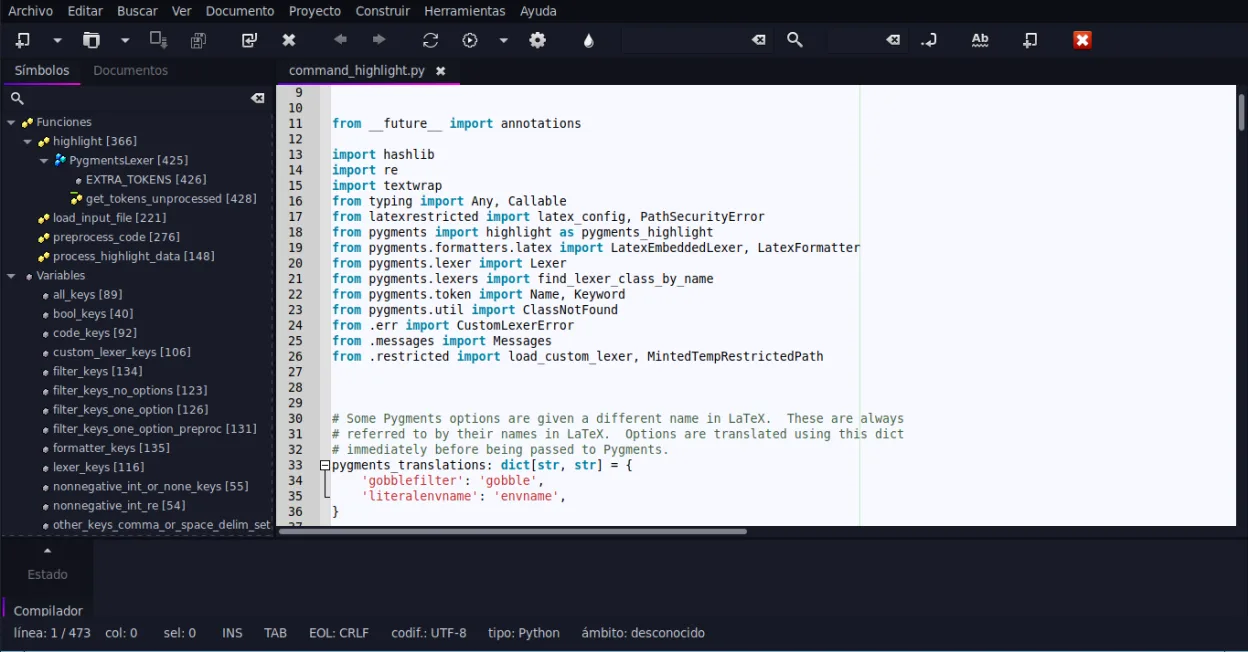
What works the same
- Supports syntax highlighting for many programming languages
- Offers code completion and auto-completion features
- Includes code folding and symbol lists for navigation
- Extensible via plugins
What is different
- Geany is a GUI application, while Neovim is a terminal-based editor
- Neovim has built-in LSP and Lua support; Geany relies on plugins for similar functionality
- Neovim uses Vim keybindings by default; Geany uses standard GUI shortcuts
- Geany lacks the deep terminal integration and headless capabilities of Neovim
Opening your Neovim files
Geany can open and save plain text files, source code, and other standard text formats that Neovim uses. There is no special file format conversion needed for typical code files. Project files or configuration files specific to Neovim (like init.lua) are not compatible with Geany, but the actual code files themselves are fully compatible.
Switching from Neovim to Geany, step by step
- Install Geany from your Linux distribution's package manager or Flathub
- Open your existing code files directly in Geany
- Configure syntax highlighting for your primary languages in Geany's preferences
- Install any necessary plugins for language-specific tools via Geany's plugin manager
- Adjust keybindings in Geany's preferences if you want to mimic some Vim-like shortcuts
Key features of Geany
- Syntax highlighting for over 30 languages
- Code completion and auto‑completion of common constructs
- Embedded terminal emulator
- Plugin manager with pre‑installed plugins
- Code folding and symbol lists
- Support for XML/HTML tag completion
How to install Geany on Linux
flatpak install flathub org.geany.Geanysudo apt install geanysudo apt install geanysudo dnf install geanysudo pacman -S geanysudo zypper install geanyFrequently asked questions
Can I use Vim keybindings in Geany?
Geany does not have built-in Vim keybindings, but you can remap keys in its preferences to approximate some Vim-like behavior, though it won't be a full Vim experience.
Does Geany support LSP like Neovim?
Geany does not have built-in LSP support. You may find plugins that offer basic language server functionality, but it is not as integrated or powerful as Neovim's native LSP.
Is Geany suitable for large projects?
Geany is lightweight and fast, making it good for small to medium projects. For very large codebases, you might find its navigation and refactoring tools less capable than dedicated IDEs or Neovim with proper plugins.
5 other alternatives to Neovim
 VimVim is a highly configurable, modal text editor for efficient editing on Linux.Open sourceFreeFlatpakVim vs Neovim
 KateKate is a feature-rich, programmer-focused text editor from KDE with support for 300+ languages and advanced…Open sourceFreeFlatpakKate vs Neovim
 geditgedit is GNOME's lightweight, general-purpose text editor, suitable for notes, documents, and basic code…Open sourceFreeFlatpakgedit vs Neovim
 Sublime TextSublime Text is a lightweight, fast source code editor with a minimal interface and powerful extensibility.FlatpakSublime Text vs Neovim
 HelixHelix is a fast, Rust-based terminal text editor with modal editing, multiple selections, and built-in LSP…Open sourceFreeFlatpakHelix vs Neovim