

Linux · Internet
Vuze
Vuze is a feature‑rich BitTorrent client that runs natively on Linux.
- Lizenz
- —
- Aktuelle Version
- —
Was ist Vuze?
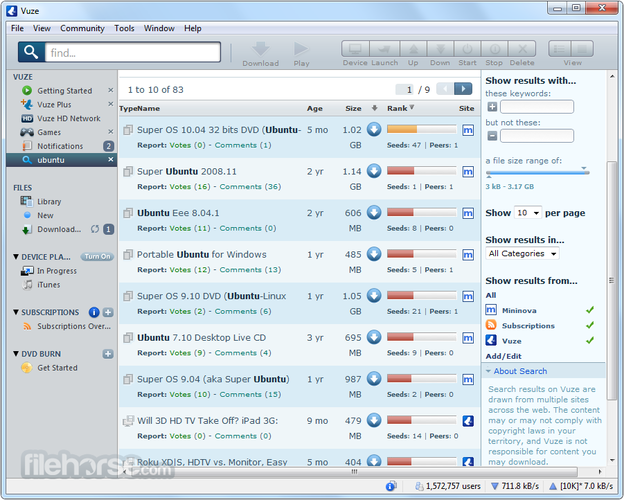
Vuze, originally called Azureus, was first released in 2004 as a Java‑based BitTorrent client. Over the years it added many advanced features such as integrated search, media playback, and plugin support, making it a popular choice for users who wanted more than a simple downloader.
The program targets power users who need a full‑featured client with a graphical interface. It is suitable for people who are comfortable with a Java runtime and who want to manage large torrent libraries, schedule downloads, or stream media directly from the client.
Compared to µTorrent, BitComet, or the original Vuze on Windows, the Linux version feels heavier because it requires a JVM and a larger memory footprint. The interface is similar, but some shortcuts and plugin integrations differ, and the overall experience can feel slower on older hardware.
Ideal für: Users who need a fully featured, cross‑platform BitTorrent client with media playback and plugin support.
Wichtige Funktionen von Vuze
- Java‑based cross‑platform GUI
- Built‑in media player for streaming torrents
- Advanced search and RSS feeds
- Plugin architecture for extended functionality
- Bandwidth and download scheduling
- Torrent encryption support
Vorteile
- Rich feature set beyond basic downloading
- Integrated media playback
- Extensible via plugins
- Cross‑platform consistency
- Large community of plugins
Nachteile
- High memory usage due to Java
- Interface can feel dated
- Limited official support and updates
- Requires Java runtime
Windows-Programme, die Vuze ersetzt
 BitComet
 Vuze (Azureus)
 µTorrent (uTorrent)
Tipps für Windows-Umsteiger
If you’re moving from µTorrent or BitComet, you’ll find that Vuze uses the same .torrent and .magnet file formats, so you can open them directly. The main workflow change is that Vuze’s UI is Java‑based, so keyboard shortcuts differ; for example, Ctrl+N opens a new torrent, and Ctrl+S saves the torrent file. The download directory defaults to ~/Downloads/Vuze, but you can change it in Preferences → Downloads. Scheduling and bandwidth limits are set under Preferences → Bandwidth. If you used the built‑in search in BitComet, Vuze’s search works similarly but requires a separate search engine plugin.
Vuze: häufige Fragen
Is Vuze still actively developed?
The last official release was in 2015, and there have been no recent updates, so it is effectively discontinued.
Does Vuze run on modern Linux distributions?
Yes, as long as you have a recent Java Runtime Environment installed; it works on Ubuntu, Fedora, and Arch.
Can I use Vuze to stream media from torrents?
Yes, Vuze includes a built‑in media player that can stream video and audio directly from a torrent.
Do I need a paid license for Vuze on Linux?
Vuze is free to download and use on Linux; there is no paid version for the Linux client.
Aktualisiert am