
 Podman DesktopLinux
vs
DockerWindows
Podman Desktop als Linux-Alternative zu Docker
Aktualisiert am
Unser Fazit
Podman Desktop is a solid replacement for Docker on Linux, especially for users who prefer GUI management alongside CLI control. It supports building from Dockerfiles, running containers, managing images, and integrates with Podman’s daemonless, rootless architecture by default. Since it can manage Docker engines too, transitioning from Docker is smoother. It works without cloud accounts or telemetry, aligns with systemd and security features, and supports Docker Hub images. Best suited for developers and admins already in the Linux ecosystem who want control and transparency.
- Lizenz
- Apache-2.0
- Preis
- Kostenlos
- Aktuelle Version
- 1.31.0 (18. November 2026)
- Bewertung
- —
Was gleich funktioniert
- Builds images from Dockerfiles and Containerfiles
- Pulls and pushes images to Docker Hub and other OCI registries
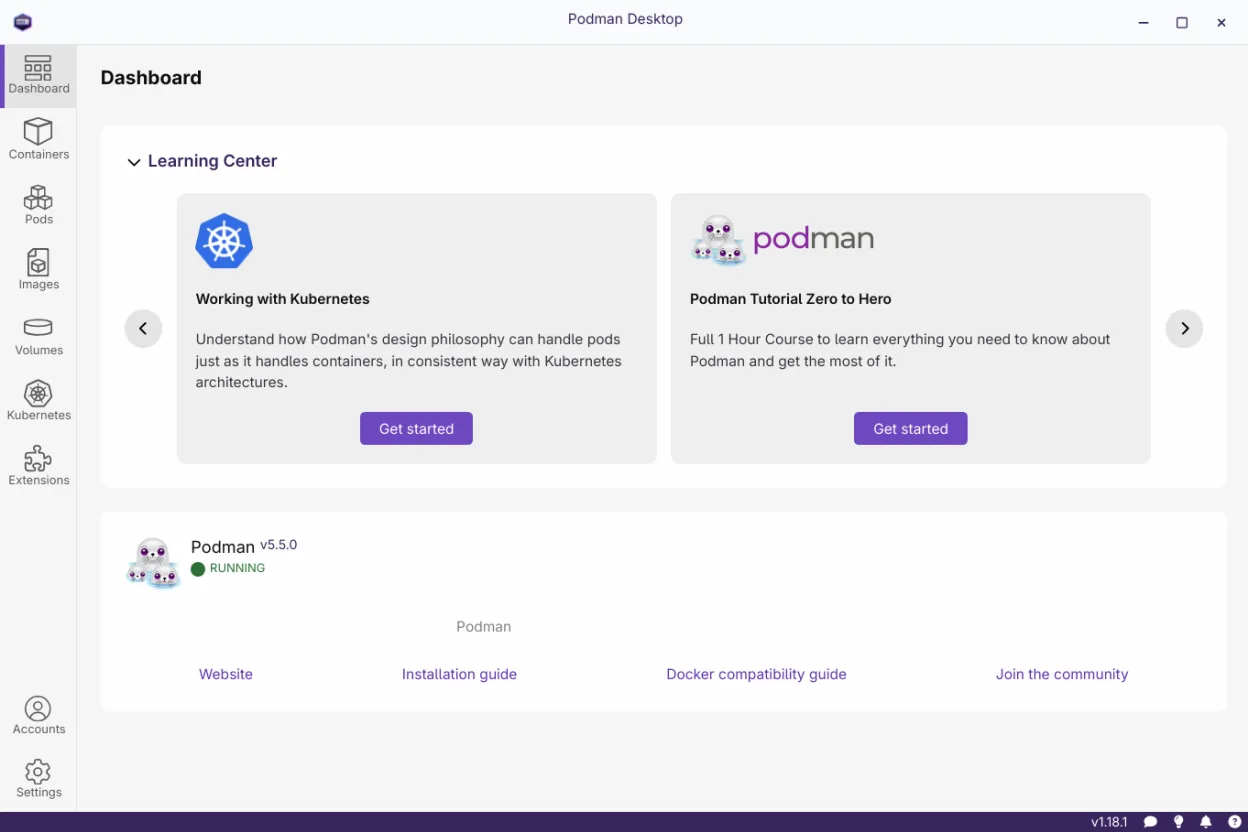
- Manages containers and pods via GUI with start/stop/restart controls
- Provides terminal access and log inspection for running containers
- Supports Kubernetes deployment and development workflows
Was anders ist
- No built-in daemon — relies on Podman’s daemonless model by default
- Rootless containers are default, not optional
- No mandatory cloud integration or telemetry
- Can manage multiple container engines (Podman, Docker, Lima) in one UI
- Some configuration options like proxy and resource limits are still in progress
Ihre Docker-Dateien öffnen
Podman Desktop reads Dockerfiles and Containerfiles directly for building images, so existing Docker build scripts work without changes. It also supports exporting and importing container images in standard OCI format, ensuring compatibility with Docker. Projects using docker-compose.yml may need minor adjustments to work with Podman's compose implementation, but syntax is largely compatible. No issues are expected when pulling or pushing to Docker Hub.
Von Docker zu Podman Desktop wechseln – Schritt für Schritt
- Install Podman and Podman Desktop using your distro’s package manager or Flathub
- Import existing Docker images by pulling them via Podman CLI or Desktop UI
- Use 'podman build' or the Desktop GUI to rebuild Dockerfiles if needed
- Run containers with 'podman run' or through the Desktop interface
- Enable systemd integration with 'podman generate systemd' for service management
Wichtige Funktionen von Podman Desktop
- Images aus Containerfile oder Dockerfile erstellen
- Images zu OCI‑Registries pullen und pushen
- Container und Pods starten, stoppen, neu starten
- Terminalzugriff innerhalb von Containern
- Logs und Ressourcennutzung inspizieren
- Mehrere Container‑Engines verwalten (Podman, Docker, Lima)
- Registries und Proxy‑Einstellungen konfigurieren
- Unterstützung für Plug‑ins und Docker Desktop‑Extensions
Podman Desktop unter Linux installieren
flatpak install flathub io.podman_desktop.PodmanDesktopsudo apt install libpodsudo apt install podmansudo dnf install podmansudo pacman -S podman-dockersudo zypper install podmanHäufige Fragen
Can I still use Docker CLI commands with Podman Desktop?
Yes. Podman is CLI-compatible with Docker — just alias docker=podman. Podman Desktop manages the same containers.
Does Podman Desktop require a cloud account?
No. It works entirely offline and has no forced accounts, subscriptions, or telemetry.
Can I run Kubernetes workloads?
Yes. Podman Desktop supports deploying and testing containers on Kubernetes, including local clusters.