
 RClone ManagerLinux
vs
Microsoft OneDriveWindows
RClone ManagerLinux
vs
Microsoft OneDriveWindows
RClone Manager als Linux-Alternative zu Microsoft OneDrive
Aktualisiert am
Unser Fazit
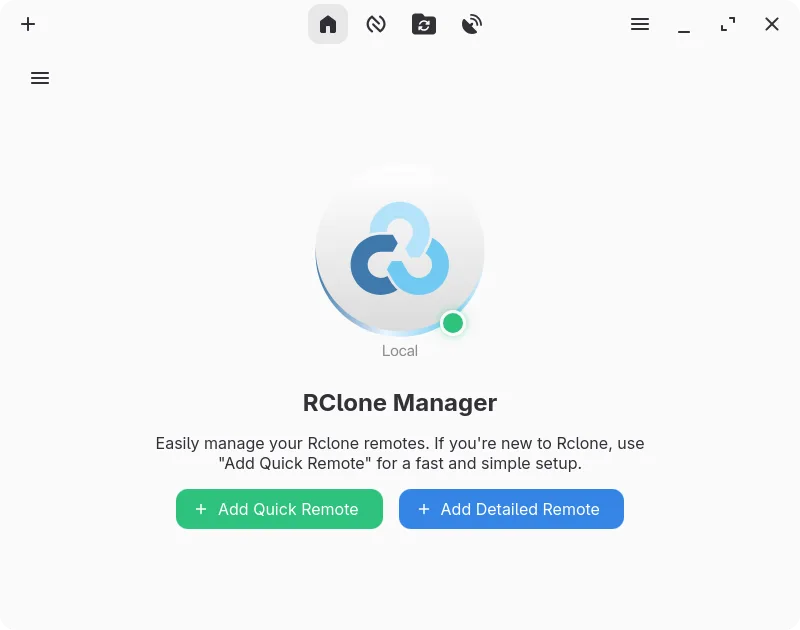
RClone Manager can replace OneDrive for users who need a flexible, cross‑platform sync tool and are comfortable with a more feature‑rich interface than the stock client. It supports OneDrive as a provider, offers two‑way sync, selective sync via mount options, and file versioning through the underlying rclone engine. It is best suited for power users or sysadmins who want scripting, automation, and multi‑cloud management, rather than casual consumers who rely on the simple Windows‑style experience.
- Lizenz
- GPL-3.0-or-later
- Preis
- Kostenlos
- Aktuelle Version
- 0.3.3 (23. September 2026)
- Bewertung
- —
Was gleich funktioniert
- Both sync local folders to the cloud and support two‑way synchronization
- Both can work with OneDrive accounts
- Both provide selective sync or mount options to save disk space
- Both have desktop integration via system tray or file manager extensions
Was anders ist
- RClone Manager requires a separate rclone binary and configuration; OneDrive is a single bundled client
- RClone Manager offers a visual workflow builder and cron scheduling, which OneDrive lacks
- RClone Manager can serve storage over HTTP/WebDAV, not available in OneDrive
- OneDrive automatically handles file versioning and history recovery, while RClone relies on the provider’s API and may not expose all versions
- RClone Manager is open source and cross‑platform, but its UI is more complex than OneDrive’s straightforward sync window
Ihre Microsoft OneDrive-Dateien öffnen
Files stored in OneDrive are ordinary files; RClone Manager can download or sync them to local folders, so they open in native Linux applications. Exporting from OneDrive to other formats is handled by the cloud provider, not the client, so no special conversion is needed.
Von Microsoft OneDrive zu RClone Manager wechseln – Schritt für Schritt
- Install rclone and RClone Manager from Flathub or your distro’s package manager.
- Add your OneDrive account in RClone Manager’s account settings and grant the required permissions.
- Create a sync task: choose local folder, select OneDrive remote, set sync direction to two‑way.
- Enable selective sync or mount options if you want to save local space.
- Start the sync or mount and verify files appear in the chosen local directory.
- Adjust power‑management or scheduling settings if needed for background operation.
Wichtige Funktionen von RClone Manager
- Visueller Workflow-Builder für mehrstufige Automatisierungen
- Integrierter Dateimanager zum Durchsuchen und Bearbeiten entfernter Dateien
- Mounten von Cloud-Speicher als lokales Laufwerk mit VFS-Cache
- Reichhaltige Medien-Vorschau für Bilder, Videos, PDFs und Code
- Planen von Operationen über cron oder Dateisystem-Watcher
- Systemtray-Integration und Energiemanagement-Steuerungen
- Verschlüsselte Konfigurations-Speicherung mit Backup-Unterstützung
- Bereitstellung von entferntem Speicher über HTTP oder WebDAV
RClone Manager unter Linux installieren
flatpak install flathub io.github.zarestia_dev.rclone-managersudo apt install rclonesudo apt install rclonesudo dnf install rclonesudo pacman -S rclonesudo zypper install rcloneHäufige Fragen
Does RClone Manager support file versioning like OneDrive?
RClone Manager uses rclone’s underlying sync logic, which can preserve file timestamps and optionally keep older versions if the provider supports it. However, it does not provide a dedicated version history UI; you would need to rely on the provider’s web interface for detailed version recovery.
Is RClone Manager safe for sensitive data?
Yes, it encrypts configuration files and can use rclone’s built‑in encryption features for data at rest. Transfers use HTTPS/TLS by default, and you can enable two‑factor authentication on your OneDrive account for added security.
Can I use RClone Manager on Windows?
RClone Manager is a native Linux application; it runs on Windows only through compatibility layers like WSL or Cygwin, which is not recommended for production use. For Windows, use the official OneDrive client.
2 weitere Alternativen zu Microsoft OneDrive
 Nextcloud Desktop ClientSynchronisiert Dateien zwischen Ihrem Linux-Desktop und einem Nextcloud-Server, sodass Dokumente und Fotos…Open SourceKostenlosFlatpakNextcloud Desktop Client vs. Microsoft OneDrive
 Seafile ClientSeafile ist ein plattformübergreifender Dateisynchronisations‑Client, der lokale Ordner mit einem…Open SourceKostenlosFlatpakSeafile Client vs. Microsoft OneDrive