

Windows · Sound & Video
Die besten Linux-Alternativen zu RealPlayer
RealPlayer is a legacy media player once essential for RealAudio and RealVideo, now used for playback and conversion of various formats.
Aktualisiert am
Kurz gesagt
Die beste Linux-Alternative zu RealPlayer ist RealPlayer.
1 Linux-Alternativen zu RealPlayer
-
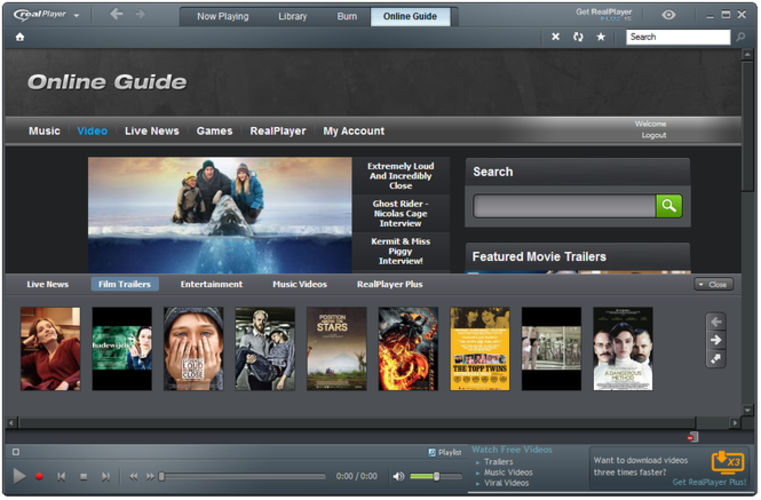
RealPlayer is a legacy media player for Linux that supports RealAudio/RealVideo and general playback.

Was ist RealPlayer?
RealPlayer was widely used in the late 1990s and early 2000s for streaming audio and video, especially online content encoded in RealAudio or RealVideo formats. It served both casual users and early web publishers who relied on RealNetworks' streaming technology. While its relevance has faded, some still use it for legacy media or format conversion.
The Windows version has historically been free for basic use, with premium versions offering extra features like video downloading or format conversion. It follows a proprietary, freemium model — free to install but with paid upgrades for advanced tools. No subscription is required, but ads and upsells are common in the interface.
People seek Linux alternatives because RealPlayer no longer receives meaningful updates and lacks a usable modern Linux version. The few Linux builds that existed were outdated and unstable. Users want reliable, current software that plays the same wide range of formats without security risks or dependency on obsolete code.
Was ein Ersatz für RealPlayer können muss
- Plays MP3, MP4, and Windows Media formats
- Supports legacy RealAudio (.ra, .rm) and RealVideo (.rmvb)
- Converts media between common formats
- Handles streaming media URLs
- Simple interface for casual playback
- Decodes proprietary formats without extra setup
- Stable performance on modern Linux systems
Läuft RealPlayer unter Linux?
There was a native Linux version of RealPlayer in the past, but it is obsolete, unsupported, and not available from RealNetworks today. No current, secure, or functional version runs on modern Linux distributions. It does not work reliably under Wine or Proton due to outdated dependencies and missing codecs. There is no web version.
Welche Alternative passt zu Ihnen?
For general media playback, VLC handles nearly all formats including RealAudio and RealVideo with minimal setup. Users needing format conversion should use HandBrake alongside VLC. Those dealing with legacy streams can try MPlayer or SMPlayer, which support rare formats through underlying FFmpeg. Lightweight users may prefer MPV for scriptable, efficient playback.
Dateien und Gewohnheiten aus RealPlayer mitnehmen
No user data needs migration since RealPlayer stores minimal settings. Focus instead on file compatibility: convert old .ra or .rm files to MP3 or MP4 using VLC or FFmpeg. Most modern players read standard formats directly. Keep original files until conversion is verified. Use consistent directory structures to maintain library organization.
RealPlayer: häufige Fragen
Can VLC play RealAudio and RealVideo files?
Yes, VLC can play .ra, .rm, and .rmvb files if FFmpeg is compiled with support for Real codecs. Most Linux distributions include this by default.
Is there a modern Linux version of RealPlayer?
No. The last Linux version was discontinued years ago and does not work on current systems. No official replacement exists.
How do I convert RealMedia files to MP4 or MP3?
Use VLC or FFmpeg from the command line. In VLC, use 'Convert' under Media menu. FFmpeg commands like 'ffmpeg -i input.rm output.mp3' work reliably.
Why doesn't RealPlayer work under Wine?
Even if installed, RealPlayer often fails under Wine due to missing 32-bit libraries, outdated installers, and lack of Real codec support in the Linux environment.
Wie wichtig ist Ihnen RealPlayer?
Kennen Sie eine bessere Alternative? Alternative vorschlagen