

Windows · Sound & Video
Die besten Linux-Alternativen zu Sony Vegas
Vegas Pro is a Windows‑only professional NLE used by video editors for cutting, effects, and audio mixing.
Aktualisiert am
Kurz gesagt
Die beste Linux-Alternative zu Sony Vegas ist Kdenlive. Weitere gute Optionen: OpenShot, PiTiVi, Cinelerra.
4 Linux-Alternativen zu Sony Vegas
-

Kdenlive is a free, feature‑rich non‑linear video editor built on the MLT framework.
Kdenlive is a solid replacement for Sony Vegas for most desktop Linux users doing video editing, especially those who prioritize cost, customization, and open-source software. It handles multi-track editing, color correction, audio tools, and export formats well, and supports 4K+ workflows with…
Funktionsabdeckung85% -

OpenShot is a free, open-source, non-linear video editor for Linux and other platforms, built with Python and MLT.
OpenShot is a decent option for beginners or casual users transitioning from Sony Vegas, but it's not a full replacement for professionals. It handles basic timeline editing, multi-track compositing, and common export formats well, and supports 4K. However, it lacks the stability, advanced color…
Funktionsabdeckung60% -
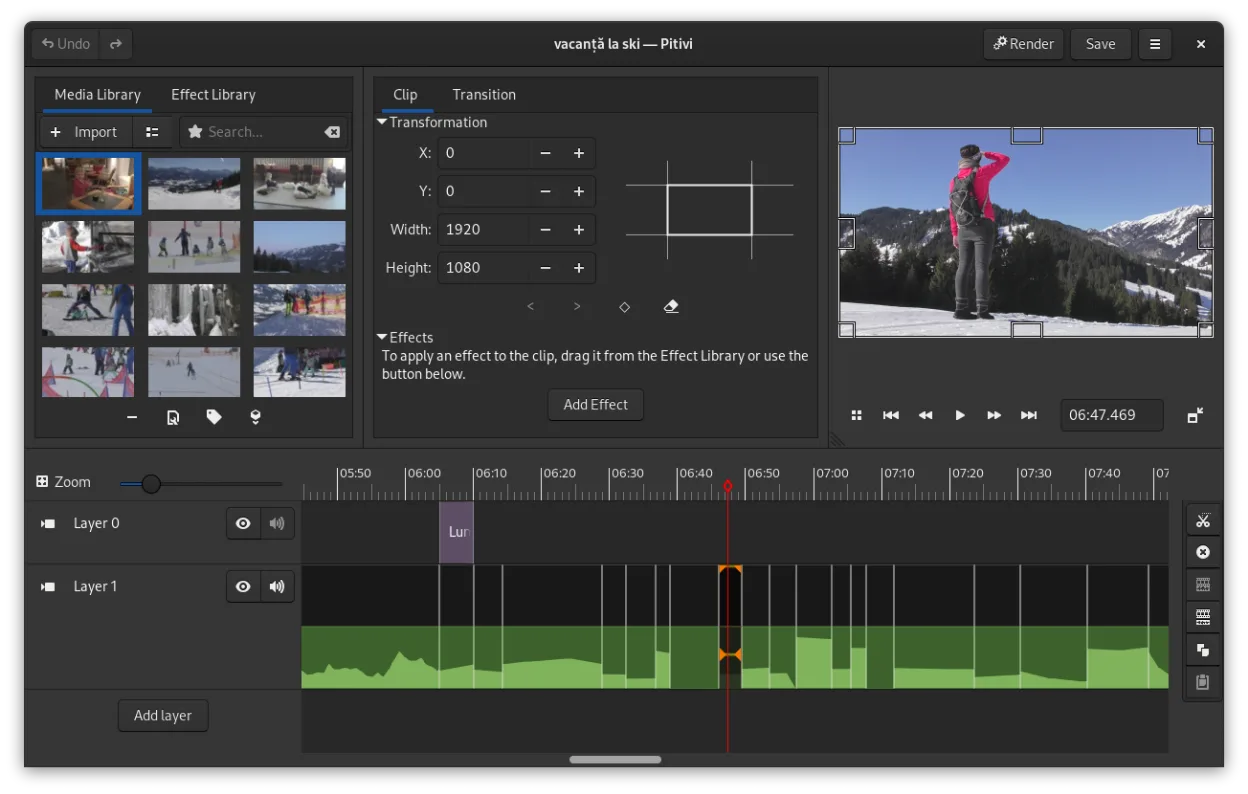
PiTiVi is a free, open-source, non-linear video editor for Linux built on GStreamer with a clean GNOME-integrated interface.
PiTiVi is a solid free alternative for basic to intermediate video editing on Linux, but it is not a direct professional replacement for Sony Vegas Pro. It handles timeline editing, trimming, and basic effects well, suitable for hobbyists or those moving away from paid software. However, it lacks…
Funktionsabdeckung60% -

Cinelerra is a professional‑grade, open‑source non‑linear video editor and compositor for Linux.
Cinelerra is a capable alternative for Linux users who need professional-grade editing without Windows licensing. It handles multi-track timelines, 4K/8K video, and 64-bit audio effectively. However, it is not a drop-in replacement for casual Vegas users. The interface is utilitarian and the…
Funktionsabdeckung75%


Was ist Sony Vegas?
Vegas Pro is a non‑linear video editor that lets users trim clips, add transitions, and mix audio tracks. Professionals in film, TV, and online content creation use it because it offers a fast, intuitive timeline and a wide range of effects.
The software is sold as a subscription or perpetual license, with higher tiers for advanced features like 4K editing and multi‑camera support. Prices vary by region and license type.
Because Windows is not the default OS for many creators, users look for Linux alternatives that provide comparable editing tools without the cost or platform lock‑in.
Was ein Ersatz für Sony Vegas können muss
- Timeline editing with multiple tracks
- Cut, trim, and splice clips
- Audio mixing and effects
- Export to common formats (MP4, MOV, AVI)
- Support for 4K and higher resolutions
- Keyboard shortcuts and workflow efficiency
- Basic color correction
Läuft Sony Vegas unter Linux?
There is no native Linux build of Vegas Pro. Users can run it via Wine, but stability depends on the Windows version and installed codecs. Proton or Bottles may work, but performance is inconsistent and advanced features may fail.
Welche Alternative passt zu Ihnen?
Kdenlive is ideal for users who need a full‑featured editor with a familiar timeline. OpenShot suits beginners or quick edits. Cinelerra offers high‑performance 4K editing for power users. PiTiVi is lightweight and good for simple, short projects.
Dateien und Gewohnheiten aus Sony Vegas mitnehmen
Vegas Pro projects are saved in a proprietary .veg file. Export your media to standard formats (MP4, MOV, WAV) before importing into Linux editors. Most alternatives can open these files, but complex effects may need to be recreated manually.
Direkter Vergleich
Sony Vegas: häufige Fragen
Can I run Vegas Pro on Linux without a virtual machine?
Only through Wine or similar compatibility layers, and results vary. Advanced features may not work reliably.
Do Linux editors support the same export formats as Vegas Pro?
Yes, most support MP4, MOV, AVI, and common audio codecs, but check each app’s export options for specific codec support.
Is there a free alternative to Vegas Pro on Linux?
Kdenlive, OpenShot, Cinelerra, and PiTiVi are all free and open source.
Will I lose my project when switching to Linux?
Projects must be exported to media files; the original .veg file cannot be opened directly, so some re‑editing will be required.
Wie wichtig ist Ihnen Sony Vegas?
Kennen Sie eine bessere Alternative? Alternative vorschlagen