

Windows · Sound & Video
Die besten Linux-Alternativen zu Media Player Classic (MPC)
Media Player Classic is a lightweight, classic‑looking Windows media player that many use for everyday video and audio playback.
Aktualisiert am
Kurz gesagt
Die beste Linux-Alternative zu Media Player Classic (MPC) ist VLC media player. Weitere gute Optionen: Mplayer, Totem, Gnome MPlayer.
4 Linux-Alternativen zu Media Player Classic (MPC)
-

VLC is a free, open‑source multimedia player that runs on Linux and handles virtually any audio or video format.
VLC is a solid replacement for Media Player Classic (MPC) for most users, especially those who value format compatibility and cross-platform support. It handles common audio and video files without extra codecs, supports subtitles, playlists, and keyboard shortcuts, and runs on Linux natively…
Funktionsabdeckung90% -
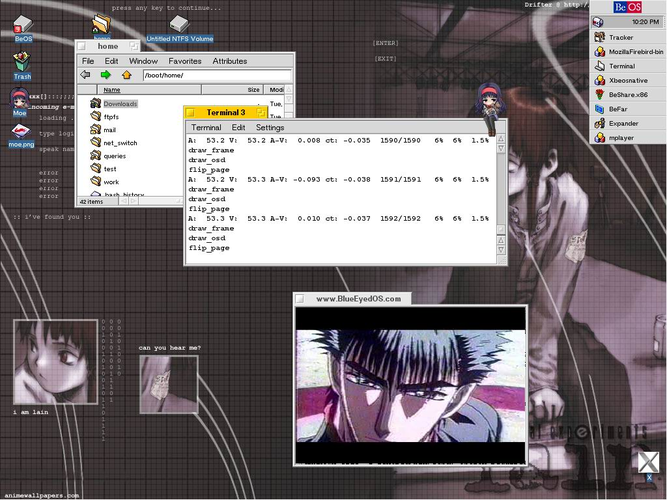
MPlayer is a free, command‑line media player that supports a wide range of formats and codecs.
MPlayer can serve as a solid replacement for Media Player Classic for users who are comfortable with a command‑line or minimal GUI front‑end. It handles the same everyday video and audio formats, uses little CPU or RAM, and offers subtitle and playlist support. However, it lacks the classic…
Funktionsabdeckung78% -

Totem (GNOME Videos) is the default GNOME video player built on GStreamer.
Totem is a solid Linux alternative for most Media Player Classic users who need a lightweight player with basic controls, subtitle support and decent codec handling. It fits well for GNOME desktop users or anyone who prefers a simple GTK interface and integration with the desktop. Power users who…
Funktionsabdeckung78% -
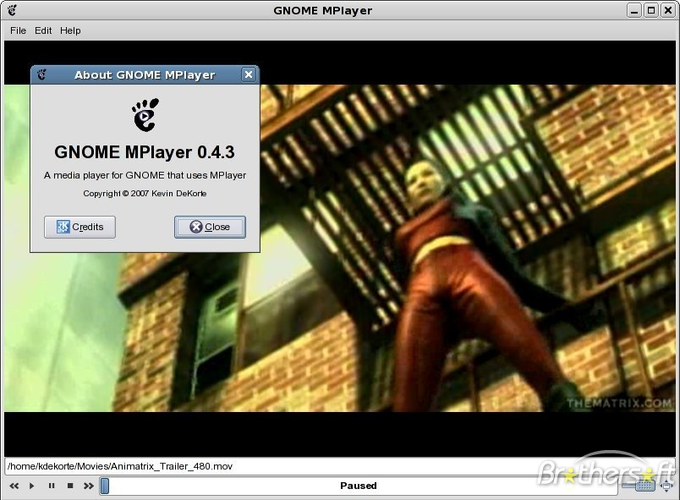
Gnome MPlayer is a lightweight GUI frontend for MPlayer, designed for GNOME desktops.
Gnome MPlayer is a functional but dated replacement for Media Player Classic. It shares MPC's goal of lightweight, no-frills playback using the MPlayer engine. However, it is discontinued, meaning no security updates or new feature support. For users who need a simple, low-resource player for…
Funktionsabdeckung65%


Was ist Media Player Classic (MPC)?
Media Player Classic (MPC) and its forks are popular among Windows users who want a simple, low‑resource player that still handles most codecs. It’s free and open‑source, distributed under a permissive license, and has been maintained by the community after the original stopped development. Linux users often look for a replacement because MPC isn’t natively available on Linux, yet they need a similarly lightweight, no‑frills player.
Was ein Ersatz für Media Player Classic (MPC) können muss
- Play common video and audio formats without extra codecs
- Low CPU and memory usage
- Simple, classic UI with basic controls
- Subtitle support
- Playlist handling
- Keyboard shortcuts for navigation
Läuft Media Player Classic (MPC) unter Linux?
There is no native Linux build of the original MPC or its forks. Users can run MPC‑HC or MPC‑BE under Wine or in a container like Bottles, but performance varies. For a native experience, the listed Linux alternatives work out of the box.
Welche Alternative passt zu Ihnen?
VLC covers every format and offers extensive features, good for power users. Gnome MPlayer and Totem provide a more minimal UI similar to MPC, suitable for those who prefer a simple look. Mplayer (CLI) is ideal for scripting or low‑resource systems.
Dateien und Gewohnheiten aus Media Player Classic (MPC) mitnehmen
MPC stores no personal media library, so migration is just a matter of opening your existing video/audio files with the new player. All listed alternatives support the same common containers (MP4, MKV, AVI, MP3, etc.) and subtitle formats, so you won’t lose compatibility.
Direkter Vergleich
| Programm | Lizenz | Flatpak | Aktuelle Version | Funktionsabdeckung | Bewertung |
|---|---|---|---|---|---|
| VLC media player | GPL-2.0+ | ✓ | 3.0.23 | 90% | — |
| Mplayer | GPL-2.0-or-later | — | 1.5 | 78% | 5/5 |
| Totem | GPL-2.0+ | — | 43.2 | 78% | — |
| Gnome MPlayer | GPL | — | 1.0.9 | 65% | — |
Media Player Classic (MPC): häufige Fragen
Can I run the original MPC on Linux?
Only via compatibility layers like Wine; there is no native Linux version.
Do I need to install codecs separately?
VLC and Totem bundle most codecs; Gnome MPlayer and Mplayer rely on system codecs, which are usually installed by default on most distros.
Is there a command‑line version?
Mplayer provides a CLI interface; VLC also offers a command‑line mode.
Will subtitles work automatically?
All the listed alternatives support external subtitle files (SRT, ASS) and can load them on playback.
Wie wichtig ist Ihnen Media Player Classic (MPC)?
Kennen Sie eine bessere Alternative? Alternative vorschlagen