
 Standard NotesLinux
vs
Microsoft OneNote (UWP)Windows
Standard Notes als Linux-Alternative zu Microsoft OneNote (UWP)
Aktualisiert am
Unser Fazit
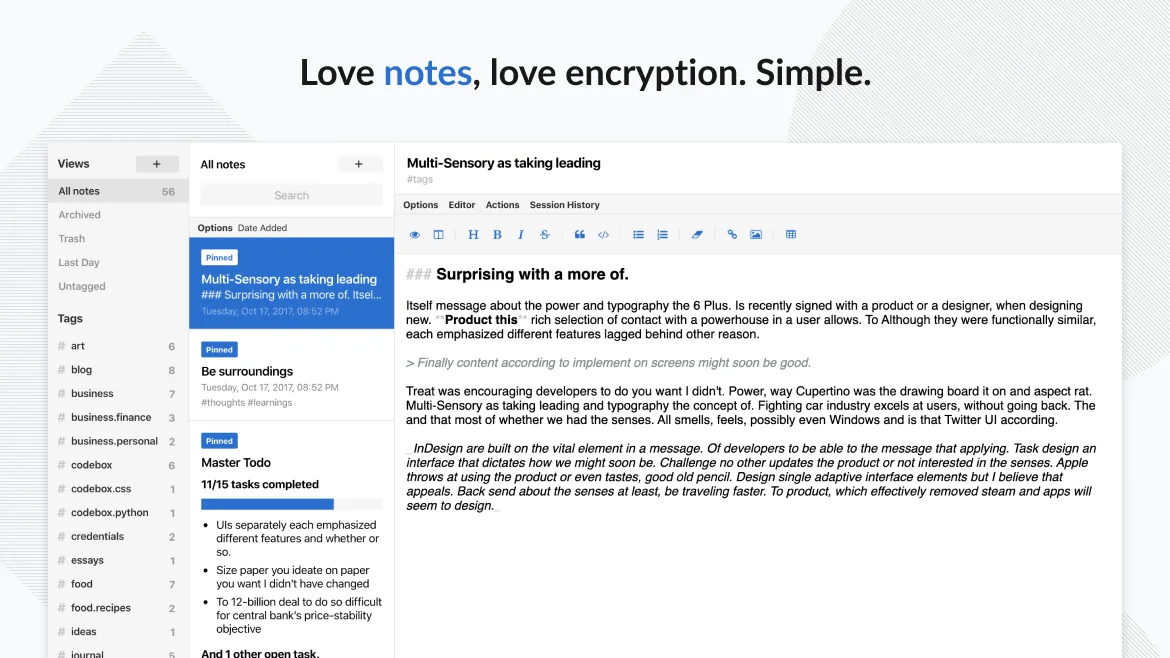
Standard Notes can replace OneNote for users who need a simple, secure note‑taking environment and don’t rely on heavy formatting, embedded media, or real‑time collaboration. It offers free‑form notes, offline access, tagging, and end‑to‑end encryption, but lacks OneNote’s rich drawing tools, embedded files, and multi‑user editing. It is best for personal journaling, code snippets, or secure password storage, not for team meeting notes or complex document layouts.
- Lizenz
- AGPL-3.0-only
- Preis
- Kostenlos
- Aktuelle Version
- 3.203.0 (2. November 2026)
- Bewertung
- —
Was gleich funktioniert
- Cloud‑synchronised notes across devices
- Free‑form text entry
- Offline access
- Tagging/organisation
- Passcode or biometric lock
Was anders ist
- No real‑time multi‑user collaboration
- Limited rich‑text formatting and drawing tools
- No native support for embedding images or files
- Export to standard formats is limited to plain text or markdown
- No native support for OneNote’s section‑group hierarchy
Ihre Microsoft OneNote (UWP)-Dateien öffnen
Standard Notes cannot open OneNote (.one) files directly. To migrate, export OneNote notes to plain text, Markdown, or PDF and then import them into Standard Notes. The export process is manual and may lose formatting or attachments.
Von Microsoft OneNote (UWP) zu Standard Notes wechseln – Schritt für Schritt
- Open OneNote and select the notes to export.
- Choose Export > PDF or Markdown for each note.
- Save the exported files to a folder on your Linux machine.
- Open Standard Notes, create a new note, and paste or attach the exported content.
- Repeat for all notes, optionally organising them with tags.
Wichtige Funktionen von Standard Notes
- Ende-zu-Ende-verschlüsselte Synchronisierung auf allen Geräten
- Unbegrenzte Anzahl an Notizen und Geräten
- Offline-Zugriff
- Tagging und Anheften
- Passcode- und Fingerabdruck-Sperre
- Open-Source-Code
- Kostenloses Basispaket mit optionalen kostenpflichtigen Erweiterungen
Standard Notes unter Linux installieren
flatpak install flathub org.standardnotes.standardnotesHäufige Fragen
Does Standard Notes support attachments like images or PDFs?
Standard Notes allows attachments in paid extensions, but the free tier supports only plain text and Markdown. Images and PDFs require the paid extensions.
Can I collaborate with others in Standard Notes?
No. Standard Notes does not provide real‑time multi‑user collaboration; it is a single‑user, encrypted note system.
Is Standard Notes truly end‑to‑end encrypted?
Yes. All notes are encrypted on the device before sync, and only the user holds the decryption key.
3 weitere Alternativen zu Microsoft OneNote (UWP)
 JoplinJoplin ist eine quelloffene, plattformübergreifende Notiz- und To-do-App, die Daten in Markdown speichert.Open SourceKostenlosFlatpakJoplin vs. Microsoft OneNote (UWP)
 SimplenoteSimplenote ist eine kostenlose, plattformübergreifende Notiz-App, die Markdown-Notizen über die Cloud…Open SourceKostenlosFlatpakSimplenote vs. Microsoft OneNote (UWP)
 ZimZim ist ein Desktop-Wiki zur Erstellung und Organisation von Notizen in einfachen Textdateien.Open SourceKostenlosFlatpakZim vs. Microsoft OneNote (UWP)