
 WPS OfficeLinux
vs
LibreOfficeWindows
WPS OfficeLinux
vs
LibreOfficeWindows
WPS Office als Linux-Alternative zu LibreOffice
Aktualisiert am
Unser Fazit
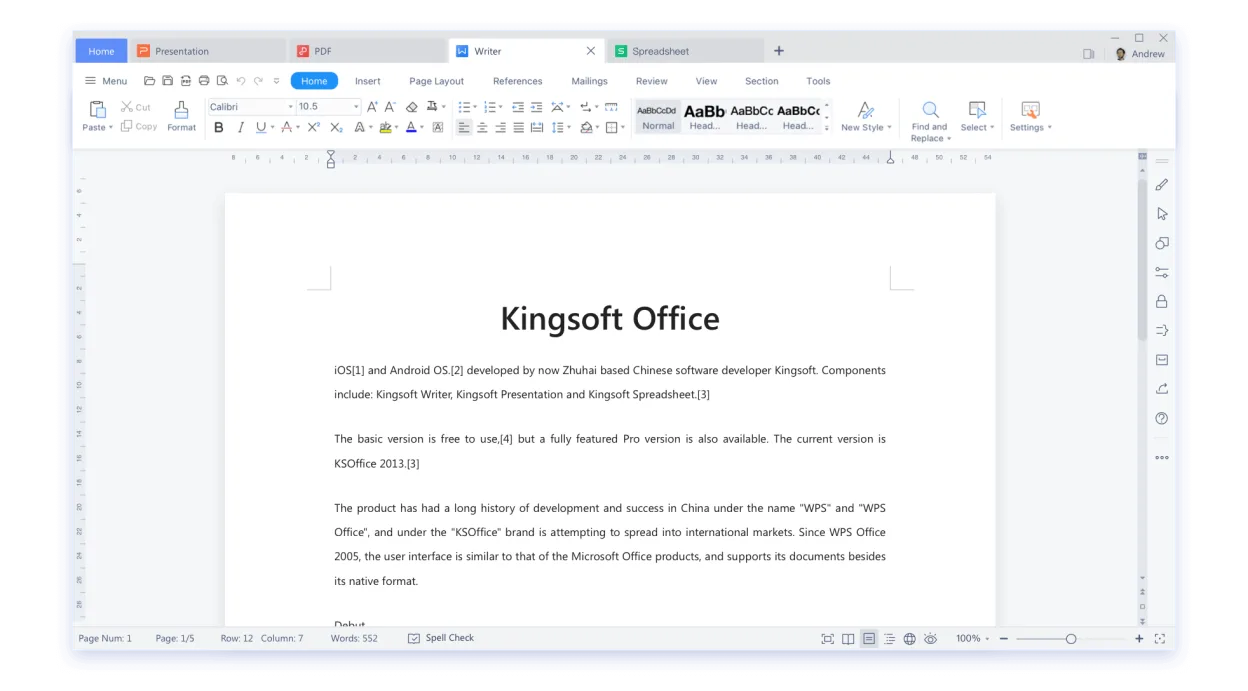
WPS Office is a strong replacement for users who prioritize Microsoft Office compatibility over open-source principles. It handles Word, Excel, and PowerPoint files better than LibreOffice in many cases, thanks to its proprietary engine. However, it lacks LibreOffice's database (Base) and vector graphics (Draw) components, which are significant gaps for technical users. If you rely on Base or Draw, WPS is not a full substitute. For standard office work, it is a viable, polished alternative, but you must accept proprietary licensing and cloud-centric features.
- Lizenz
- LicenseRef-proprietary=https://www.wps.c…
- Preis
- freemium
- Aktuelle Version
- 11.1.0.11723 (22. Februar 2024)
- Bewertung
- —
Was gleich funktioniert
- Handles core word processing, spreadsheet, and presentation tasks
- Supports rich text formatting and complex document structures
- Includes charting and data analysis tools in the spreadsheet module
- Provides a familiar interface for users coming from Microsoft Office
Was anders ist
Ihre LibreOffice-Dateien öffnen
WPS Office is designed for deep compatibility with Microsoft Office formats (.docx, .xlsx, .pptx), which often results in better fidelity when opening files created in MS Office. However, it does not natively support LibreOffice's native .odt, .ods, or .odp formats as well as LibreOffice itself. While it can open these files, complex layouts or specific LibreOffice extensions may not render correctly. Exporting to MS Office formats is generally reliable, but exporting back to ODF may lose some formatting details.
Von LibreOffice zu WPS Office wechseln – Schritt für Schritt
- Install WPS Office via Flathub or the official Kingsoft repository
- Set WPS as the default application for .docx, .xlsx, and .pptx files
- Test a sample of your most complex LibreOffice documents in WPS
- Check if any macros in your Writer documents require VBA compatibility settings
- Back up your LibreOffice user profile before uninstalling if you plan to switch completely
- Review privacy settings to disable cloud sync if you prefer local-only storage
Wichtige Funktionen von WPS Office
- Vollständige Kompatibilität mit .docx, .xlsx, .pptx
- Ribbon‑basiertes Interface, das Microsoft Office ähnelt
- Integrierter PDF‑Betrachter und -Editor
- Cloud‑Synchronisation über WPS Cloud
- Rechtschreib‑ und Grammatikprüfung
- Eingebaute Vorlagenbibliothek
- Unterstützung für Makros in Writer
- Plattformübergreifende Verfügbarkeit (Windows, macOS, Linux)
WPS Office unter Linux installieren
flatpak install flathub com.wps.OfficeHäufige Fragen
Can WPS Office replace LibreOffice Base?
No. WPS Office does not have a database management component. If you use Base for data entry or reporting, you will need to keep LibreOffice or find a separate database tool.
Is WPS Office free?
Yes, the core suite is free to use. However, it is proprietary, and some advanced features or cloud storage may require a paid subscription.
Does WPS support LibreOffice macros?
WPS supports VBA macros, which are common in Microsoft Office. It does not natively support LibreOffice Basic macros. You may need to convert macros if you rely on them.
2 weitere Alternativen zu LibreOffice
 ONLYOFFICE Desktop EditorsONLYOFFICE Desktop Editors ist eine kostenlose, quelloffene Office-Suite für Linux, die Word, Excel…Open SourceKostenlosFlatpakONLYOFFICE Desktop Editors vs. LibreOffice
 CalligraCalligra ist eine kostenlose, quelloffene Office-Suite für Linux, die Textverarbeitung, Tabellenkalkulation…Open SourceKostenlosFlatpakCalligra vs. LibreOffice