
 WPS OfficeLinux
vs
Microsoft PowerPoint MobileWindows
WPS OfficeLinux
vs
Microsoft PowerPoint MobileWindows
WPS Office als Linux-Alternative zu Microsoft PowerPoint Mobile
Aktualisiert am
Unser Fazit
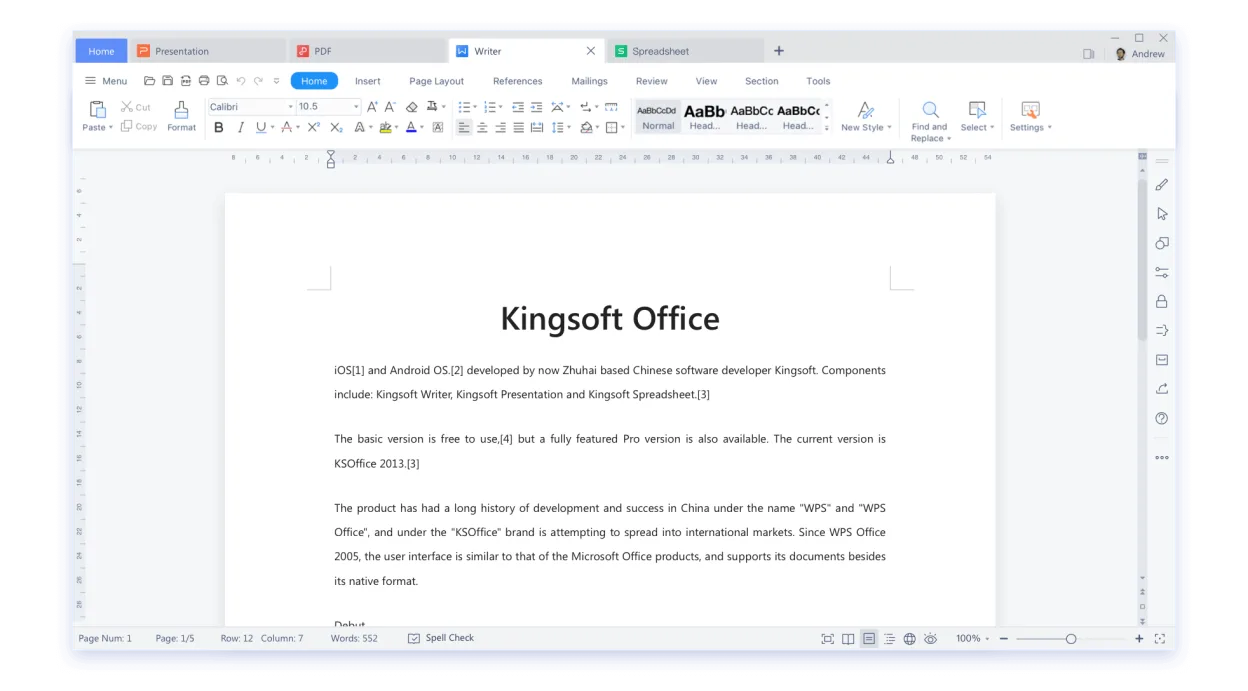
WPS Office Presentation is a practical Linux alternative to Microsoft PowerPoint Mobile for users who need to open, edit and create slide decks on a desktop or tablet. It handles .ppt/.pptx files, offers a familiar ribbon UI and basic animation tools, making the transition smooth for most office workers. Tablet‑oriented users will miss some touch‑optimised gestures, but the core editing and export functions are solid. It’s best suited for people who want a free‑ish, cross‑platform suite rather than a pure mobile‑only app.
- Lizenz
- LicenseRef-proprietary=https://www.wps.c…
- Preis
- freemium
- Aktuelle Version
- 11.1.0.11723 (22. Februar 2024)
- Bewertung
- —
Was gleich funktioniert
- Both read and write .ppt/.pptx files
- Can edit text, images, charts and simple animations
- Export to PDF and PowerPoint formats
- Support cloud storage (Microsoft 365 vs WPS Cloud)
Was anders ist
- PowerPoint Mobile is touch‑first; WPS Presentation relies on mouse/keyboard UI
- PowerPoint Mobile integrates tightly with Microsoft 365 collaboration features, which WPS lacks
- WPS Office includes a full office suite (Writer, Spreadsheets) while PowerPoint Mobile is a single app
- Advanced animation and transition effects are more limited in WPS Presentation
Ihre Microsoft PowerPoint Mobile-Dateien öffnen
WPS Office Presentation opens .ppt and .pptx files without conversion and can save back to those formats. Export to PDF works reliably. Because it uses its own rendering engine, complex animations or embedded media created in PowerPoint Mobile may lose fidelity, but basic slides transfer without issue.
Von Microsoft PowerPoint Mobile zu WPS Office wechseln – Schritt für Schritt
- Install WPS Office from Flathub or the official .deb/.rpm package.
- Open WPS Presentation and use File → Open to load your existing .ppt/.pptx files.
- Review each slide for missing animations or formatting quirks and adjust as needed.
- Save the file in PowerPoint format (File → Save As → .pptx) to keep compatibility with Windows users.
- If you use cloud storage, upload the file to your preferred service (e.g., Nextcloud, Google Drive).
- Optionally, export a PDF version for easy sharing.
Wichtige Funktionen von WPS Office
- Vollständige Kompatibilität mit .docx, .xlsx, .pptx
- Ribbon‑basiertes Interface, das Microsoft Office ähnelt
- Integrierter PDF‑Betrachter und -Editor
- Cloud‑Synchronisation über WPS Cloud
- Rechtschreib‑ und Grammatikprüfung
- Eingebaute Vorlagenbibliothek
- Unterstützung für Makros in Writer
- Plattformübergreifende Verfügbarkeit (Windows, macOS, Linux)
WPS Office unter Linux installieren
flatpak install flathub com.wps.OfficeHäufige Fragen
Can I edit PowerPoint animations on Linux with WPS Office?
Basic animations are supported, but complex motion paths and custom timings may not translate perfectly.
Does WPS Office sync slides with Microsoft 365?
No direct sync; you need to save the file to a shared folder or use a third‑party cloud service.
Is WPS Office free?
It offers a free tier with ads; a paid premium version removes ads and adds extra templates.
3 weitere Alternativen zu Microsoft PowerPoint Mobile
 LibreOffice ImpressLibreOffice Impress ist ein kostenloses, quelloffenes Präsentationsprogramm, das Microsoft PowerPoint ersetzt.Open SourceKostenlosFlatpakLibreOffice Impress vs. Microsoft PowerPoint Mobile
 ONLYOFFICE Desktop EditorsONLYOFFICE Desktop Editors ist eine kostenlose, quelloffene Office-Suite für Linux, die Word, Excel…Open SourceKostenlosFlatpakONLYOFFICE Desktop Editors vs. Microsoft PowerPoint Mobile
 CalligraCalligra ist ein All‑in‑One‑Office‑Paket mit Textverarbeitung, Tabellenkalkulation, Präsentation und…Open SourceKostenlosFlatpakCalligra vs. Microsoft PowerPoint Mobile