
 ZulipLinux
vs
Microsoft Teams (Linux native)Windows
Zulip als Linux-Alternative zu Microsoft Teams (Linux native)
Aktualisiert am
Unser Fazit
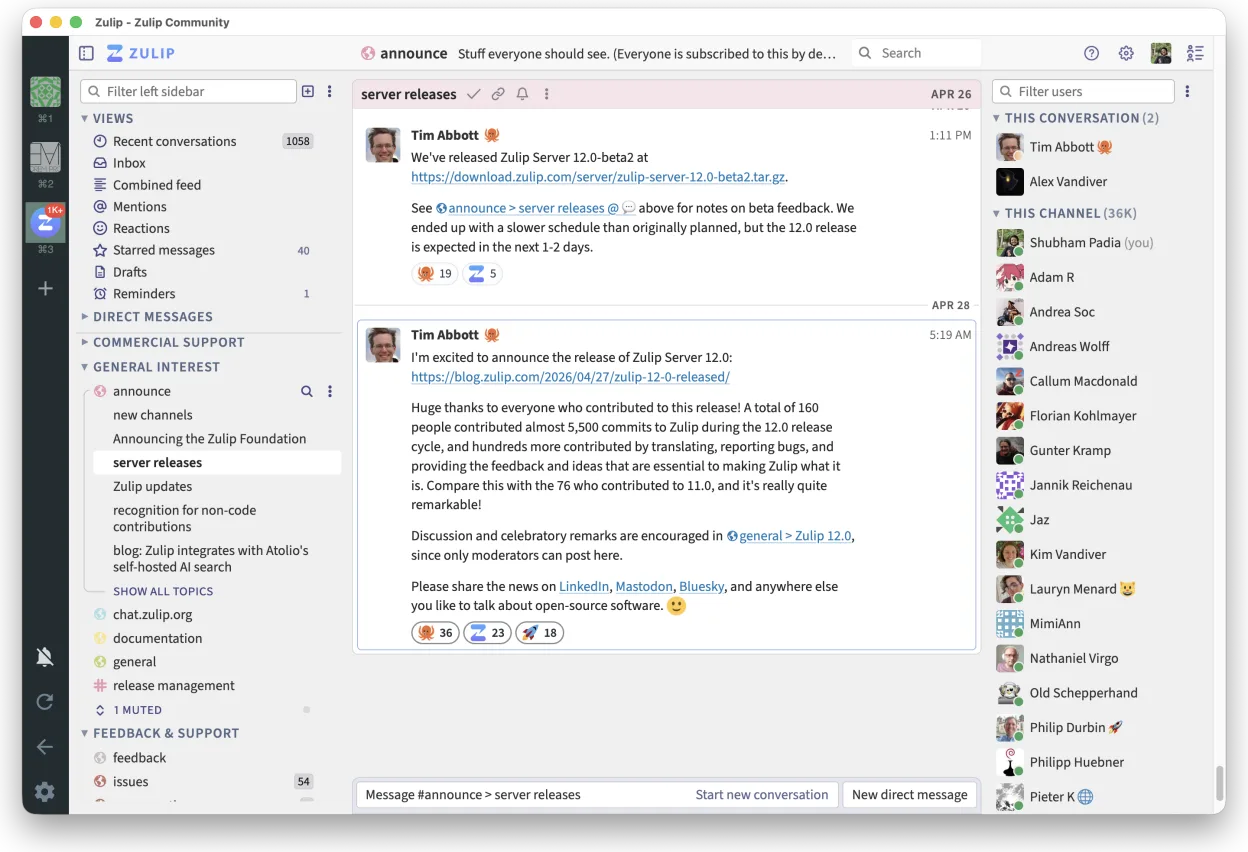
Zulip can replace Microsoft Teams for many Linux users who need real‑time chat and threaded discussions, especially those who prefer an open‑source, self‑hostable solution. It works well for teams that value organized conversation streams and strong search, but it lacks the native video‑conferencing, file‑sharing integration, and Office‑suite collaboration that Teams offers. For developers, small to medium teams, or organizations that already host Zulip, it’s a solid alternative.
- Lizenz
- Apache-2.0
- Preis
- Kostenlos
- Aktuelle Version
- 5.14.2 (30. Oktober 2026)
- Bewertung
- —
Was gleich funktioniert
- Real‑time group chat
- Cross‑platform availability (Linux, Windows, macOS)
- Threaded conversations for organized discussion
- Strong search across message history
- Open‑source and self‑hostable
Was anders ist
- No built‑in video or audio conferencing; requires external tools
- No native file‑sharing or collaborative editing of Office documents
- Limited calendar integration compared to Teams
- No direct integration with Microsoft 365 services
- Permission management is less granular than Teams’ role system
Ihre Microsoft Teams (Linux native)-Dateien öffnen
Opening or exporting Microsoft Teams files (e.g., .msg, .docx shared via Teams) is not directly supported by Zulip. Users would need to download the files from Teams and then upload them to Zulip or use a separate office suite for editing. Zulip does not provide a conversion or import feature for Teams‑specific file formats.
Von Microsoft Teams (Linux native) zu Zulip wechseln – Schritt für Schritt
- Export or download all Teams chat history if needed (via Teams export tools).
- Install the Zulip Desktop Client from Flathub or your package manager.
- Create a Zulip account or set up a self‑hosted instance and invite team members.
- Migrate channels: create Zulip streams that match Teams channels and copy relevant messages.
- Set up integrations: link Zulip with your calendar or other services using Zulip’s integration settings.
- Train users on threaded conversation workflow and search features.
Wichtige Funktionen von Zulip
- Diskussionsbasierte Gespräche für strukturierte Diskussionen
- Open Source und für das Selbst-Hosting geeignet
- Erhältlich als nativer Linux-Desktop-Client
- Unterstützt große Gruppen und hohes Nachrichtenaufkommen
- Plattformübergreifende Kompatibilität
- Leistungsstarke Suchfunktion im gesamten Nachrichtenverlauf
Zulip unter Linux installieren
flatpak install flathub org.zulip.ZulipHäufige Fragen
Does Zulip support video calls?
No, Zulip does not provide built‑in video or audio conferencing. You need to integrate with a separate service such as Zoom, Jitsi, or use an external plugin if available.
Can I share files in Zulip?
Yes, you can upload files up to the size limit set by your Zulip server. For larger files, consider using a file‑sharing service and sharing the link in a message.
Is Zulip secure for enterprise use?
Zulip is open‑source and can be self‑hosted, allowing you to control data storage and apply enterprise security policies. It also supports LDAP/SSO integration for user management.
4 weitere Alternativen zu Microsoft Teams (Linux native)
 SlackSlack ist eine proprietäre Team-Kommunikations-App für Linux, die Gespräche, Tools und Arbeitsabläufe für die…FlatpakSlack vs. Microsoft Teams (Linux native)
 MattermostMattermost ist eine Open-Source, selbst gehostete Kollaborationsplattform für Entwicklerteams, die eine…Open SourceKostenlosFlatpakMattermost vs. Microsoft Teams (Linux native)
 Rocket.ChatOpen-Source-Plattform für Teamkommunikation mit Chat, Video und Kollaboration, häufig als Alternative zu…Open SourceKostenlosFlatpakRocket.Chat vs. Microsoft Teams (Linux native)
 ElementElement ist ein Open‑Source, matrixbasierter Chat- und Videokonferenz-Client für Linux.Open SourceKostenlosFlatpakElement vs. Microsoft Teams (Linux native)