
 digiKamLinux
vs
Lightroom CCWindows
digiKamLinux
vs
Lightroom CCWindows
digiKam como alternativa Linux a Lightroom CC
Actualizado el
Nuestra opinión
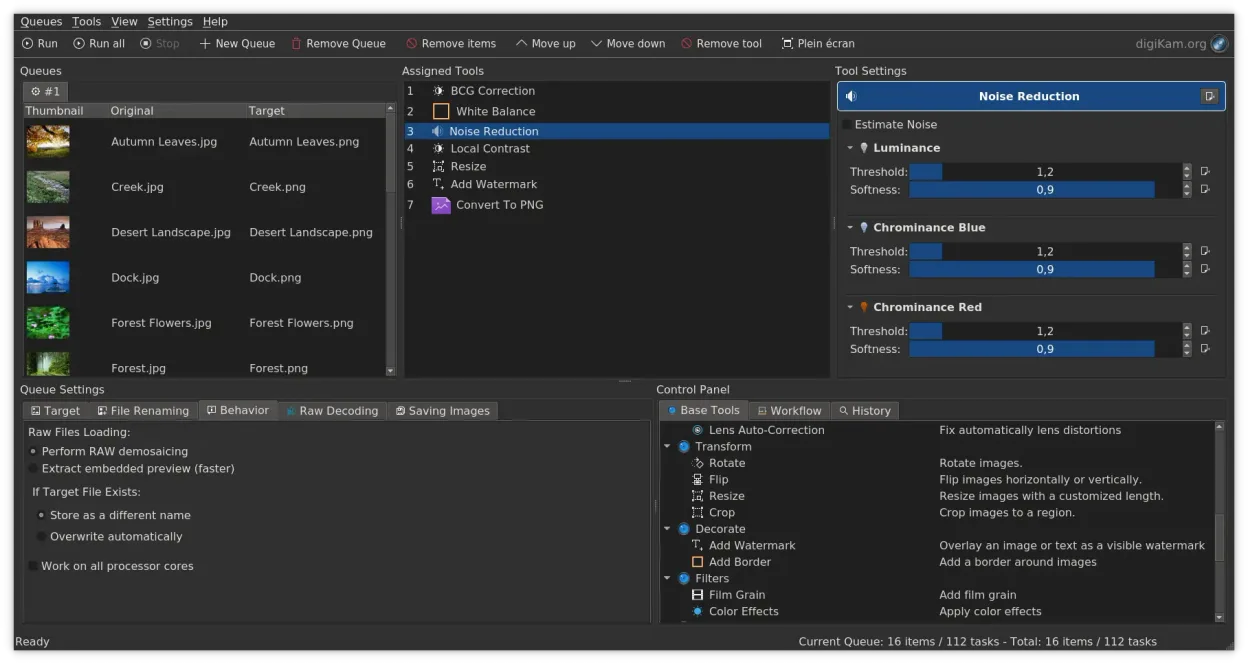
digiKam can replace Lightroom CC for photographers who want a free, open‑source solution that handles RAW development, non‑destructive editing, and large libraries. It offers robust tagging, metadata editing, and batch export, but lacks the cloud sync, mobile app, and advanced color grading presets that Lightroom CC provides. Users who prefer a desktop‑centric workflow and are comfortable with KDE will find digiKam a solid alternative.
- Licencia
- GPL-2.0+
- Precio
- Gratis
- Última versión
- 9.1.0 (7 de junio de 2026)
- Valoración
- —
Lo que funciona igual
- Both support RAW file development with non‑destructive editing
- Both provide extensive metadata tagging and search capabilities
- Both allow batch processing and exporting to common formats
- Both organize photos into albums or collections
Lo que cambia
- digiKam does not offer cloud sync or mobile app integration
- Lightroom CC has advanced color grading presets and HDR merging tools absent in digiKam
- digiKam’s color grading is basic compared to Lightroom’s curves and HSL panels
- Lightroom CC provides a subscription model with Adobe Creative Cloud services
- digiKam relies on local storage and does not have built‑in online backup options
Abrir tus archivos de Lightroom CC
digiKam cannot open Lightroom CC catalog files (.lrcat). It can import RAW and JPEG files exported from Lightroom, but there is no direct import of Lightroom projects. Exporting from digiKam to common formats (JPEG, TIFF, RAW) is fully supported.
Pasar de Lightroom CC a digiKam, paso a paso
- Export all Lightroom photos to a folder as JPEG/RAW with metadata intact
- Copy the exported folder to your Linux machine
- Launch digiKam and use the Import feature to add the folder, setting rules if desired
- Organize imported photos into albums and apply tags in digiKam
- Recreate any Lightroom presets manually or via digiKam's color adjustment tools
Funciones clave de digiKam
- Importación directa desde cámaras, tarjetas SD y unidades USB con reglas configurables
- Sistemas avanzados de etiquetado, calificación y etiquetas para la organización de bibliotecas complejas
- Potente motor de búsqueda que soporta criterios de metadatos EXIF, IPTC y XMP
- Edición no destructiva con ajustes de color, recorte y nitidez
- Soporte nativo para archivos RAW mediante LibRaw para decodificación y vista previa
- Catalogación de video y extracción de metadatos usando backends de FFmpeg
- Organización de álbumes con interfaz de arrastrar y soltar
- Disponibilidad multiplataforma para Linux, Windows y macOS
Cómo instalar digiKam en Linux
flatpak install flathub org.kde.digikamsudo apt install digikamsudo apt install digikamsudo dnf install digikamsudo pacman -S digikamsudo zypper install digikamPreguntas frecuentes
Can I use Lightroom presets in digiKam?
No direct import, but you can manually recreate adjustments or use third‑party scripts to apply similar settings.
Does digiKam support video editing?
It can catalog and display video metadata, but it does not provide full video editing features.
Will digiKam handle large libraries the same way Lightroom does?
Yes, digiKam can manage millions of photos, but performance depends on hardware and database configuration.
Otras 4 alternativas a Lightroom CC
 darktabledarktable es un editor de fotos gratuito y de código abierto que gestiona archivos raw y ofrece un flujo de…Código abiertoGratisFlatpakdarktable vs Lightroom CC
 RawTherapeeRawTherapee es un programa de desarrollo fotográfico raw de código abierto y multiplataforma.Código abiertoGratisFlatpakRawTherapee vs Lightroom CC
 GIMPGIMP es un editor de gráficos rasterizados gratuito y de código abierto para edición fotográfica, pintura…Código abiertoGratisFlatpakGIMP vs Lightroom CC
 KritaKrita es un programa de pintura digital e ilustración de código abierto con todas las funciones.Código abiertoGratisFlatpakKrita vs Lightroom CC