
 digiKamLinux
vs
Windows Photo GalleryWindows
digiKamLinux
vs
Windows Photo GalleryWindows
digiKam como alternativa Linux a Windows Photo Gallery
Actualizado el
Nuestra opinión
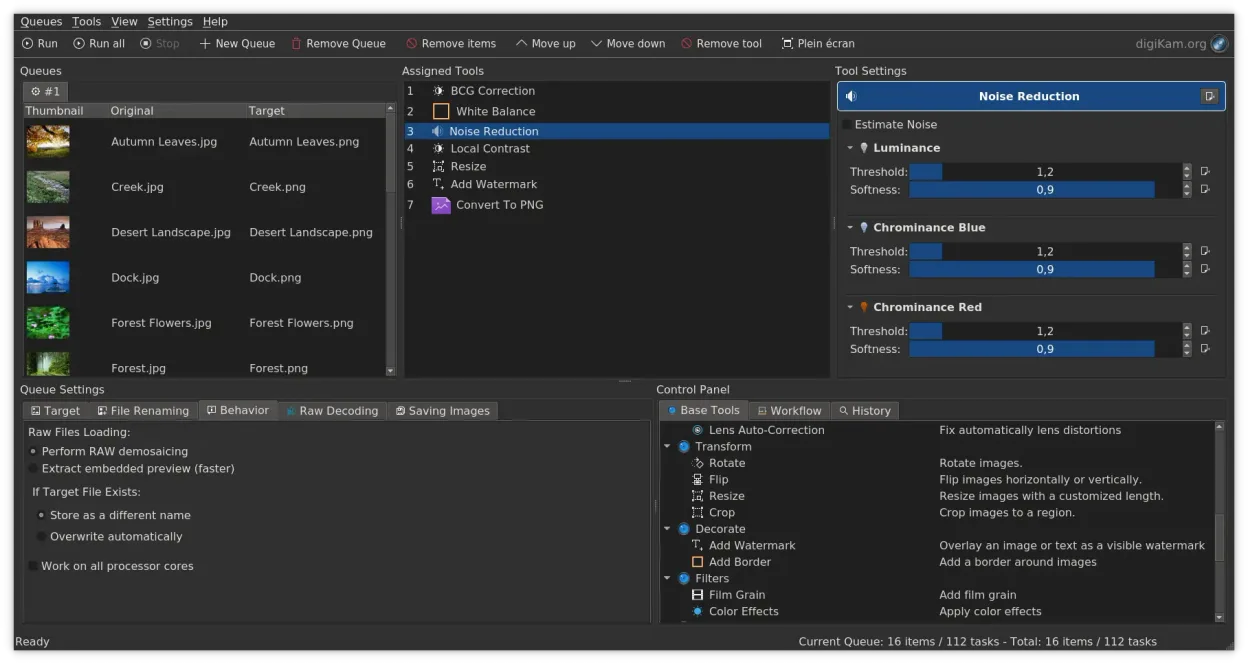
digiKam is a strong replacement for Windows Photo Gallery, especially for users who want more control over photo organization and editing. It covers all core needs: viewing by date, folder, or tags; rating and labeling; basic editing; and RAW support. The interface is more complex than Windows Photo Gallery, so casual users may need time to adjust. But for anyone serious about managing large photo libraries, digiKam offers powerful tools that go well beyond the basic features of the discontinued Microsoft app.
- Licencia
- GPL-2.0+
- Precio
- Gratis
- Última versión
- 9.1.0 (7 de junio de 2026)
- Valoración
- —
Lo que funciona igual
- Both allow viewing photos by date, folder, and tags
- Support for JPEG, PNG, and RAW formats
- Basic editing tools like crop and red-eye removal
- Full-screen slideshow functionality
- Metadata and keyword tagging
Lo que cambia
- digiKam has a steeper learning curve and denser interface
- No direct import of Windows Photo Gallery database files
- Advanced search by EXIF, IPTC, XMP not present in Windows Photo Gallery
- digiKam supports non-destructive editing; Windows Photo Gallery did not
- digiKam includes video cataloging, which Windows Photo Gallery lacked
Abrir tus archivos de Windows Photo Gallery
digiKam reads JPEG, PNG, and RAW files directly, so photos originally managed by Windows Photo Gallery will open without issue. It does not import the Windows Photo Gallery database (.wdp files), so ratings and tags created there won't transfer automatically. However, if metadata was written to the image files (like EXIF or XMP sidecar files), digiKam can read and use that data. Most users start fresh with digiKam, re-tagging and organizing within the app.
Pasar de Windows Photo Gallery a digiKam, paso a paso
- Export your photos from Windows Photo Gallery to a folder structure on an external drive
- Install digiKam via your package manager or Flathub
- Set up a new digiKam library pointing to your photo folder
- Use digiKam's import tool to scan and index existing photos
- Reapply tags, ratings, and labels manually or via batch tools
- Enable metadata writing to files so future apps can read your edits
Funciones clave de digiKam
- Importación directa desde cámaras, tarjetas SD y unidades USB con reglas configurables
- Sistemas avanzados de etiquetado, calificación y etiquetas para la organización de bibliotecas complejas
- Potente motor de búsqueda que soporta criterios de metadatos EXIF, IPTC y XMP
- Edición no destructiva con ajustes de color, recorte y nitidez
- Soporte nativo para archivos RAW mediante LibRaw para decodificación y vista previa
- Catalogación de video y extracción de metadatos usando backends de FFmpeg
- Organización de álbumes con interfaz de arrastrar y soltar
- Disponibilidad multiplataforma para Linux, Windows y macOS
Cómo instalar digiKam en Linux
flatpak install flathub org.kde.digikamsudo apt install digikamsudo apt install digikamsudo dnf install digikamsudo pacman -S digikamsudo zypper install digikamPreguntas frecuentes
Can digiKam import my old Windows Photo Gallery library directly?
No, digiKam cannot read Windows Photo Gallery database files (.wdp). You must export your photos to a folder and import them into digiKam as files.
Does digiKam support RAW files like Windows Photo Gallery did?
Yes, digiKam supports RAW files through LibRaw, often with better quality and more camera models than Windows Photo Gallery ever supported.
Is digiKam suitable for someone who just wants to view and organize family photos?
Yes, but expect a learning curve. Once set up, digiKam is excellent for long-term organization with tags, dates, and ratings.
Otras 2 alternativas a Windows Photo Gallery
 gThumb Image ViewergThumb es un visor, editor y organizador de imágenes integrado en GNOME para Linux.Código abiertoGratisFlatpakgThumb Image Viewer vs Windows Photo Gallery
 ShotwellShotwell es un gestor de fotos de GNOME para importar, organizar y editar ligeramente imágenes.Código abiertoGratisFlatpakShotwell vs Windows Photo Gallery