
 EvolutionLinux
vs
Windows CalendarWindows
EvolutionLinux
vs
Windows CalendarWindows
Evolution como alternativa Linux a Windows Calendar
Actualizado el
Nuestra opinión
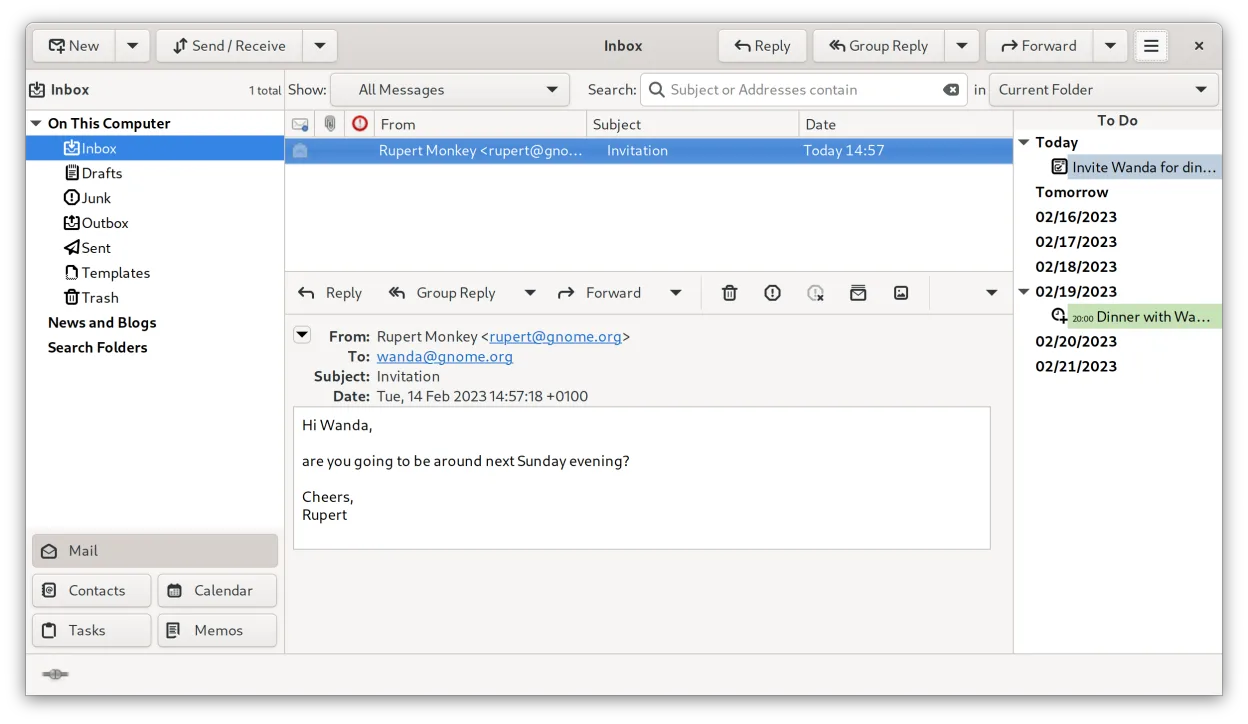
Evolution is a capable replacement for Windows Calendar if you also want email and contact management in one tool. It supports Google Calendar, Microsoft Exchange, and iCloud via CalDAV or EWS, so syncing works reliably. The monthly view is available, and event creation with reminders is solid. However, it’s heavier than Windows Calendar and has a steeper learning curve. If you only need a simple calendar, it might be overkill. But for users wanting a full PIM suite on Linux, Evolution is a strong fit.
- Licencia
- GPL-2.0+ and GFDL-1.3
- Precio
- Gratis
- Última versión
- 3.62.1 (9 de octubre de 2026)
- Valoración
- —
Lo que funciona igual
- Syncs with Google Calendar using CalDAV
- Supports Microsoft Exchange and Outlook.com via EWS
- Can connect to iCloud Calendar through CalDAV
- Offers monthly calendar view
- Allows event creation with customizable reminders
Lo que cambia
- Evolution is part of a full PIM suite, not a standalone calendar
- Heavier resource usage compared to Windows Calendar
- No native Windows version, so not cross-platform
- Interface is more complex, less minimalist
- Requires manual setup for some accounts, especially iCloud
Abrir tus archivos de Windows Calendar
Windows Calendar doesn't export data in a standard standalone file format like .ics by default, and Evolution relies on account-level syncing rather than file imports. If you export calendar data from Outlook.com or Google Calendar as .ics files, Evolution can import them without issue. Direct file compatibility between Windows Calendar and Evolution isn't documented, but syncing through supported services is the intended method and works reliably.
Pasar de Windows Calendar a Evolution, paso a paso
- Export your calendar data from Google, Microsoft, or iCloud if needed
- Install Evolution via your distribution's package manager or Flathub
- Open Evolution and add your Google, Microsoft, or iCloud account
- Use CalDAV for Google and iCloud, EWS for Microsoft Exchange/Outlook.com
- Verify that events and reminders appear correctly in the monthly view
- Set up reminders and check integration with contacts if needed
Funciones clave de Evolution
- Correo, calendario, contactos y tareas integrados en una ventana
- Soporte completo para IMAP, POP3, SMTP, CalDAV y EWS
- Formatos de datos estándar (MIME, iCalendar, vCard)
- Cifrado incorporado con GnuPG y S/MIME
- Libreta de direcciones con LDAP y almacenamiento local
- Compartir calendario y programación vía CalDAV
- Reglas de filtrado de correo y búsqueda
- Atajos de teclado personalizables
Cómo instalar Evolution en Linux
flatpak install flathub org.gnome.Evolutionsudo apt install evolutionsudo apt install evolutionsudo dnf install evolutionsudo pacman -S evolution-bogofiltersudo zypper install evolutionPreguntas frecuentes
Can Evolution sync with iCloud Calendar?
Yes, via CalDAV. You need to enable the calendar in iCloud settings and add the account in Evolution using your Apple ID and app-specific password if 2FA is on.
Does Evolution support Google Calendar?
Yes, Evolution syncs with Google Calendar using CalDAV. No additional plugins are required.
Is Evolution as lightweight as Windows Calendar?
No, Evolution is a full PIM and uses more memory. It's not designed to be minimalist, but rather comprehensive.
Otras 3 alternativas a Windows Calendar
 ThunderbirdThunderbird es un cliente gratuito y de código abierto para correo electrónico, noticias, chat y calendario.Código abiertoGratisFlatpakThunderbird vs Windows CalendarKOrganizerKOrganizer es un gestor de calendarios y tareas que forma parte de la suite KDE, diseñado para reemplazar…Código abiertoGratisKOrganizer vs Windows Calendar