
 GPartedLinux
vs
Ashampoo WinOptimizerWindows
GParted como alternativa Linux a Ashampoo WinOptimizer
Actualizado el
Nuestra opinión
GParted is not a direct replacement for Ashampoo WinOptimizer because it focuses solely on disk partitioning, not system optimization. If your main need is managing partitions—resizing, moving, or formatting drives—GParted excels and is widely used in Linux environments. However, it does not clean junk files, manage startup programs, monitor system performance, or handle privacy cleaning. Users seeking full WinOptimizer functionality will need additional tools like BleachBit, systemd-analyze, or Stacer. GParted is ideal for one-time disk layout changes, especially from a live USB, but not for ongoing system maintenance.
- Licencia
- GPL-3.0
- Precio
- Gratis
- Última versión
- 1.8.1
- Valoración
- —
Lo que funciona igual
- Both can analyze disk usage and manage storage space
- GParted can format drives, similar to disk tools in WinOptimizer
- Both support NTFS and FAT32, allowing cross-platform disk management
- Used for system preparation tasks like freeing up space or reorganizing drives
- Available as live-environment tools (GParted Live, WinOptimizer recovery options)
Lo que cambia
- GParted does not clean junk files or temporary data
- No startup program management or system monitoring features
- Does not perform privacy cleaning (browsing history, logs, etc.)
- No registry-like tuning—Linux doesn’t use a Windows-style registry
- GParted is specialized for partitioning, while WinOptimizer is a general system toolkit
Abrir tus archivos de Ashampoo WinOptimizer
GParted does not handle configuration or data files created by Ashampoo WinOptimizer. There are no known file formats from WinOptimizer that GParted can open or import. GParted operates on disk partitions and file systems directly, not application-level settings or logs. If you're migrating settings or cleanup rules from WinOptimizer, those must be recreated manually using other Linux tools. File compatibility is not applicable in the traditional sense, as GParted works at the block device level, not with user files or profiles.
Pasar de Ashampoo WinOptimizer a GParted, paso a paso
- Install GParted from your distribution's repository (e.g., sudo apt install gparted)
- Use GParted Live USB to resize or manage partitions before booting into the system
- For junk file cleanup, install BleachBit or use 'rm' and 'du' commands
- Manage startup applications via systemd or desktop tools like GNOME Startup Applications
- Monitor disk usage with ncdu or df, and system performance with htop or systemd-analyze
Funciones clave de GParted
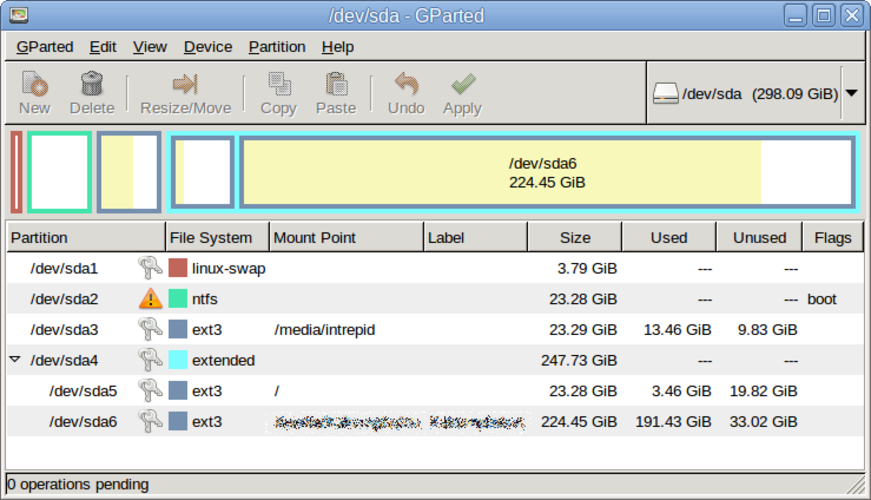
- Interfaz gráfica de GTK para GNU Parted
- Soporta redimensionar, mover, copiar y eliminar particiones
- Independiente del sistema de archivos: ext4, NTFS, FAT32, XFS, Btrfs, etc.
- Soporte para USB booteable para edición previa al arranque
- Deshacer/rehacer para operaciones de particiones
- Verificación de sumas de control para la integridad de los datos
- Modo por lotes mediante línea de comandos para scripting
Cómo instalar GParted en Linux
sudo apt install gpartedsudo apt install gpartedsudo dnf install gpartedsudo pacman -S gpartedsudo zypper install gpartedPreguntas frecuentes
Can GParted speed up my system like WinOptimizer?
Not in the same way. GParted can free disk space by resizing or removing partitions, which may help if your drive is full, but it doesn’t clean temporary files, manage startup apps, or optimize system settings.
Is there a Linux equivalent that does everything WinOptimizer does?
No single tool does it all, but combining GParted (for partitions), BleachBit (for cleaning), htop (for monitoring), and systemd tools (for startup) covers most use cases.
Do I need to use GParted from a live USB?
It's recommended when modifying system partitions to avoid file locks. For external drives, you can use it from within the running system.
Otras 2 alternativas a Ashampoo WinOptimizer
 BleachBitBleachBit es una utilidad gratuita y de código abierto que libera espacio en disco y protege la privacidad…Código abiertoGratisFlatpakBleachBit vs Ashampoo WinOptimizer