
 JamiLinux
vs
Microsoft Teams (2026 version with enhanced AI features)Windows
Jami como alternativa Linux a Microsoft Teams (2026 version with enhanced AI features)
Actualizado el
Nuestra opinión
Jami can replace Microsoft Teams for small teams that need basic chat, voice, video, file sharing, and screen sharing without a central server. It works well on Linux, but it lacks the AI‑powered meeting summaries, deep calendar and email integration, and the polished enterprise features that Teams offers. Users who prioritize privacy and open‑source solutions will find Jami adequate, while larger organizations relying on Microsoft 365 integration will need to look elsewhere.
- Licencia
- GPL-3.0+
- Precio
- Gratis
- Última versión
- 20260917.0 (17 de septiembre de 2026)
- Valoración
- —
Lo que funciona igual
- Both provide persistent chat and direct messaging
- Both support voice and video conferencing
- Both allow file transfer and screen sharing
- Both are cross‑platform with desktop and mobile apps
Lo que cambia
- Jami lacks AI‑assisted meeting summaries and Copilot integration
- Teams integrates tightly with Outlook calendars and Office 365 documents
- Teams offers advanced meeting controls (background blur, attendance tracking)
- Teams provides enterprise‑grade security and compliance features
- Teams has a larger ecosystem of apps and bots
Abrir tus archivos de Microsoft Teams (2026 version with enhanced AI features)
Teams stores documents in Office 365 or OneDrive, which Jami cannot directly open or export. To share files, export them from Teams as standard Office files (Word, Excel, PowerPoint) or PDFs and then send them via Jami’s file transfer. Opening Teams‑specific formats like .msg or .pst is not supported by Jami.
Pasar de Microsoft Teams (2026 version with enhanced AI features) a Jami, paso a paso
- Export Teams chat history to a text or JSON file if needed
- Export all shared files to local storage or a shared folder
- Create Jami accounts for all users and install the app on Linux
- Import contacts by adding their Jami IDs or using SIP addresses
Funciones clave de Jami
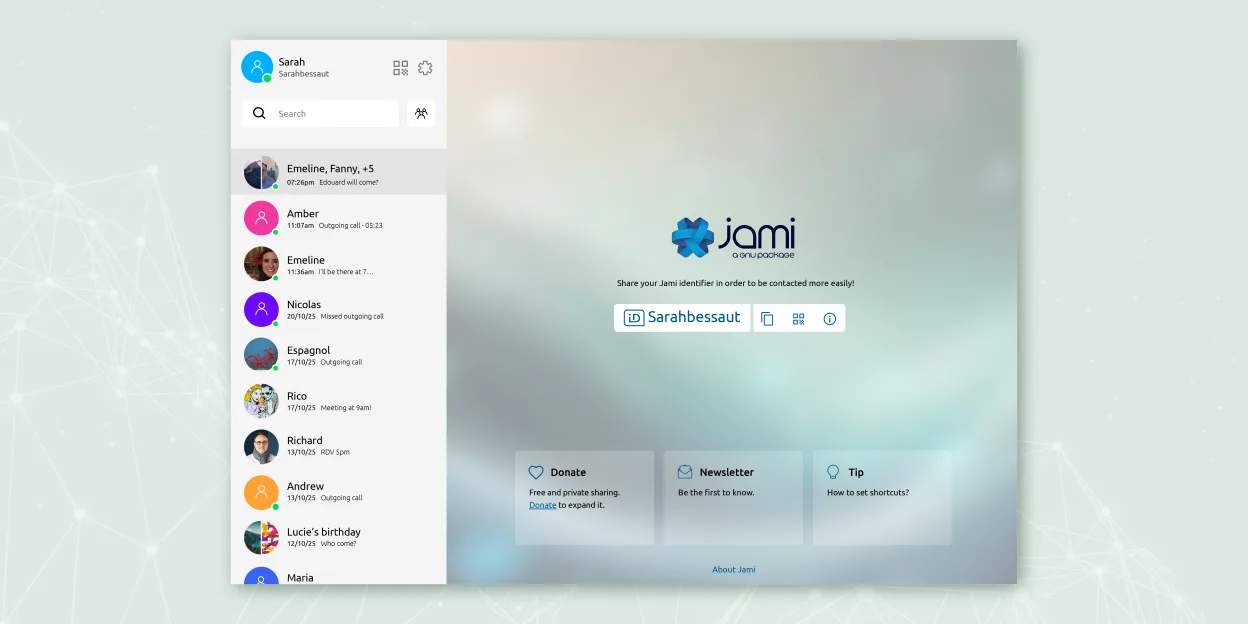
- Mensajería y llamadas cifradas de extremo a extremo
- Audio/vídeo directo entre pares sin servidores centrales
- Chats grupales, transferencia de archivos, compartir pantalla, compartir ubicación
- Soporte para cliente SIP e integración JAMS para empresas
- Disponibilidad multiplataforma (Linux, Windows, macOS, Android, iOS)
- Extensiones como filtros de audio, respuesta automática y pantalla verde
- Grabación de llamadas y transcripción de voz a texto
Cómo instalar Jami en Linux
flatpak install flathub net.jami.Jamisudo apt install jamiPreguntas frecuentes
Does Jami support AI meeting summaries?
No, Jami does not have built-in AI summarization. The Whisper Transcript extension can provide voice‑to‑text, but it is not the same as Teams’ Copilot summaries.
Can I use Jami with my existing Microsoft 365 calendar?
No. Jami does not sync with Outlook or Microsoft 365 calendars. You would need to use a separate calendar app.
Is Jami secure enough for enterprise use?
Yes, Jami is end‑to‑end encrypted and can be managed with JAMS for corporate deployment, but it lacks the compliance certifications that Teams offers for regulated industries.
Otras 5 alternativas a Microsoft Teams (2026 version with enhanced AI features)
 SlackSlack es una aplicación propietaria de comunicación para equipos en Linux que centraliza conversaciones…FlatpakSlack vs Microsoft Teams (2026 version with enhanced AI features)
 MattermostMattermost es una plataforma de colaboración de código abierto y autoalojada para equipos de desarrolladores…Código abiertoGratisFlatpakMattermost vs Microsoft Teams (2026 version with enhanced AI features)
 Rocket.ChatPlataforma de comunicación de equipo de código abierto para chat, video y colaboración, a menudo usada para…Código abiertoGratisFlatpakRocket.Chat vs Microsoft Teams (2026 version with enhanced AI features)
 ZulipZulip es una aplicación de chat de grupo de código abierto que utiliza conversaciones en hilos para gestionar…Código abiertoGratisFlatpakZulip vs Microsoft Teams (2026 version with enhanced AI features)
 ElementElement es un cliente de chat y videoconferencia basado en matrices, de código abierto, para Linux.Código abiertoGratisFlatpakElement vs Microsoft Teams (2026 version with enhanced AI features)
Todas las alternativas a Microsoft Teams (2026 version with enhanced AI features)