
 KRDCLinux
vs
Quick AssistWindows
KRDCLinux
vs
Quick AssistWindows
KRDC como alternativa Linux a Quick Assist
Actualizado el
Nuestra opinión
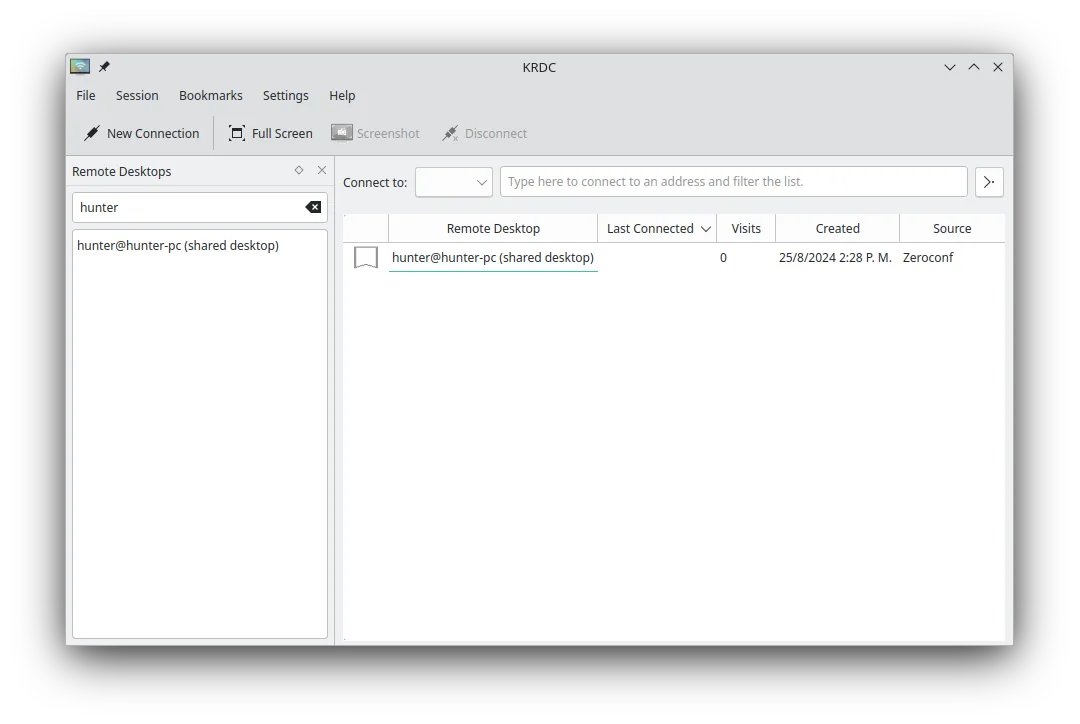
KRDC is a solid replacement for Quick Assist if you're on Linux and need to connect *to* remote machines using RDP or VNC. It supports encrypted connections, remote control, and has a clean interface. However, it's a client only — unlike Quick Assist, it can't let others connect *to* your Linux machine easily. So while it's great for providing support *from* Linux to Windows, it doesn't support incoming sessions the way Quick Assist does. Best for Linux users supporting others remotely via RDP/VNC, not for hosting.
- Licencia
- GPL-2.0+
- Precio
- Gratis
- Última versión
- 26.04.3 (2 de julio de 2026)
- Valoración
- —
Lo que funciona igual
- Supports remote desktop viewing and input control via RDP and VNC
- Provides encrypted connections (TLS for RDP)
- Allows full remote desktop interaction including keyboard and mouse
- Free and open-source with no licensing restrictions
- Cross-platform: can connect to Windows, Linux, or other systems
Lo que cambia
- KRDC is a client only — cannot host incoming remote sessions like Quick Assist
- No built-in session sharing via link or code; requires manual IP/port sharing
- Lacks integration with Windows authentication and Microsoft accounts
- No built-in helper mode for unattended support or easy user consent flow
- Requires manual setup of VNC/RDP servers on target machines
Abrir tus archivos de Quick Assist
Quick Assist does not generate files for import or export, and KRDC does not support session codes or links used by Quick Assist. There is no direct file or session transfer between the two. Connection details in KRDC must be manually entered or bookmarked. No compatibility exists between Quick Assist session tokens and KRDC.
Pasar de Quick Assist a KRDC, paso a paso
- Install KRDC via your package manager or Flatpak
- Set up an RDP or VNC server on the target machine (Windows or Linux)
- Open KRDC and enter the remote machine's IP address and protocol
- Save connection details as a bookmark for future use
- Use Ctrl+Alt+Shift to toggle keyboard capture when needed
Funciones clave de KRDC
- Soporta los protocolos RDP y VNC
- Interfaz gráfica con estilo KDE
- Gestión de marcadores para conexiones frecuentes
- Modos pantalla completa y ventana
- Soporte de atajos de teclado (Ctrl+Alt+Shift para entrada remota)
- Escalado dinámico de la pantalla remota
- Cifrado TLS para sesiones RDP
- Integración con KDE Wallet para almacenamiento de contraseñas
Cómo instalar KRDC en Linux
flatpak install flathub org.kde.krdcsudo apt install krdcsudo apt install krdcsudo dnf install krdcsudo pacman -S krdcsudo zypper install krdcPreguntas frecuentes
Can KRDC let someone help me like Quick Assist does?
No. KRDC is a client — it lets you connect *to* other machines, but doesn't allow others to connect *to* your Linux machine. You'd need a separate VNC or RDP server for that.
Is KRDC secure for remote support?
Yes, when used with TLS-encrypted RDP or secure VNC setups. However, security depends on proper server configuration and password protection.
Can I use KRDC without KDE?
Yes, KRDC runs on any Linux desktop, though it integrates best with KDE Plasma. On other environments, it may pull in KDE libraries.
Otras 3 alternativas a Quick Assist
 RemminaRemmina es un cliente de escritorio remoto para Linux que soporta RDP, VNC, SSH y X2Go para conectarse a…Código abiertoGratisFlatpakRemmina vs Quick Assist
 RustDeskRustDesk es una herramienta de escritorio remoto de código abierto que te permite controlar computadoras a…Código abiertoGratisFlatpakRustDesk vs Quick Assist
 VinagreVinagre es un visor de escritorio remoto para GNOME que soporta VNC, RDP, SSH y SPICE, y que ahora está…Código abiertoGratisAbandonadoVinagre vs Quick Assist