OpenRGBLinux
vs
SteelSeries GGWindows
OpenRGB como alternativa Linux a SteelSeries GG
Actualizado el
Nuestra opinión
OpenRGB is a good replacement for SteelSeries GG if your main goal is unified RGB control on Linux, especially with mixed-brand peripherals. It supports many SteelSeries devices for lighting, lets you save profiles, and sync across reboots. However, it does not handle DPI, button remapping, or game-specific profiles—core features in SteelSeries GG. If you only care about lighting and want to avoid vendor bloat, OpenRGB is excellent. For full peripheral control, you’ll need additional tools or stick with Windows.
- Licencia
- GPL-2.0-or-later
- Precio
- Gratis
- Última versión
- 1.1 (16 de octubre de 2026)
- Valoración
- —
Lo que funciona igual
- Supports SteelSeries devices for RGB lighting control
- Allows saving and loading of lighting profiles
- Persists settings across reboots when configured
- Offers per-device lighting effects and customization
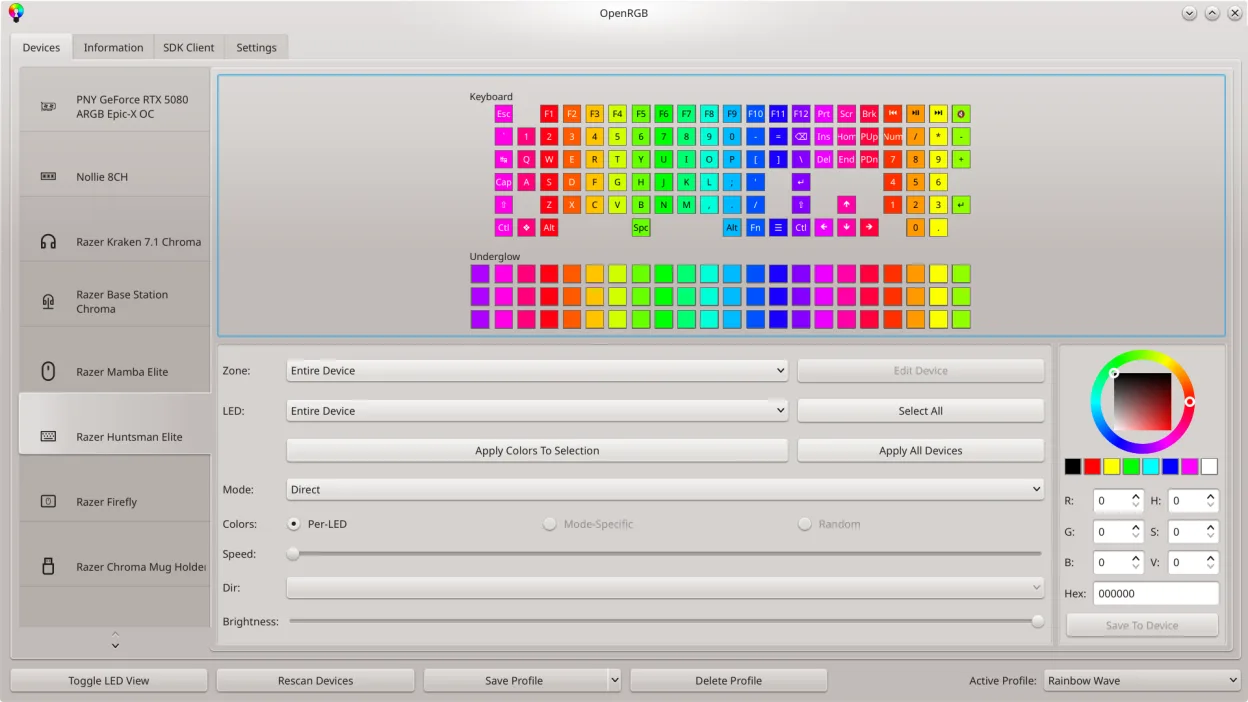
- Provides a graphical interface for LED layout editing
Lo que cambia
- OpenRGB does not adjust DPI or sensitivity settings
- No support for macro programming or button remapping
- Lacks game-specific profile switching or application mapping
- No built-in integration with games or game engines
- RGB-only focus; no hardware configuration beyond lighting
Abrir tus archivos de SteelSeries GG
OpenRGB cannot import or export SteelSeries GG configuration files. The two apps use entirely different formats and data structures. There is no converter available, and profile migration must be done manually. If you have complex lighting setups in SteelSeries GG, you’ll need to recreate them in OpenRGB from scratch. This limitation applies to all vendor-specific settings, including device mappings and effect patterns.
Pasar de SteelSeries GG a OpenRGB, paso a paso
- Install OpenRGB via your distro’s package manager or Flathub
- Shut down any SteelSeries or vendor RGB services on Windows if dual-booting
- Launch OpenRGB and detect connected SteelSeries devices
- Use the graphical LED map to design or restore lighting effects
- Save your custom profiles and enable autostart for persistence
Funciones clave de OpenRGB
- Controlar colores y efectos para muchos dispositivos RGB
- Guardar y cargar perfiles personalizados
- SDK para integración de terceros
- Interfaz de línea de comandos para scripting
- Sincronización multi‑instancia entre PCs
- Modo independiente o cliente/servidor
- Mapa LED gráfico para diseño de patrones
- Visor de información del dispositivo
Cómo instalar OpenRGB en Linux
flatpak install flathub org.openrgb.OpenRGBsudo dnf install openrgbsudo pacman -S openrgbsudo zypper install OpenRGBPreguntas frecuentes
Does OpenRGB work with my SteelSeries mouse and keyboard?
Yes, OpenRGB supports many SteelSeries devices for RGB control, including keyboards and mice. Check the OpenRGB compatibility list to confirm your specific model. Note that lighting is the only aspect supported—DPI and button functions are not adjustable.
Can I sync lighting across multiple PCs with OpenRGB?
Yes, OpenRGB supports multi-instance synchronization over the network. You can run OpenRGB in server mode on one machine and connect clients from others to mirror lighting effects, useful for multi-PC setups or stream decks with RGB.
Do I need Windows to configure my devices first?
No, OpenRGB works natively on Linux and does not require prior Windows configuration. However, some devices may need firmware initialized on Windows first, though this is rare with modern SteelSeries gear.