
 ProtonPlusLinux
vs
Epic Games LauncherWindows
ProtonPlusLinux
vs
Epic Games LauncherWindows
ProtonPlus como alternativa Linux a Epic Games Launcher
Actualizado el
Nuestra opinión
ProtonPlus is not a direct replacement for the Epic Games Launcher. It is a tool that manages compatibility layers for Linux game launchers, but it does not provide a storefront, account login, or native Epic Games Store integration. It can help you run Epic games that you already have on a Linux launcher that supports Proton, but you still need the Epic Games Store client or a third‑party launcher that can download the games. ProtonPlus is useful for users who want fine‑grained control over Proton/Wine versions and want to automate updates, but not for people looking for a single, all‑in‑one Epic Games Store experience.
- Licencia
- GPL-3.0-or-later
- Precio
- Gratis
- Última versión
- 0.6.8 (8 de septiembre de 2026)
- Valoración
- —
Lo que funciona igual
- Both target game distribution on Linux
- Both can be used with Proton or Wine backends
- Both manage game libraries
- Both support download and update management
- Both provide a GUI for configuration
Lo que cambia
- ProtonPlus has no Epic Games Store storefront or account login
- ProtonPlus does not claim free games automatically
- ProtonPlus lacks cloud save sync for Epic games
- ProtonPlus does not organize games into a unified library like the Epic Launcher
- ProtonPlus does not handle Epic game updates directly, only through underlying launchers
Abrir tus archivos de Epic Games Launcher
ProtonPlus does not read or write Epic Games Launcher configuration files. It cannot import an Epic Games library or export settings from the Epic Launcher. Users would need to use the Epic Games Store client on Windows or a compatible Linux launcher that supports Epic games to transfer data.
Pasar de Epic Games Launcher a ProtonPlus, paso a paso
- 1. Install the Epic Games Store client on Windows or a Linux launcher that supports Epic games (e.g., Heroic).
- 2. Download and install the desired Epic games through that client.
- 3. Open ProtonPlus and add the game’s executable to a launcher that ProtonPlus manages (e.g., Lutris).
- 4. Configure the desired Proton/Wine version and launch options in ProtonPlus.
- 5. Use ProtonPlus to keep the compatibility tools up to date.
- 6. Launch the game from the chosen launcher; ProtonPlus will handle the backend.
Funciones clave de ProtonPlus
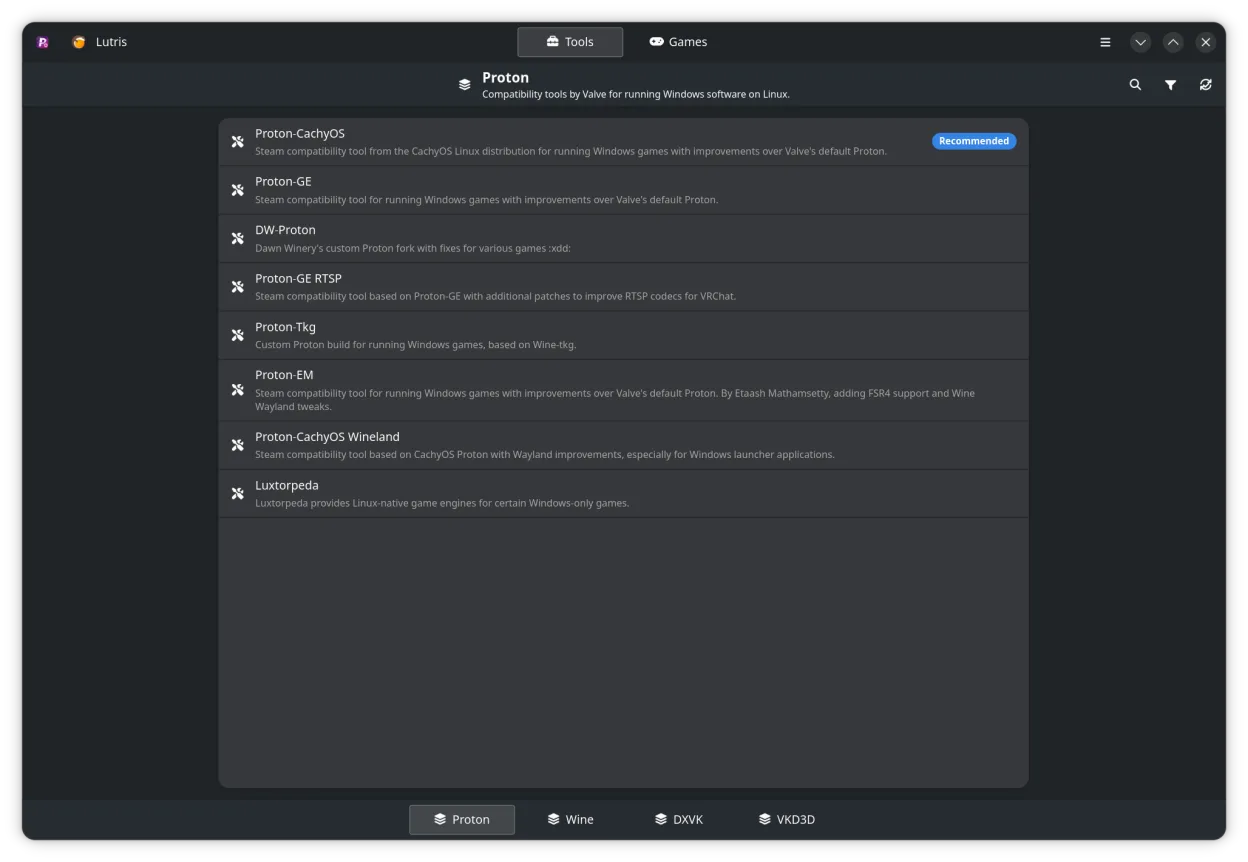
- Gestionar Proton, Wine, DXVK, VKD3D y herramientas relacionadas
- Soporte para Steam, Faugus Launcher, Lutris, Heroic Games Launcher, Bottles y WineZGUI
- Explorar la biblioteca de Steam y cambiar la configuración de compatibilidad por juego
- Editar opciones de lanzamiento directamente desde la interfaz
- Rastrear descargas y actualizaciones con notificaciones
- Soporte CLI para scripting y automatización
Cómo instalar ProtonPlus en Linux
flatpak install flathub com.vysp3r.ProtonPlussudo zypper install ProtonPlusPreguntas frecuentes
Can ProtonPlus claim free Epic games?
No, ProtonPlus does not claim free games. You must claim them through the Epic Games Store client or a supported launcher.
Does ProtonPlus provide cloud save sync for Epic games?
No, ProtonPlus does not sync cloud saves. Cloud sync must be handled by the Epic Games Store client or the underlying launcher.
Can I use ProtonPlus to run Epic games on Linux?
Yes, if you have the game installed via a compatible launcher that supports Proton, ProtonPlus can manage the Proton version and launch options for that game.
Otras 6 alternativas a Epic Games Launcher
 LutrisLutris es una plataforma libre y de código abierto que centraliza la instalación y el lanzamiento de juegos…Código abiertoGratisFlatpakLutris vs Epic Games Launcher
 SteamSteam es una plataforma digital de distribución de juegos con tienda integrada, actualizaciones, guardados en…GratisFlatpakSteam vs Epic Games Launcher
 BottlesBottles ejecuta aplicaciones de Windows en Linux, gestionándolas en entornos aislados.Código abiertoGratisFlatpakBottles vs Epic Games Launcher
 PlayOnLinux 4PlayOnLinux es una interfaz gráfica para Wine que te permite instalar y ejecutar juegos y aplicaciones de…Código abiertoGratisFlatpakPlayOnLinux 4 vs Epic Games Launcher
 HeroicHeroic es un lanzador de código abierto que te permite jugar a juegos de Epic, GOG y Amazon en Linux, con…Código abiertoGratisFlatpakHeroic vs Epic Games Launcher