
 ProtonPlusLinux
vs
SteamWindows
ProtonPlusLinux
vs
SteamWindows
ProtonPlus como alternativa Linux a Steam
Actualizado el
Nuestra opinión
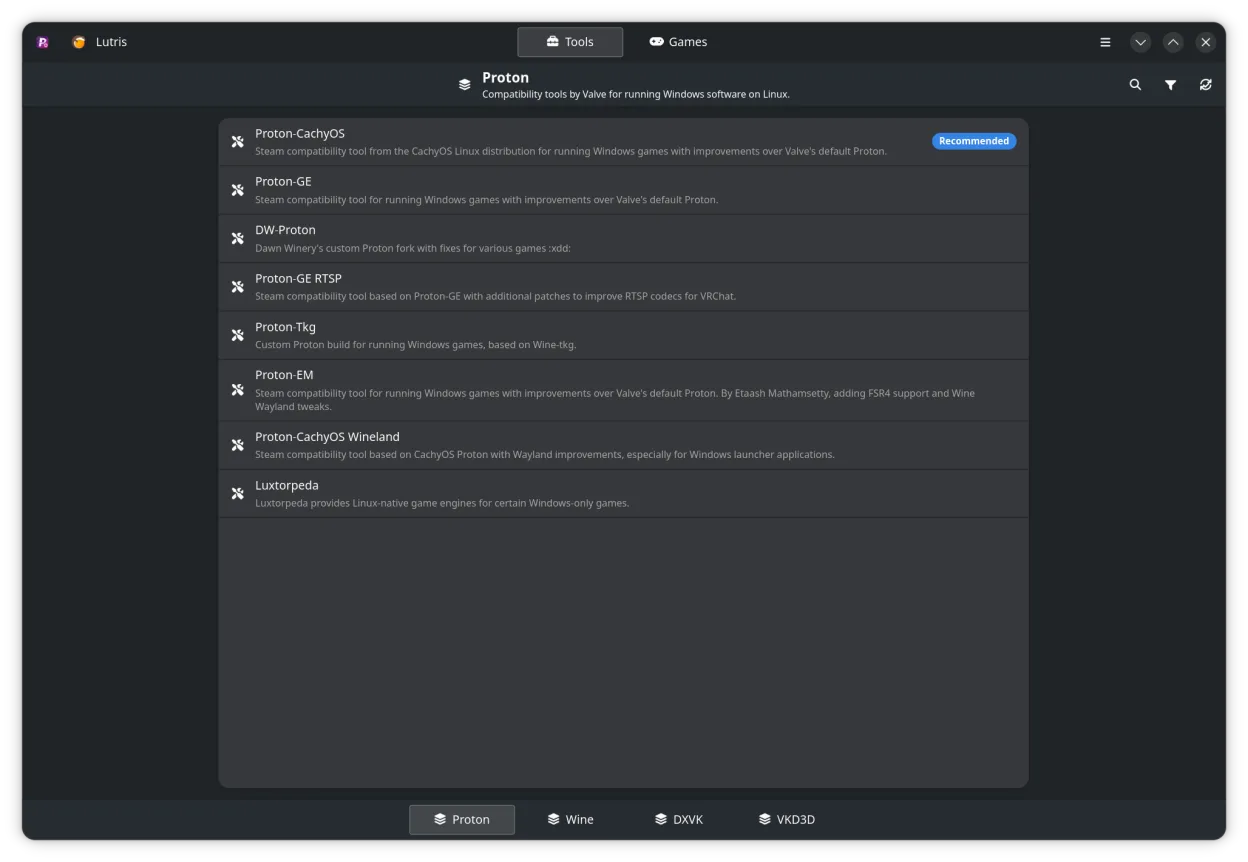
ProtonPlus is not a full replacement for Steam. It is a tool that manages compatibility layers for games that are already installed through Steam or other launchers. It does not provide a storefront, purchase system, or social networking. It is useful for Linux gamers who want to tweak Proton, Wine, DXVK, or VKD3D settings and keep those tools up‑to‑date, especially if they use multiple launchers. It is not a substitute for Steam’s core client functions.
Cobertura de funciones
- Licencia
- GPL-3.0-or-later
- Precio
- Gratis
- Última versión
- 0.6.8 (8 de septiembre de 2026)
- Valoración
- —
Lo que funciona igual
- Both interact with Steam game libraries
- Both allow editing of launch options
- Both can notify users about updates
- Both can be scripted via CLI
- Both run on Linux
Lo que cambia
- ProtonPlus does not sell or host games
- ProtonPlus lacks Steam’s social features (friends, chat, community hubs)
- ProtonPlus does not manage cloud saves
- ProtonPlus does not handle automatic game updates or patches
- ProtonPlus does not provide a storefront or payment system
Abrir tus archivos de Steam
ProtonPlus can read a Steam library folder to list installed games, but it does not import or export Steam configuration files such as "config.vdf" or "libraryfolders.vdf". Users must keep their Steam client for library management and purchases.
Pasar de Steam a ProtonPlus, paso a paso
- 1. Keep your Steam client installed for purchases and library management.
- 2. Install ProtonPlus from Flathub or your distro’s package manager.
- 3. Open ProtonPlus, let it scan your Steam library, and select the compatibility tools you want for each game.
- 4. Use ProtonPlus to update or change Proton/Wine/DXVK/VKD3D versions as needed.
- 5. Launch games through ProtonPlus or your chosen launcher to apply the new settings.
- faq
- :
Funciones clave de ProtonPlus
- Gestionar Proton, Wine, DXVK, VKD3D y herramientas relacionadas
- Soporte para Steam, Faugus Launcher, Lutris, Heroic Games Launcher, Bottles y WineZGUI
- Explorar la biblioteca de Steam y cambiar la configuración de compatibilidad por juego
- Editar opciones de lanzamiento directamente desde la interfaz
- Rastrear descargas y actualizaciones con notificaciones
- Soporte CLI para scripting y automatización
Cómo instalar ProtonPlus en Linux
Flatpak (Flathub)
flatpak install flathub com.vysp3r.ProtonPlusopenSUSE
sudo zypper install ProtonPlusOtras 3 alternativas a Steam
Heroic Games LauncherHeroic Games Launcher es una herramienta de código abierto que permite a los usuarios de Linux instalar y…Código abiertoGratisHeroic Games Launcher vs Steam LutrisLutris es una plataforma libre y de código abierto que centraliza la instalación y el lanzamiento de juegos…Código abiertoGratisFlatpakLutris vs Steam
 BottlesBottles ejecuta aplicaciones de Windows en Linux, gestionándolas en entornos aislados.Código abiertoGratisFlatpakBottles vs Steam
LutrisLutris es una plataforma libre y de código abierto que centraliza la instalación y el lanzamiento de juegos…Código abiertoGratisFlatpakLutris vs SteamBottlesBottles ejecuta aplicaciones de Windows en Linux, gestionándolas en entornos aislados.Código abiertoGratisFlatpakBottles vs SteamValora ProtonPlus
Sé el primero en valorar
¿Es un buen sustituto de Steam?
3