
 AcetoneISOLinux
vs
WinCDEmuWindows
AcetoneISO, alternative Linux à WinCDEmu
Mis à jour le
Notre avis
AcetoneISO is a solid replacement for WinCDEmu if you need a graphical interface for managing virtual drives. It handles the core task of mounting ISO, BIN, and NRG files as block devices, which is all WinCDEmu does. However, it is not the only option; many modern Linux distributions handle ISO mounting natively via the kernel. AcetoneISO adds value through its GUI for managing multiple drives, extracting files, and burning discs. It is best for users who prefer a dedicated tool over command-line utilities or native file manager integration, especially when dealing with complex image formats or needing to burn media.
- Licence
- GPL-3.0
- Prix
- Gratuit
- Dernière version
- 2.4_7
- Note
- 5/5 (1)
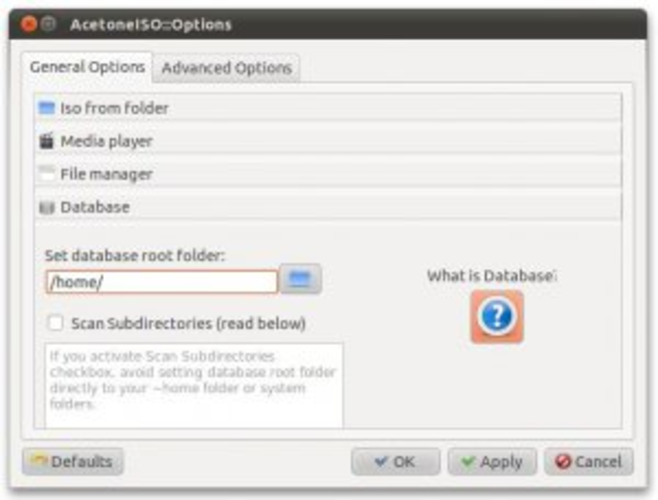
Ce qui fonctionne pareil
- Mounts ISO, BIN, and NRG files as virtual block devices
- Provides a graphical interface for managing virtual drives
- Allows manual mounting and unmounting of images
- Integrates with file managers for easy access
Ce qui change
- AcetoneISO includes disc burning and image creation features, which WinCDEmu lacks
- AcetoneISO is a full application suite, while WinCDEmu is a lightweight utility
- AcetoneISO does not emulate copy protection schemes
- AcetoneISO requires installation of a separate package, whereas WinCDEmu is a standalone driver
Ouvrir vos fichiers WinCDEmu
AcetoneISO reads standard disc image formats like ISO, BIN/CUE, and NRG directly. It does not use a proprietary file format for mounting; instead, it interacts with the Linux kernel's loop device or similar mechanisms. There are no 'WinCDEmu files' to migrate, as WinCDEmu does not store state in a file. You simply mount the same image files you used on Windows.
Passer de WinCDEmu à AcetoneISO, étape par étape
- Install AcetoneISO from your distribution's package manager
- Launch AcetoneISO and add a virtual drive if not present
- Right-click an ISO file in your file manager and select 'Mount with AcetoneISO'
- Access the mounted drive from the file manager or command line
- Unmount the drive via the AcetoneISO GUI or file manager when done
Fonctionnalités clés de AcetoneISO
- Monter les formats d'image ISO, BIN, IMG, MDF, NRG et autres
- Créer des images ISO à partir de dossiers ou de disques physiques
- Convertir entre les formats d'image pris en charge
- Graver des images sur des supports CD/DVD/BD
- Gérer les lecteurs virtuels (ajouter/supprimer) via l'interface graphique
- Extraire des fichiers d'images sans les monter
- Prise en charge de la ligne de commande via acetoneiso-cli
- Intégration avec les menus contextuels du gestionnaire de fichiers
Installer AcetoneISO sous Linux
sudo apt install acetoneisosudo apt install acetoneisoQuestions fréquentes
Do I need AcetoneISO if my file manager can mount ISOs?
No, if your file manager (like Nautilus or Dolphin) mounts ISOs natively, that is often sufficient for simple tasks. AcetoneISO is useful if you need to manage multiple drives, extract files, or burn discs.
Can AcetoneISO handle CUE/BIN files?
Yes, AcetoneISO supports mounting CUE/BIN image pairs, which is a common requirement for game and software distribution.
Is AcetoneISO compatible with all Linux distributions?
It is available in most major distributions like Debian and Ubuntu via their repositories. For other distros, you may need to build from source or use a Flatpak/Snap package.
2 autres alternatives à WinCDEmu
 CDemuCDEmu est un démon gratuit et open source qui monte des images de disques en tant que lecteurs optiques…Open sourceGratuitAbandonnéCDemu ou WinCDEmu
 Furius ISO MountFurius ISO Mount est un outil GTK léger pour monter et démonter des images ISO sur Linux.Open sourceGratuitAbandonnéFurius ISO Mount ou WinCDEmu