
 digiKamLinux
vs
Adobe LightroomWindows
digiKamLinux
vs
Adobe LightroomWindows
digiKam, alternative Linux à Adobe Lightroom
Mis à jour le
Notre avis
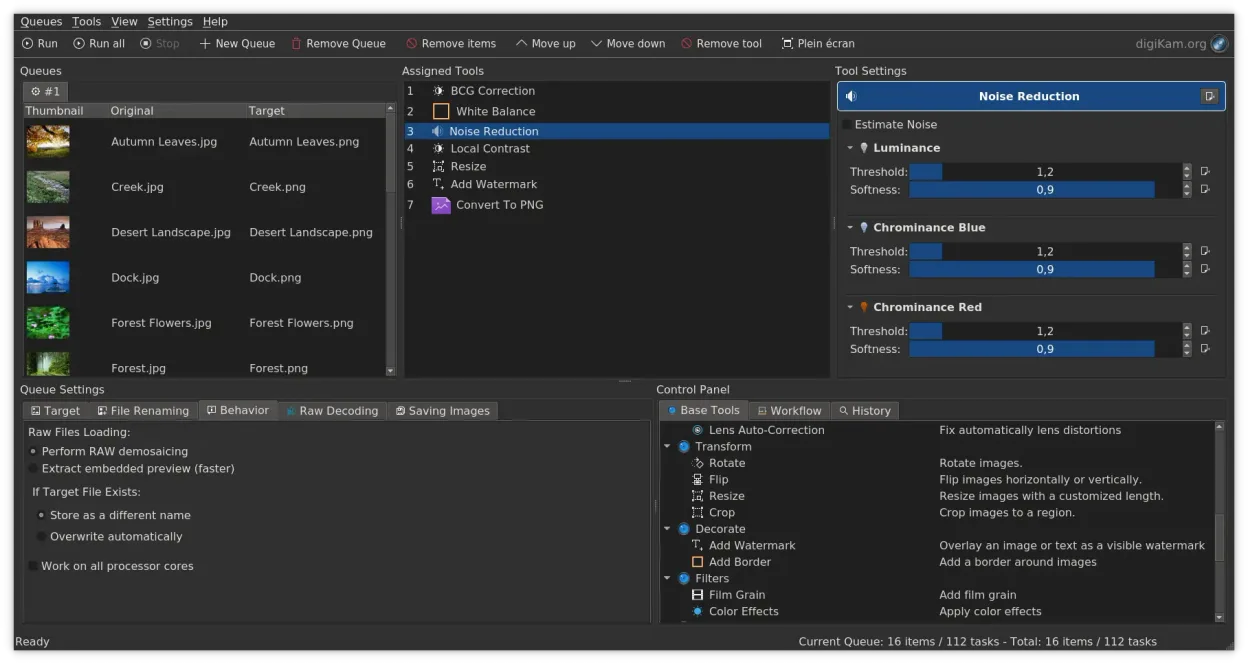
digiKam is a strong, free alternative for photographers who prioritize library management and non-destructive RAW editing over advanced creative effects. It handles large catalogs, tagging, and batch processing well, making it suitable for hobbyists and professionals who do not rely on Lightroom’s specific plugin ecosystem or complex tone mapping. However, if your workflow depends heavily on Adobe’s specific color science, deep local adjustments, or seamless integration with Photoshop, you will find digiKam limiting. It is best for users who want a robust, open-source cataloging tool with solid RAW support without subscription costs.
- Licence
- GPL-2.0+
- Prix
- Gratuit
- Dernière version
- 9.1.0 (7 juin 2026)
- Note
- —
Ce qui fonctionne pareil
- Non-destructive RAW editing using embedded metadata
- Large library cataloging with tagging, rating, and album organization
- Batch processing for resizing, exporting, and metadata changes
- Support for EXIF, IPTC, and XMP metadata management
- Direct import from cameras and SD cards with configurable rules
Ce qui change
- Lacks Adobe’s extensive plugin ecosystem for specialized effects
- No direct support for Adobe’s proprietary .xmp sidecar format in the same way, though it reads standard metadata
- Color engine and tone mapping algorithms differ from Adobe’s, potentially altering final output
- Interface is KDE-centric, which may feel less streamlined than Lightroom’s unified workspace
- Batch export options are functional but less granular than Lightroom’s presets
Ouvrir vos fichiers Adobe Lightroom
digiKam can read and write standard RAW files (CR2, NEF, ARW, etc.) and JPEGs. It does not open Adobe Lightroom catalogs (.lrcat) directly. However, since digiKam uses standard metadata (EXIF, IPTC, XMP) and non-destructive editing, you can migrate your photo library by importing the original files. Your Lightroom edits stored in .xmp sidecar files may be partially readable, but complex Lightroom-specific adjustments will not transfer. You will need to re-apply edits in digiKam.
Passer de Adobe Lightroom à digiKam, étape par étape
- Export your Lightroom catalog as a CSV or JSON file for reference
- Copy all original RAW and JPEG files to a folder on your Linux system
- Launch digiKam and use the Import Wizard to add the folder to your database
- Configure import rules to automatically apply tags or albums if desired
- Review a sample of images to ensure RAW previews render correctly
- Re-apply critical edits in digiKam’s image editor as needed
Fonctionnalités clés de digiKam
- Import direct depuis les appareils photo, cartes SD et clés USB avec des règles configurables
- Systèmes avancés d'étiquetage, de notation et de libellés pour une organisation complexe de la bibliothèque
- Moteur de recherche puissant prenant en charge les critères de métadonnées EXIF, IPTC et XMP
- Retouche non destructive avec ajustements de couleur, recadrage et netteté
- Prise en charge native des fichiers RAW via LibRaw pour le décodage et l'aperçu
- Catalogage vidéo et extraction de métadonnées à l'aide de backends FFmpeg
- Organisation des albums avec une interface glisser-déposer
- Disponibilité interplateformes pour Linux, Windows et macOS
Installer digiKam sous Linux
flatpak install flathub org.kde.digikamsudo apt install digikamsudo apt install digikamsudo dnf install digikamsudo pacman -S digikamsudo zypper install digikamQuestions fréquentes
Can I use Lightroom presets in digiKam?
No. digiKam does not support Adobe’s .xmp preset format. You will need to recreate your editing workflows using digiKam’s built-in tools.
Does digiKam support video editing?
digiKam catalogs and extracts metadata from video files using FFmpeg, but it is not a video editor. Use a dedicated tool like Kdenlive for video work.
Is digiKam free?
Yes. digiKam is open-source software licensed under GPL-2.0+ and is available for free on Linux, Windows, and macOS.
4 autres alternatives à Adobe Lightroom
 darktabledarktable est un éditeur photo gratuit et open‑source qui gère les fichiers RAW et propose un flux de travail…Open sourceGratuitFlatpakdarktable ou Adobe Lightroom
 RawTherapeeRawTherapee est un programme de développement de photos raw open‑source et multiplateforme.Open sourceGratuitFlatpakRawTherapee ou Adobe Lightroom
 GIMPGIMP est un éditeur de graphiques raster gratuit et open source, conçu pour la retouche photo, la peinture…Open sourceGratuitFlatpakGIMP ou Adobe Lightroom
 ShotwellShotwell est un gestionnaire de photos GNOME pour l'importation, l'organisation et l'édition légère d'images.Open sourceGratuitFlatpakShotwell ou Adobe Lightroom