
 digiKamLinux
vs
XnViewWindows
digiKamLinux
vs
XnViewWindows
digiKam, alternative Linux à XnView
Mis à jour le
Notre avis
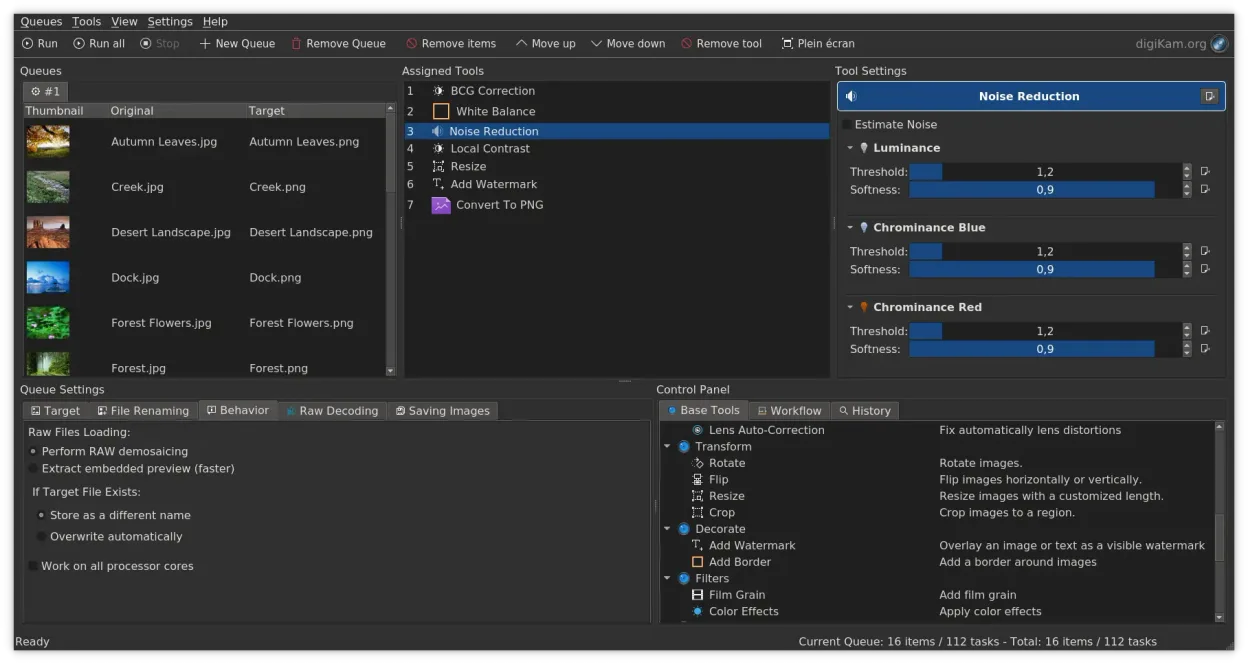
digiKam is a strong replacement for XnView if your primary need is organizing and managing a large photo library with advanced tagging and RAW support. It handles viewing, basic editing, and metadata editing well. However, it is heavier and more complex than XnView. If you just need a quick, lightweight viewer for batch conversion of diverse file types without deep library management, XnView is simpler. For users who want to replace XnView’s organizational and editing features with a more robust, open-source tool that excels at RAW workflows and detailed metadata search, digiKam is an excellent choice.
- Licence
- GPL-2.0+
- Prix
- Gratuit
- Dernière version
- 9.1.0 (7 juin 2026)
- Note
- —
Ce qui fonctionne pareil
- Supports viewing and editing a wide range of image formats, including RAW files.
- Offers batch processing capabilities for renaming and converting images.
- Provides tools for editing EXIF, IPTC, and XMP metadata.
- Includes basic image editing features like cropping, rotating, and resizing.
- Cross-platform availability, though digiKam is primarily a Linux/KDE application.
Ce qui change
- digiKam is a full photo manager with a database, while XnView is primarily a viewer/converter.
- digiKam has a steeper learning curve due to its comprehensive feature set.
- XnView is lighter and faster for simple tasks like quick previews or batch conversions.
- digiKam focuses heavily on library organization with tags, ratings, and albums, which XnView lacks in depth.
- digiKam uses a non-destructive editing model, whereas XnView typically performs direct edits.
Ouvrir vos fichiers XnView
digiKam can open and export standard image formats (JPEG, PNG, TIFF, etc.) and RAW files, which are the same formats XnView handles. Since both tools work with standard file systems and formats, there is no proprietary file format lock-in. You can import your existing image folders directly into digiKam without conversion. Metadata is preserved and managed via standard EXIF/IPTC/XMP tags, ensuring compatibility with other tools.
Passer de XnView à digiKam, étape par étape
- Install digiKam via your package manager or Flathub.
- Launch digiKam and create a new photo library.
- Point the library to your existing image folders on your disk.
- Let digiKam scan and index the files to build its database.
- Configure import rules if you plan to add new photos from cameras or SD cards.
- Familiarize yourself with the tagging and album organization features.
Fonctionnalités clés de digiKam
- Import direct depuis les appareils photo, cartes SD et clés USB avec des règles configurables
- Systèmes avancés d'étiquetage, de notation et de libellés pour une organisation complexe de la bibliothèque
- Moteur de recherche puissant prenant en charge les critères de métadonnées EXIF, IPTC et XMP
- Retouche non destructive avec ajustements de couleur, recadrage et netteté
- Prise en charge native des fichiers RAW via LibRaw pour le décodage et l'aperçu
- Catalogage vidéo et extraction de métadonnées à l'aide de backends FFmpeg
- Organisation des albums avec une interface glisser-déposer
- Disponibilité interplateformes pour Linux, Windows et macOS
Installer digiKam sous Linux
flatpak install flathub org.kde.digikamsudo apt install digikamsudo apt install digikamsudo dnf install digikamsudo pacman -S digikamsudo zypper install digikamQuestions fréquentes
Is digiKam too heavy for just viewing images?
Yes, if you only need to quickly view a few files, digiKam is overkill. It is designed for managing large libraries. For simple viewing, a lighter tool like Eye of GNOME or Image Viewer might be better.
Can digiKam replace XnView for batch converting 500+ formats?
digiKam supports many formats, but it is not primarily a batch converter for obscure file types. For bulk conversion of diverse formats, you might still prefer a dedicated tool like ImageMagick or XnView itself if available.
Does digiKam support non-destructive editing?
Yes, digiKam uses a non-destructive editing model, meaning your original files remain unchanged, and edits are stored as adjustments. This is a significant advantage over XnView’s direct editing approach.
5 autres alternatives à XnView
 darktabledarktable est un éditeur photo gratuit et open‑source qui gère les fichiers RAW et propose un flux de travail…Open sourceGratuitFlatpakdarktable ou XnView
 GIMPGIMP est un éditeur de graphiques raster gratuit et open source, conçu pour la retouche photo, la peinture…Open sourceGratuitFlatpakGIMP ou XnView
 KritaKrita est un programme de peinture numérique et d'illustration open‑source complet.Open sourceGratuitFlatpakKrita ou XnView
 ShotwellShotwell est un gestionnaire de photos GNOME pour l'importation, l'organisation et l'édition légère d'images.Open sourceGratuitFlatpakShotwell ou XnView