
 EvolutionLinux
vs
Windows ContactsWindows
EvolutionLinux
vs
Windows ContactsWindows
Evolution, alternative Linux à Windows Contacts
Mis à jour le
Notre avis
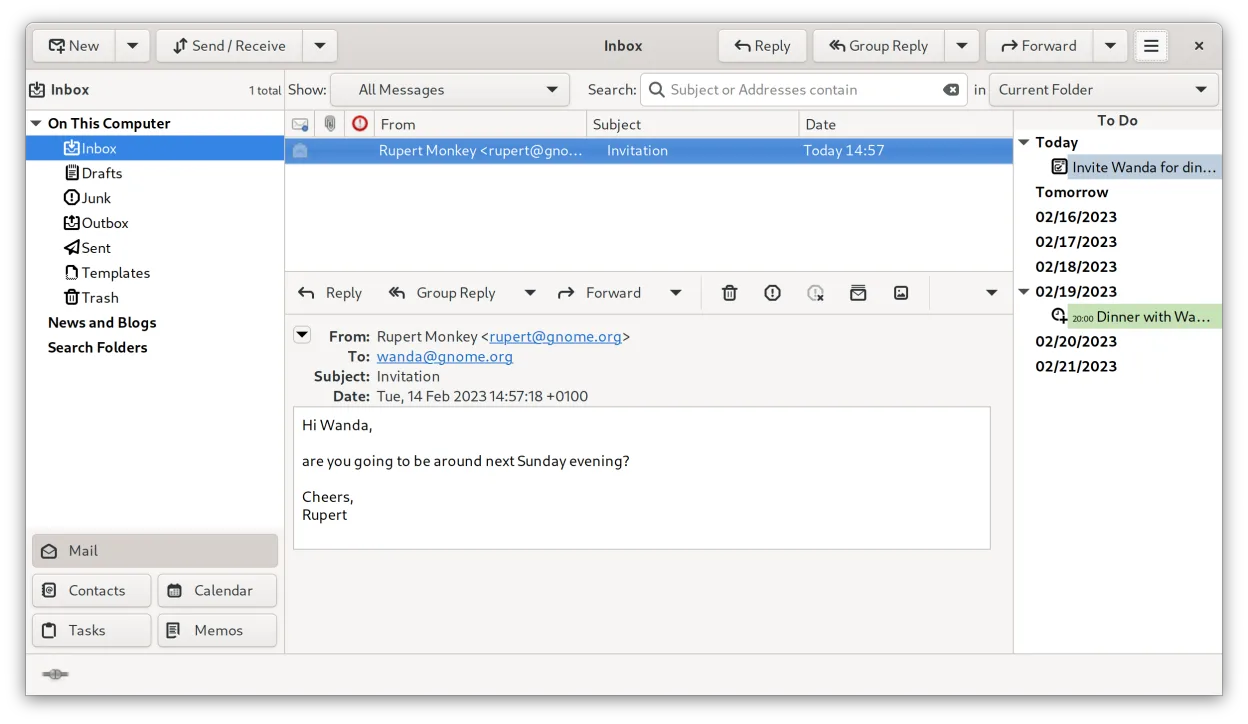
Evolution is a strong replacement for Windows Contacts if you also want email and calendar integration. It handles all basic contact management tasks reliably—storing names, emails, phones, addresses—and supports groups, search, sorting, and local storage. The interface is more complex than Windows Contacts, so it may overwhelm non-technical users. However, for those already using or open to a full PIM, Evolution offers deeper functionality without forcing cloud sync. It’s ideal for users wanting a self-contained, desktop-based contact manager on Linux.
- Licence
- GPL-2.0+ and GFDL-1.3
- Prix
- Gratuit
- Dernière version
- 3.62.1 (9 octobre 2026)
- Note
- —
Ce qui fonctionne pareil
- Stores names, email addresses, phone numbers, and physical addresses
- Supports organizing contacts into categories and groups
- Includes search and sorting functions for easy lookup
- Allows local data storage without requiring cloud sync
- Exports and imports standard vCard files
Ce qui change
- Evolution is part of a full PIM suite with email and calendar, making it heavier than Windows Contacts
- No direct import from Windows Contacts .contact files; conversion required
- Interface is more complex, less suited for completely non-technical users
- Requires more system resources due to integrated mail and calendar
- No native Windows Contacts-style drag-and-drop sharing
Ouvrir vos fichiers Windows Contacts
Evolution does not directly read Windows Contacts .contact files, which are proprietary. However, you can export contacts from Windows Contacts as vCard (.vcf) or CSV through third-party tools or scripts, then import them into Evolution. Evolution fully supports vCard format for both import and export, ensuring compatibility with most contact managers. If the user has many .contact files, a batch conversion tool on Windows will be necessary before migration.
Passer de Windows Contacts à Evolution, étape par étape
- On Windows, export your contacts from Windows Contacts as vCard (.vcf) or CSV using a conversion tool
- Transfer the exported files to your Linux system
- Open Evolution and go to the Address Book
- Select File > Import to bring in the vCard or CSV file
- Map fields if prompted, then verify contacts appear correctly
- Use local address book storage to avoid cloud sync
Fonctionnalités clés de Evolution
- Courriel, agenda, contacts et tâches intégrés dans une même fenêtre
- Prise en charge complète d’IMAP, POP3, SMTP, CalDAV et EWS
- Formats de données standards (MIME, iCalendar, vCard)
- Chiffrement intégré avec GnuPG et S/MIME
- Carnet d’adresses avec LDAP et stockage local
- Partage d’agenda et planification via CalDAV
- Règles de filtrage du courriel et recherche
- Raccourcis clavier personnalisables
Installer Evolution sous Linux
flatpak install flathub org.gnome.Evolutionsudo apt install evolutionsudo apt install evolutionsudo dnf install evolutionsudo pacman -S evolution-bogofiltersudo zypper install evolutionQuestions fréquentes
Can Evolution run without email setup?
Yes, you can use Evolution's address book and calendar without configuring any email account, though the app still launches with all components.
Is Evolution available in all major Linux distros?
Yes, Evolution is packaged in Debian, Ubuntu, Fedora, openSUSE, and Arch Linux, and is also available via Flathub for universal Linux support.
Does Evolution support contact groups or mailing lists?
Yes, Evolution allows creating contact groups, which can be used for email mailing or organizing contacts by category.
2 autres alternatives à Windows Contacts
 ThunderbirdThunderbird est un client de messagerie, de flux de nouvelles, de chat et de calendrier gratuit et open…Open sourceGratuitFlatpakThunderbird ou Windows Contacts